How to Generate Your GSTR-3B Report in Sleek Bill
Getting your GSTR-3B report ready shouldn’t be complicated. With Sleek Bill, you can pull your GST summary in just a few clicks, check all the important details, and download the report right away.
This quick
guide walks you through each step to generate your GSTR-3B report in Sleek
Bill, so you spend less time on paperwork and more time running your business.
What’s the
GSTR-3B Report All About?
GSTR-3B is a
monthly GST summary that every GST-registered business files. It covers:
- Your sales (outward supplies)
- Purchases that fall under reverse charge
- Input Tax Credit (ITC)
- How much tax you owe under CGST, SGST, IGST, and Cess
- Your total GST liability for the month
When you have
this report ready, GST filing is much simpler you avoid mistakes and skip the
hassle of manual calculations.
Why Bother Generating a GSTR-3B Report?
Pulling your
GSTR-3B report from Sleek Bill isn’t just about saving time—though it does
that, too. You get:
- A full GST summary for any period you choose
- Less risk of calculation errors
- Quick checks on your tax amounts
- Easy sharing with your accountant
- Organized GST records you can find anytime
Let’s Get into
It: How to Generate Your GSTR-3B Report
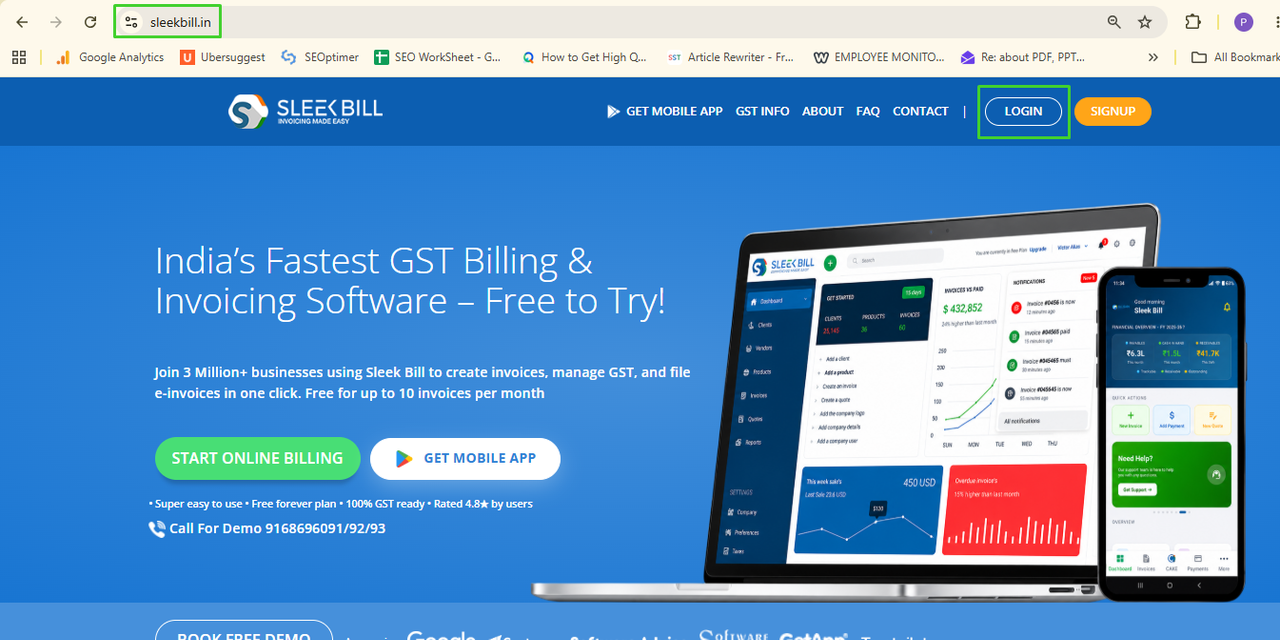
Step 1: Go to Sleek Bill
Open your
browser and head to sleekbill.in. Hit the Login button.
Step 2: Sign In
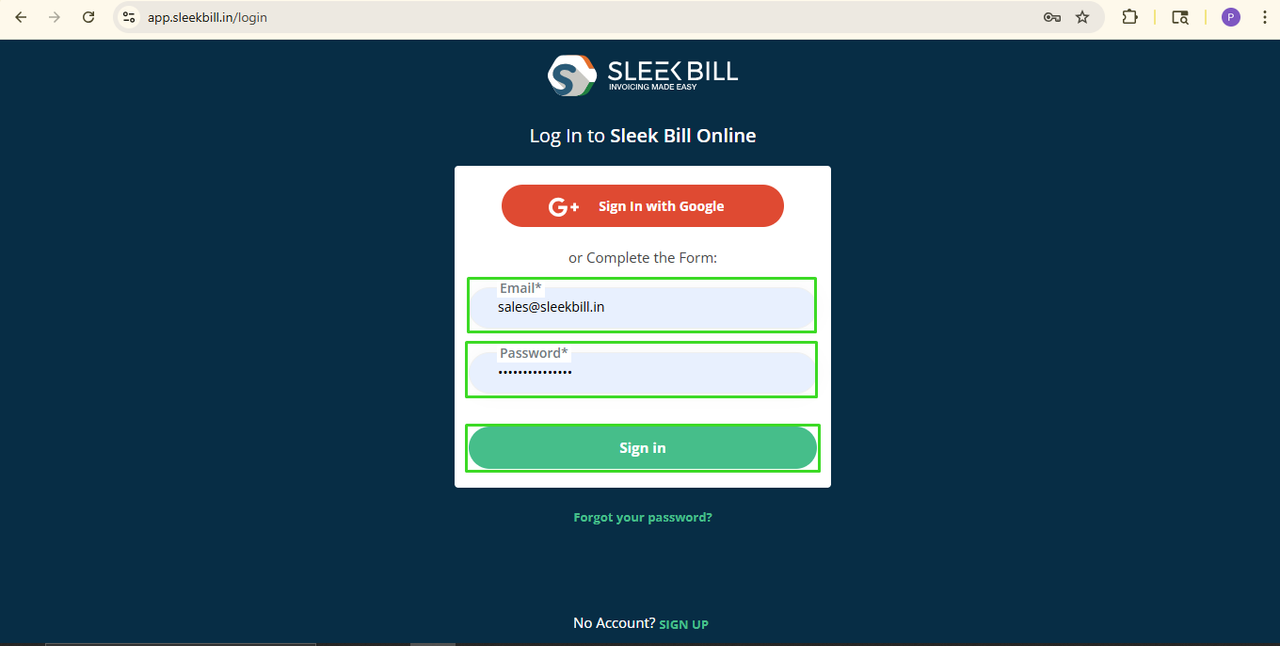
Punch in your
email and password. Click Login to jump to your dashboard.
Step 3: Open the Reports Section
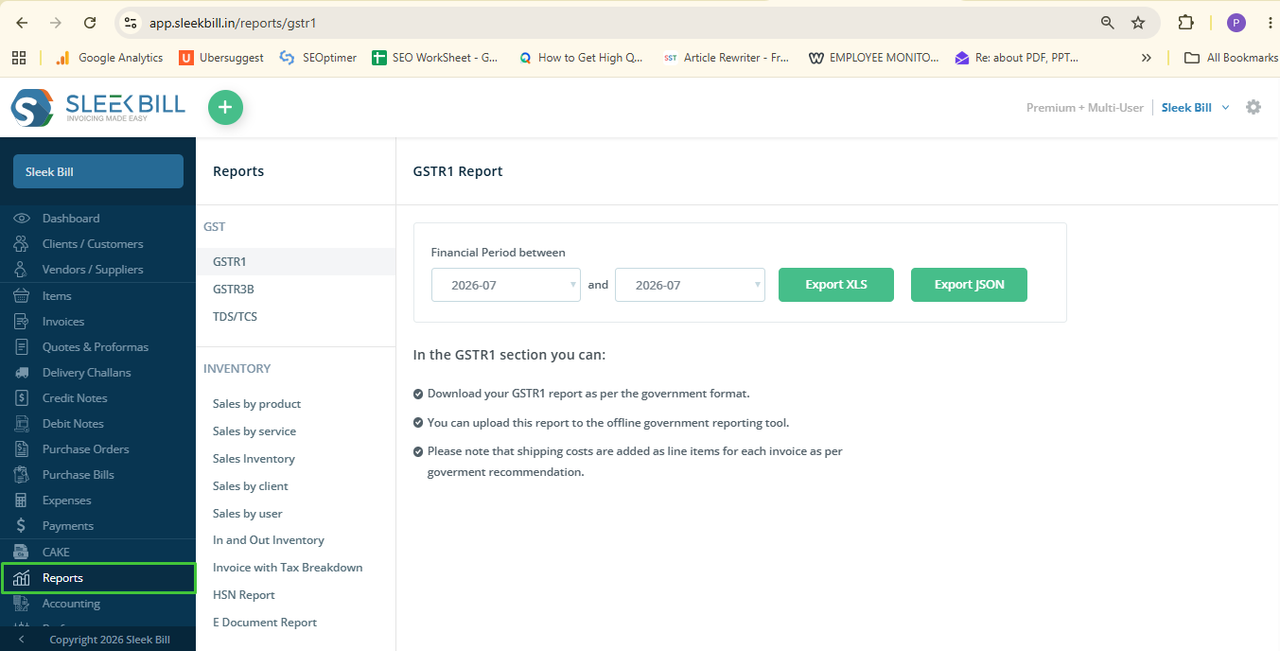
On your
dashboard, look to the left menu and click Reports.
Step 4: Pick ‘GSTR-3B’
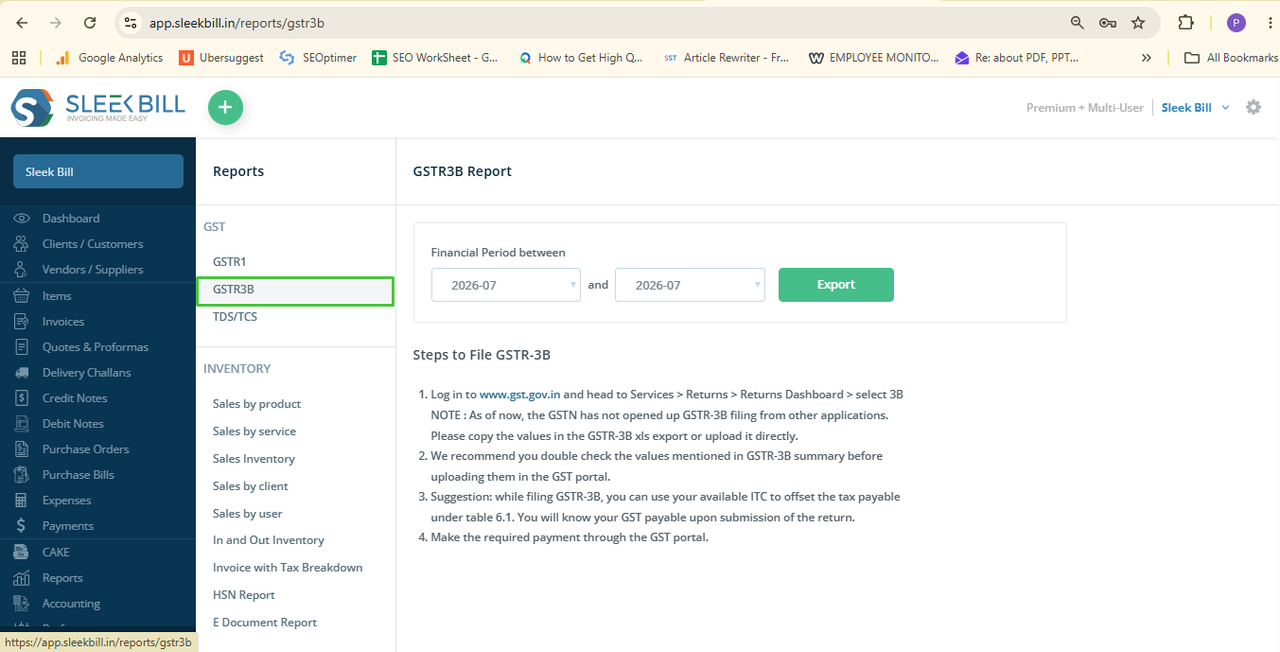
Inside Reports,
find and click on GSTR-3B. This takes you to the report page.
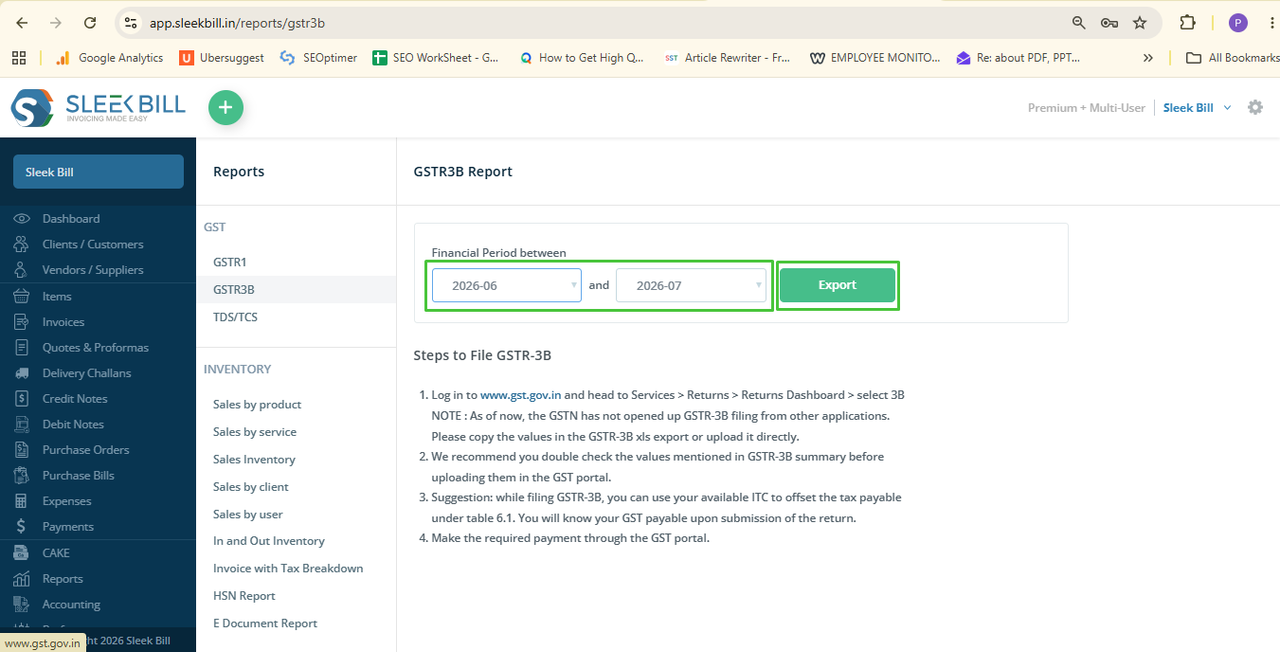
Step 5: Set Your Date Range
Choose the
start and end dates for your GST filing period. Double-check the dates so your
report matches the right month.
Step 6: Export the Report
Click Export
after setting your dates. Sleek Bill handles the rest and builds your report.
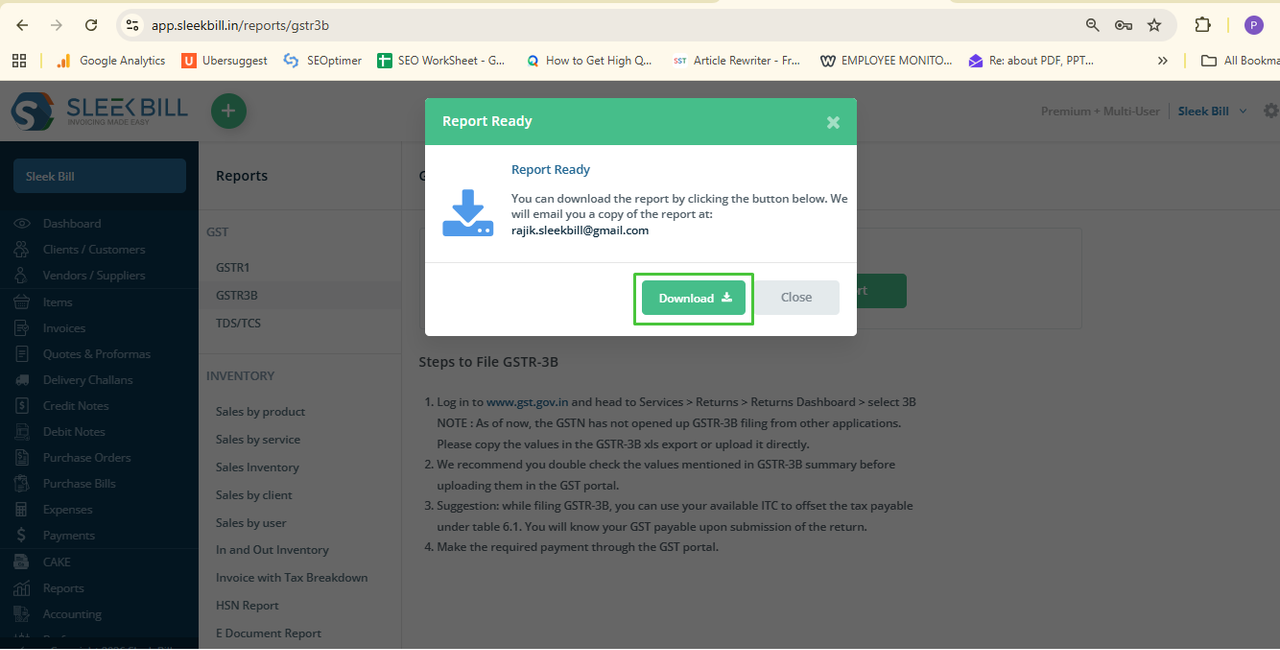
Step 7: Download It
Once Sleek Bill
finishes up, click Download. The report saves to your computer, ready for
review or filing.
Why Sleek Bill Makes GSTR-3B Reports Easier?
Instead of juggling spreadsheets, Sleek Bill gathers your GST data straight from your invoices and transactions. You get:
- Instant GSTR-3B reports
- Fewer calculation errors
- Neat, accurate records
- Time saved every month
- Simpler GST compliance for your business
Before you file
your GSTR-3B, make sure you:
- Double-check the selected date range
- Review your reported sales and purchases
- Verify all Input Tax Credit (ITC) values
- Confirm your GST amounts
- Keep a copy of the report for your records
Making your
GSTR-3B report with Sleek Bill is fast and painless. Just log in, open Reports,
select GSTR-3B, set your dates, export, and download. That’s it. You’ll spend
less time on paperwork, avoid costly errors, and keep your business
compliant—month in, month out.
Was this article helpful?