How to check sales journal
Keeping track of every sales transaction is essential for maintaining accurate business records. A Sales Journal provides a detailed list of all sales invoices generated during a selected period, helping businesses monitor revenue, verify transactions, and prepare financial reports. In Sleek Bill, you can quickly access your Sales Journal with powerful filters and export options, making sales tracking simple and efficient.
Whether you're a retailer, wholesaler, service provider, or accountant, the Sales Journal helps you analyze sales performance and ensure your records are always up to date.
What is a Sales Journal?
A Sales Journal is a report that records all sales transactions made by your business. It includes information such as invoice numbers, customer names, invoice dates, taxable amounts, taxes collected, payment status, and total invoice values.
Using the Sales Journal helps you:
- Monitor daily, weekly, monthly, or yearly sales.
- Verify customer invoices.
- Track taxable sales and GST amounts.
- Reconcile sales with bank or cash receipts.
- Prepare accounting and tax reports.
- Identify missing or cancelled invoices.
Steps to Check the Sales Journal in Sleek Bill
Follow these simple steps:
Step 1 : Open your preferred web browser and visit www.sleekbill.in.

Step 2 : Enter your registered email address and password, then click Sign
.png)
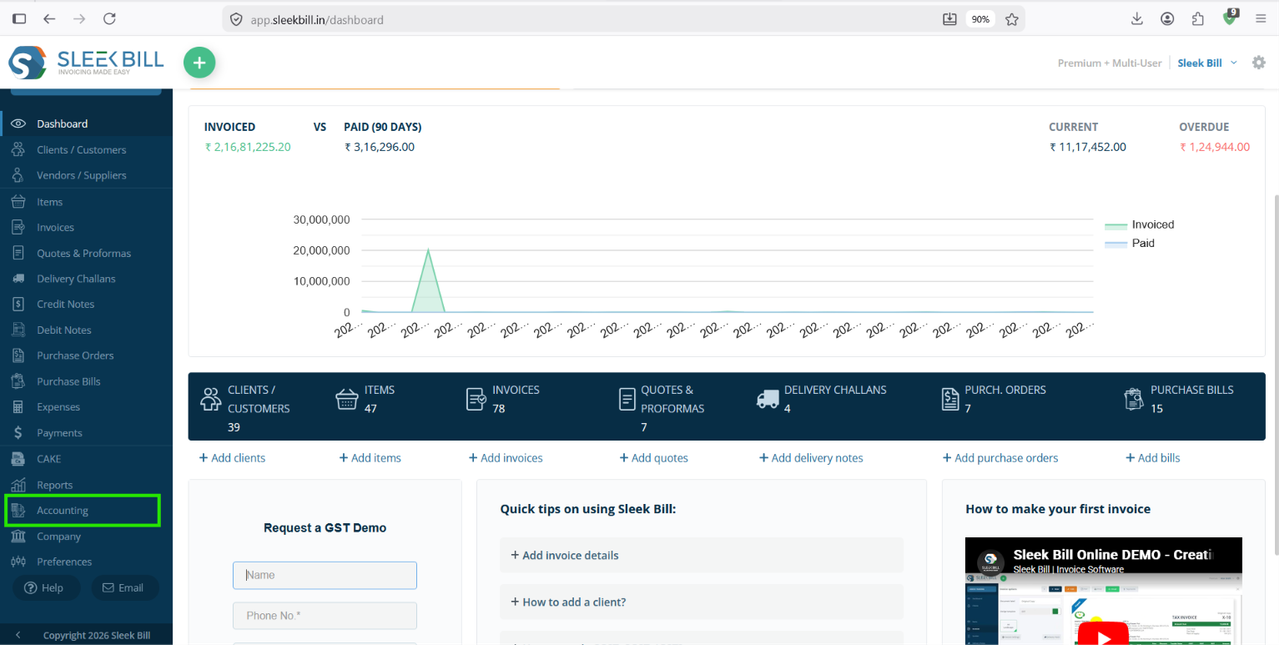
Step 3 : After logging in, you will be redirected to the dashboard. From the left-side navigation menu, click Accounting.
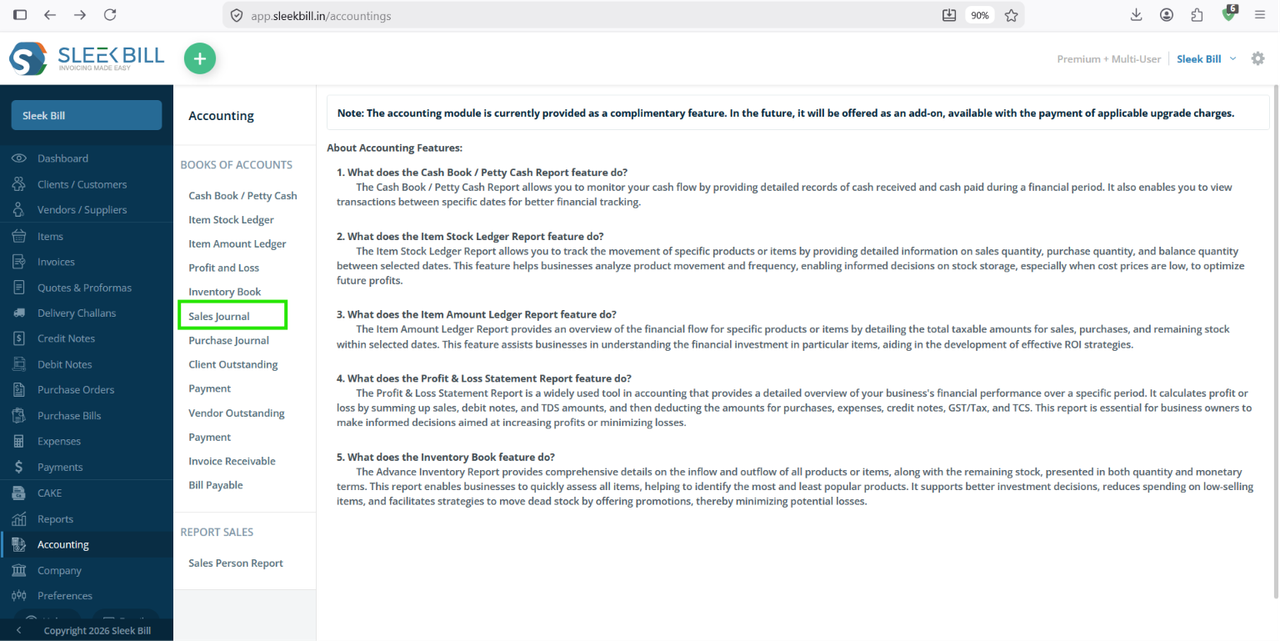
Step 4 : Inside the Accounting section, locate and click Sales Journal.
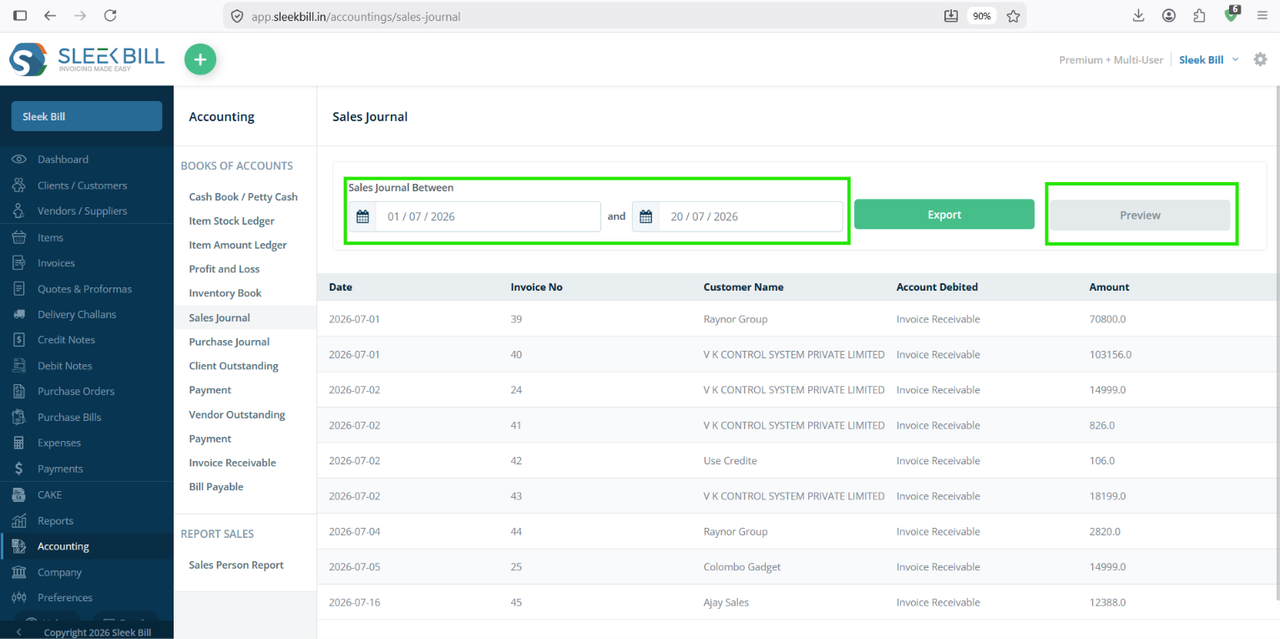
Step 5 : Select the period for which you want to generate the report. You can choose:
- Starting Date
- End Date
Once selected, click Generate Report or Apply Filter.
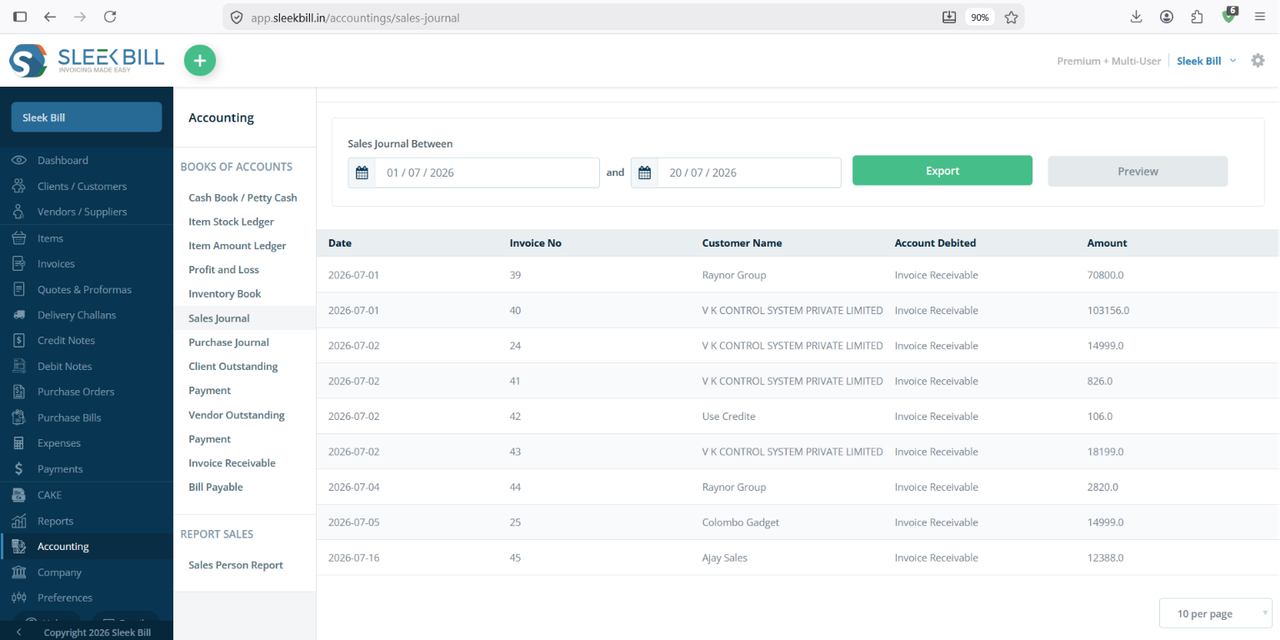
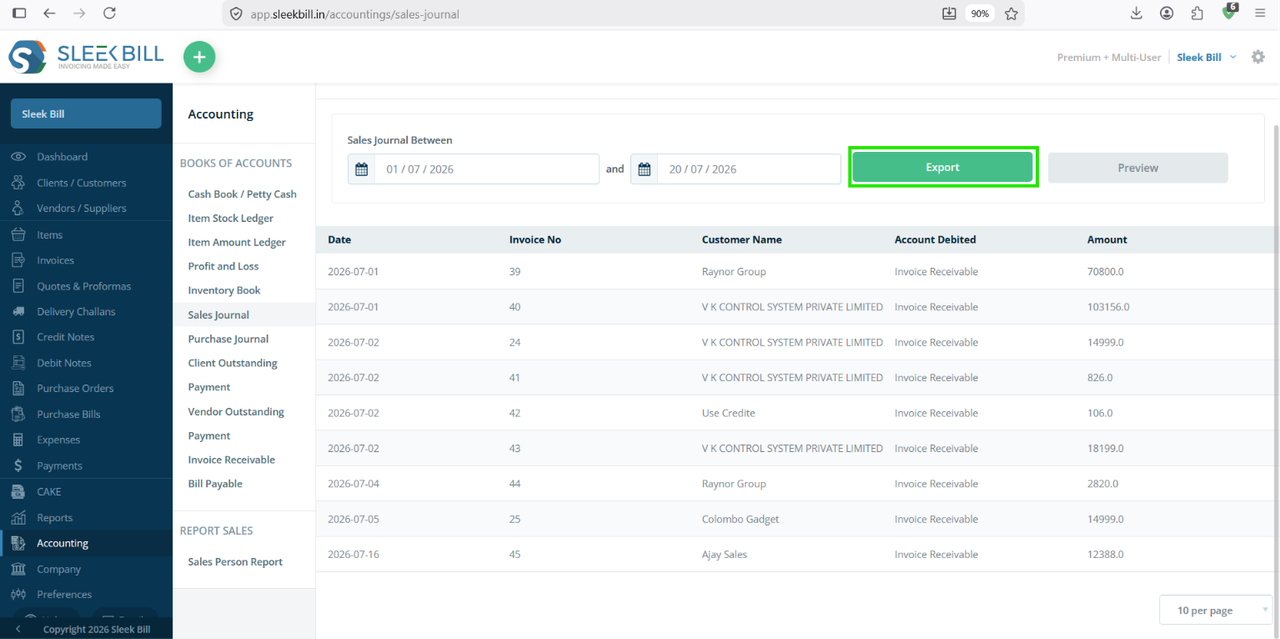
Step 6 : Sleek Bill will generate your Profit and Loss report displaying:
- Date: Shows the date on which the sales invoice was created. This helps you track daily sales activity and review transactions for a specific period.
- Invoice No.: Displays the unique invoice number assigned to each sales transaction. You can use this number to quickly locate, verify, or reference a particular invoice.
- Customer Name : Lists the name of the customer associated with each invoice. This makes it easy to identify who the sale was made to and review customer-wise sales history.
- Account Debited : Indicates the account that has been debited for the transaction, such as the customer's receivable account. This helps maintain accurate accounting records and simplifies ledger reconciliation.
- Amount: Displays the total value of each sales transaction. You can use this information to analyze revenue, compare sales performance, and monitor business growth over time.
You can analyze your business performance quickly using this report.
Step 7 : Export it as Excel for sharing with your accountant or management team.
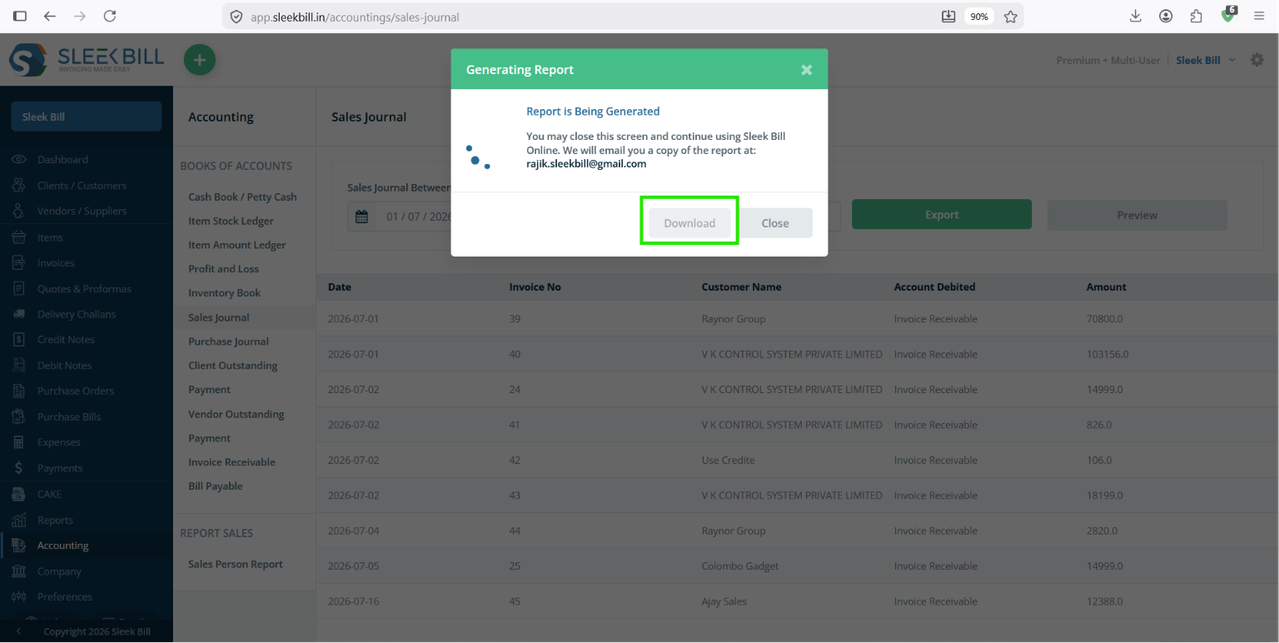
 Step 7 : Now click on Download button to save excel file on your local disk or desktop.
Benefits of Using the Sales Journal
Track Sales Performance
Monitor your sales across different periods to understand business growth.
Verify Customer Transactions
Quickly locate any invoice using customer names or invoice numbers.
Simplify GST Filing
Review taxable sales and GST collected before preparing GST returns.
Improve Financial Accuracy
Ensure all invoices are recorded correctly and identify discrepancies before closing your books.
Faster Audits
Maintain organized sales records for internal reviews and tax audits.
Best Practices
To keep your Sales Journal accurate:
- Record every sale immediately after billing.
- Review the report regularly.
- Correct invoice errors promptly.
- Reconcile sales with payments.
- Archive reports for future audits.
Conclusion
The Sales Journal in Sleek Bill gives you a complete overview of your business sales in one place. By regularly reviewing this report, you can monitor revenue, verify transactions, prepare GST reports, and make informed business decisions. With easy filtering, detailed transaction records, and export options, managing your sales history becomes faster and more efficient.
Start using the Sales Journal in Sleek Bill to gain better visibility into your business performance and maintain accurate financial records.
Was this article helpful?