How to Export GSTR-1 Report in Sleek Bill
Hello Sleek Bill users, welcome to the Sleek Bill Knowledge Hub.
While filing GST returns, it becomes easier if you have GSTR-1 report in right format. You can do this easily using Sleek Bill by exporting the report in **Excel** and **JSON** formats which is suitable for seeing sales report or uploading it on GST portal.
Here we will see how to generate GSTR-1 report from Sleek Bill in few easy steps.
Exporting your GSTR-1 report helps you:
- Prepare GST returns quickly.
- Review sales invoices before filing.
- Export data in Excel or JSON format.
- Save time during GST compliance.
- Reduce manual data entry.
- Keep accurate GST records.
How to Export the GSTR-1 Report in Sleek Bill?
Step 1: Visit the Sleek Bill Website
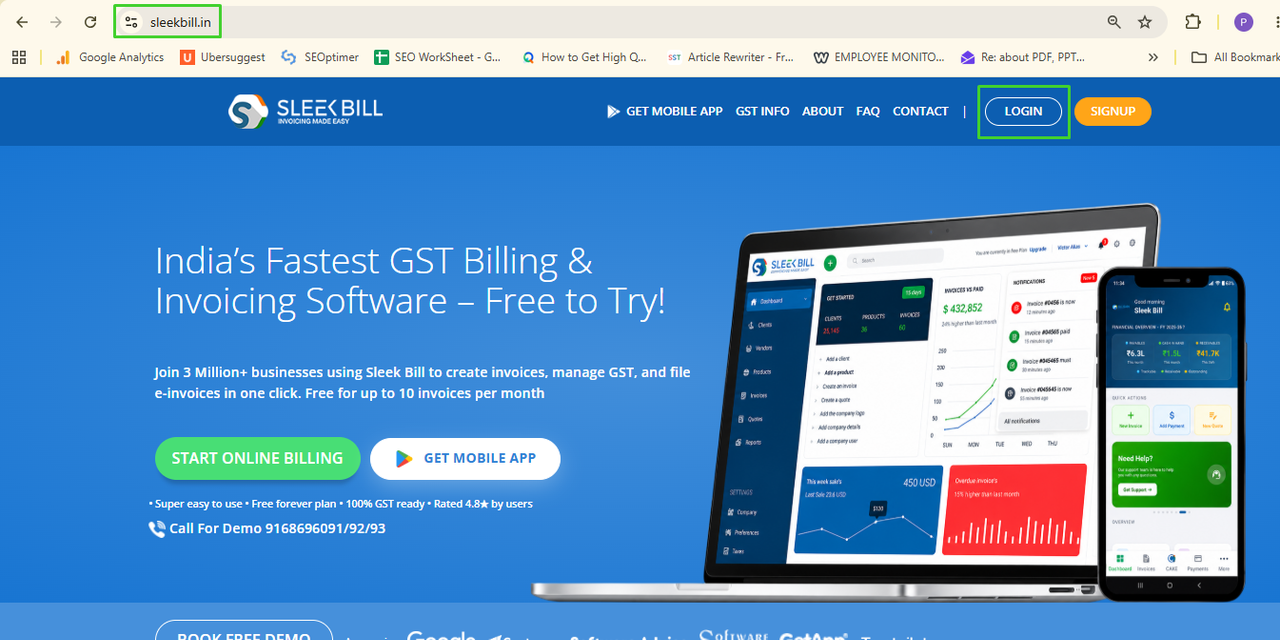
Open your browser and visit:(http://www.sleekbill.in) Click on the Login Button
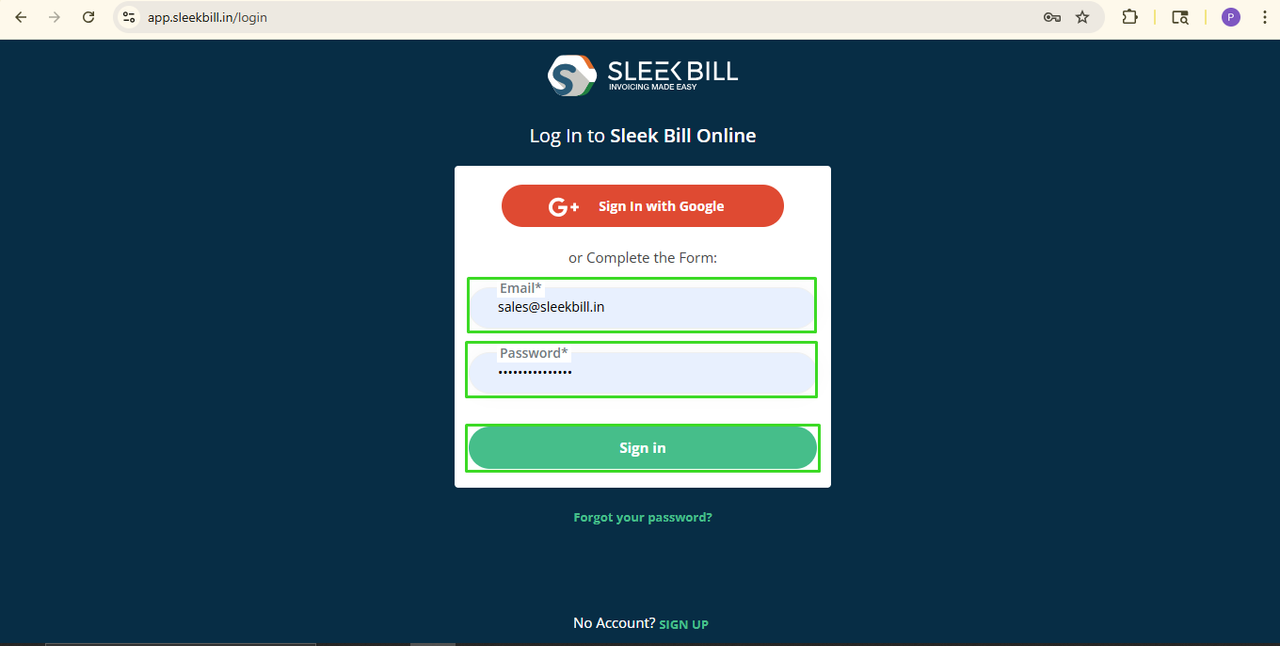
Step 2: Enter your email ID and Password, then click the Sign In button.
Step 3: Open the Reports Tab
After signing in, you will enter on dashboard. From the left-side menu, click on the Reports tab.
Step 4: Select the GSTR-1
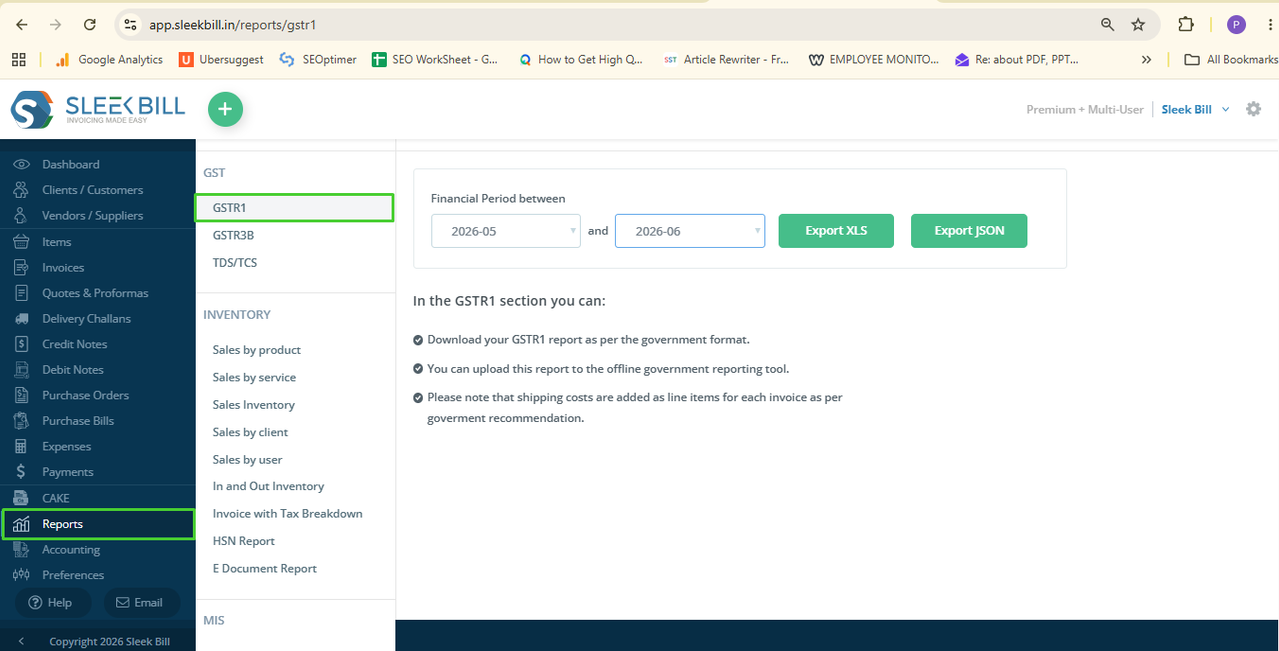
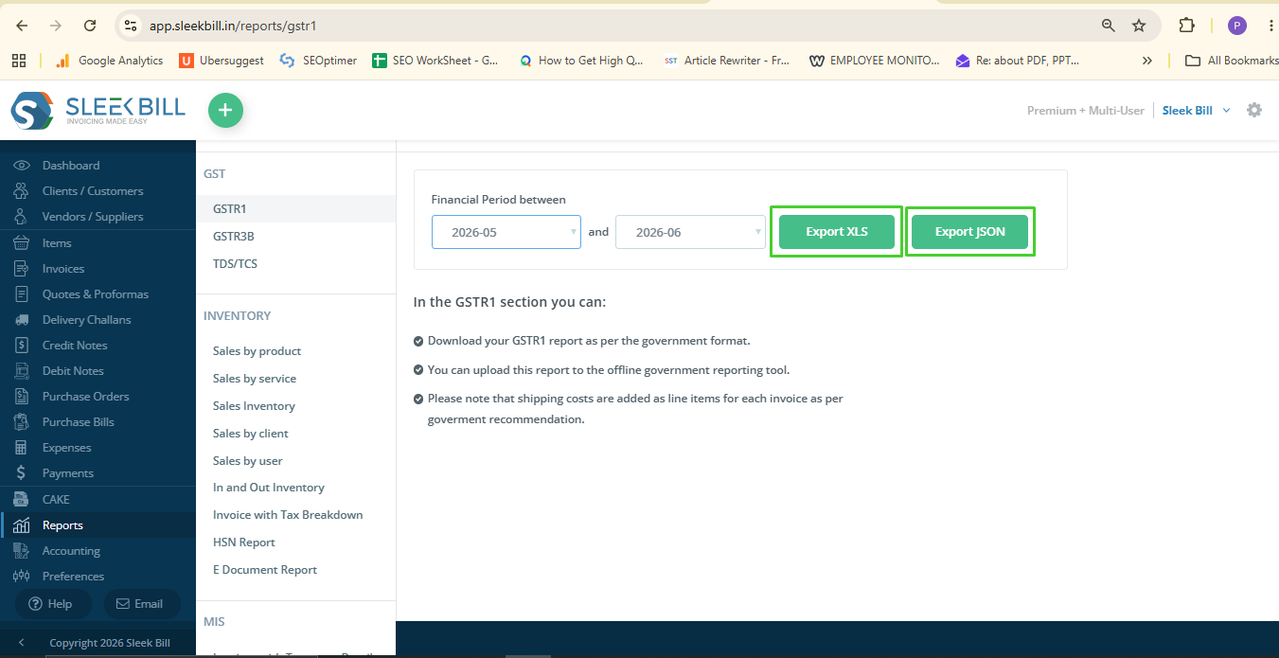
Step 5:Open the GSTR-1. Choose the Dates according to the GST return period you want to export.
Make sure the selected date range matches the filing period.
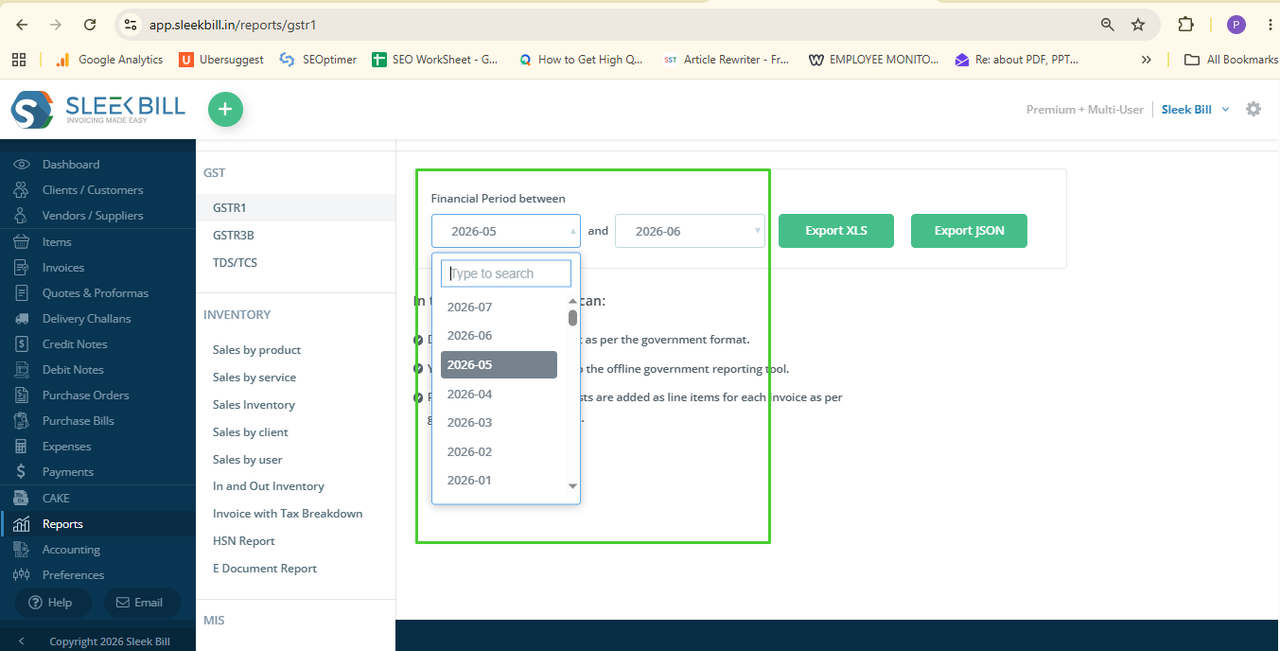
Step 6: Export the Report. After selecting the date range, you can export your report in two formats:
- Export Excel button – Ideal for reviewing, editing, or sharing your GSTR-1 report.
- Export JSON button – Ready for uploading to the GST Portal.
Simply click your required export option and download report on your computer.
Which Export
Format Should You Choose?
- Export Excel
Choose Excel when you want to:
- Review invoice details.
- Share reports with your accountant.
- Verify GST data before filing.
- Export JSON
Choose JSON when you want to:
- Upload GSTR-1 directly to the GST Portal.
- Save time during GST return filing.
- Avoid manual data entry.
Conclusion
It takes just a
few seconds to export your complex GSTR-1 in one click with Sleek Bill.
Choose right
export option to help you finish GST return properly, save you time, and keep
your business GST-compliant.
Was this article helpful?