How to Generate TDS/TCS Reports in Sleek Bill
Hello Sleek Bill users, welcome to the Sleek Bill Knowledge Hub!
If you’re tired
of westing time with TDS and TCS records by hand, you’re not alone. It’s so
easy to miss a deduction or a collection entry, and that just adds headaches at
tax time or when you’re sharing info with your accountant. Sleek Bill takes the
pain out of the process. With just a few clicks, you can pull up detailed
TDS/TCS reports, keep your financials on track, and dodge a lot of messy manual
work.
Here’s a quick
guide to walk you through generating and downloading TDS/TCS reports in Sleek
Bill.
Why Even Bother with TDS/TCS Reports?
These reports
aren’t just another hoop to jump through. They help you:
- Keep every tax deduction or collection neatly in one place
- Review your TDS/TCS transactions for any period you want
- Share what you need with your accountant or tax consultant in seconds
- Nail your tax filings with accurate data
- Skip tedious manual work and cut down on errors
- Make sure you’re always on the right side of compliance
How to Pull
Your TDS/TCS Reports in Sleek Bill?
Step 1: Go to
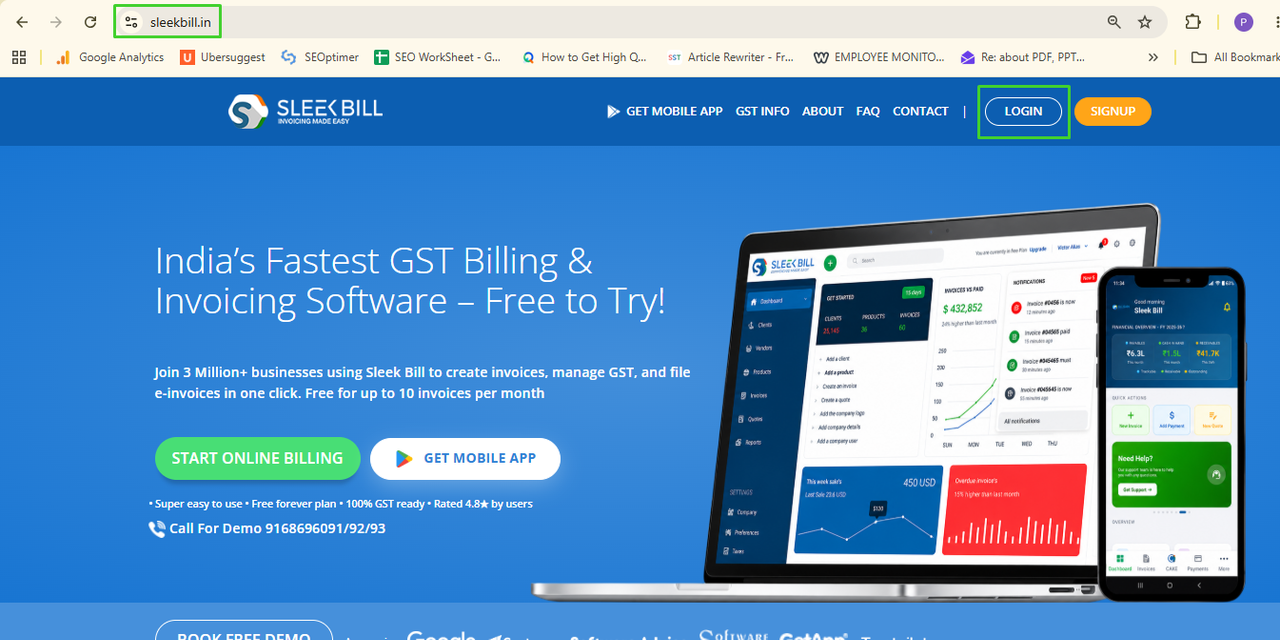
sleekbill.in
Pop open your browser and head to sleekbill.in. Click the Login button.
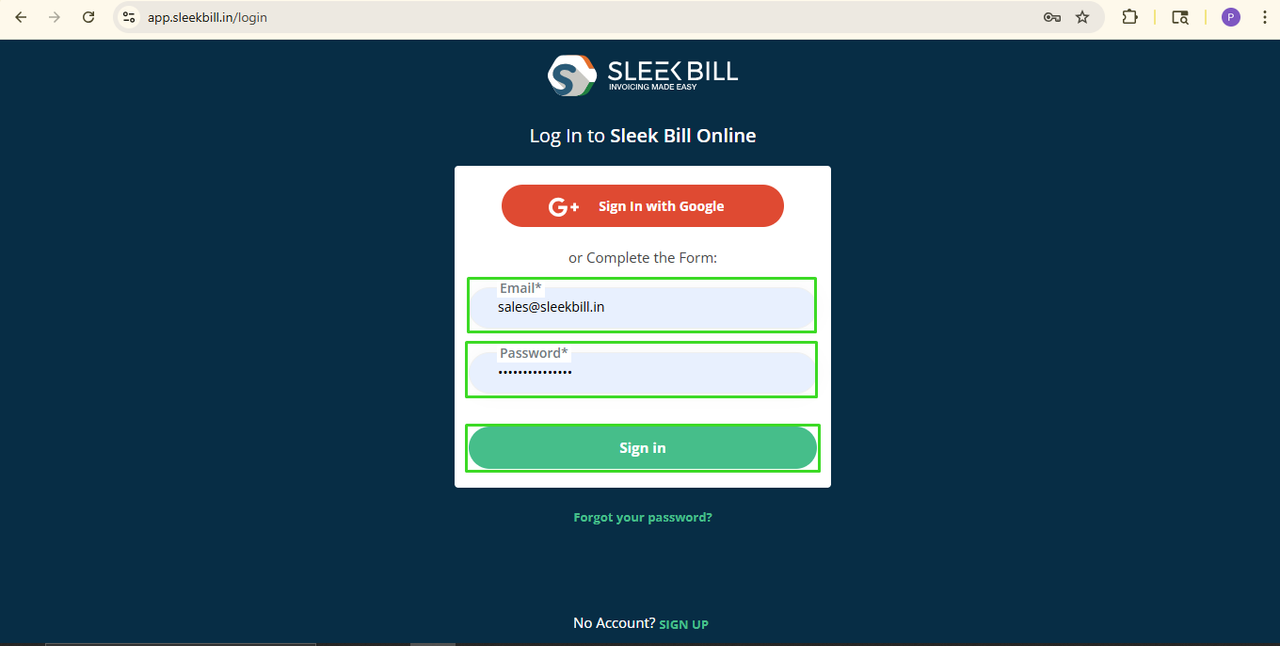
Step 2: Sign In
Type in your Email ID and Password, then hit Sign In.
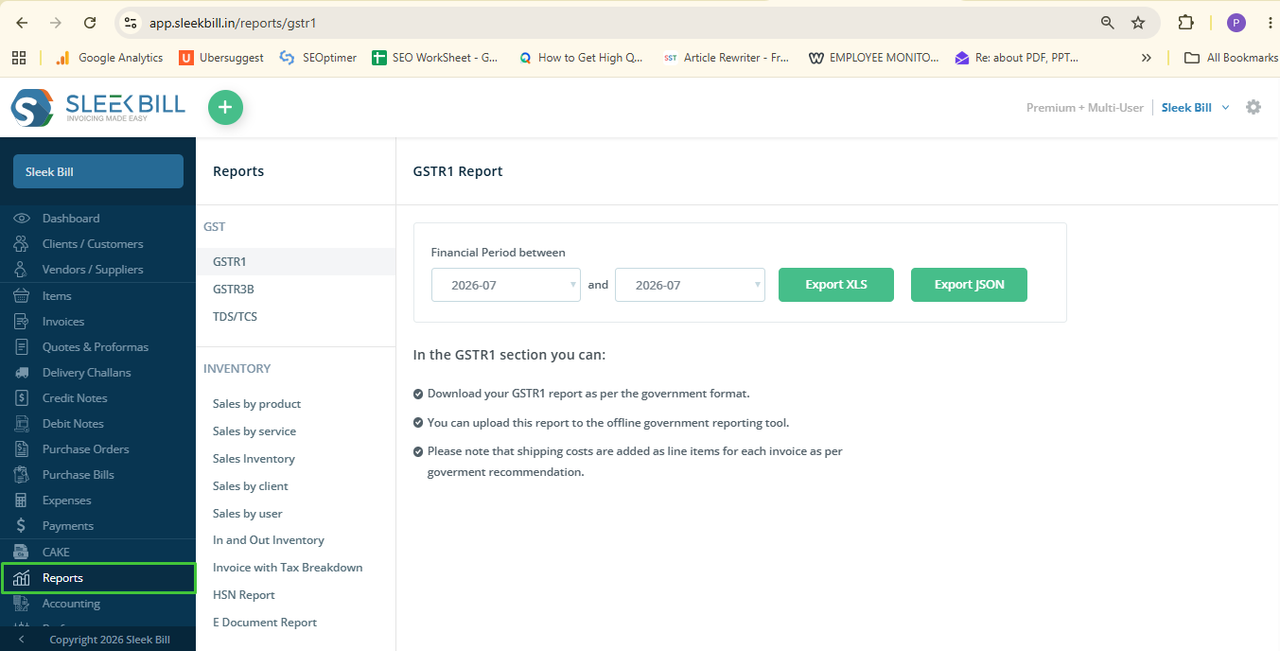
Step 3: Find the Reports Section
Once you’re in, you’ll land on the Sleek Bill dashboard. Head to the left menu and click Reports.
Step 4: Pick the TDS/TCS Report
Inside Reports, choose TDS/TCS. Here’s where you’ll see all your recorded TDS and TCS transactions.
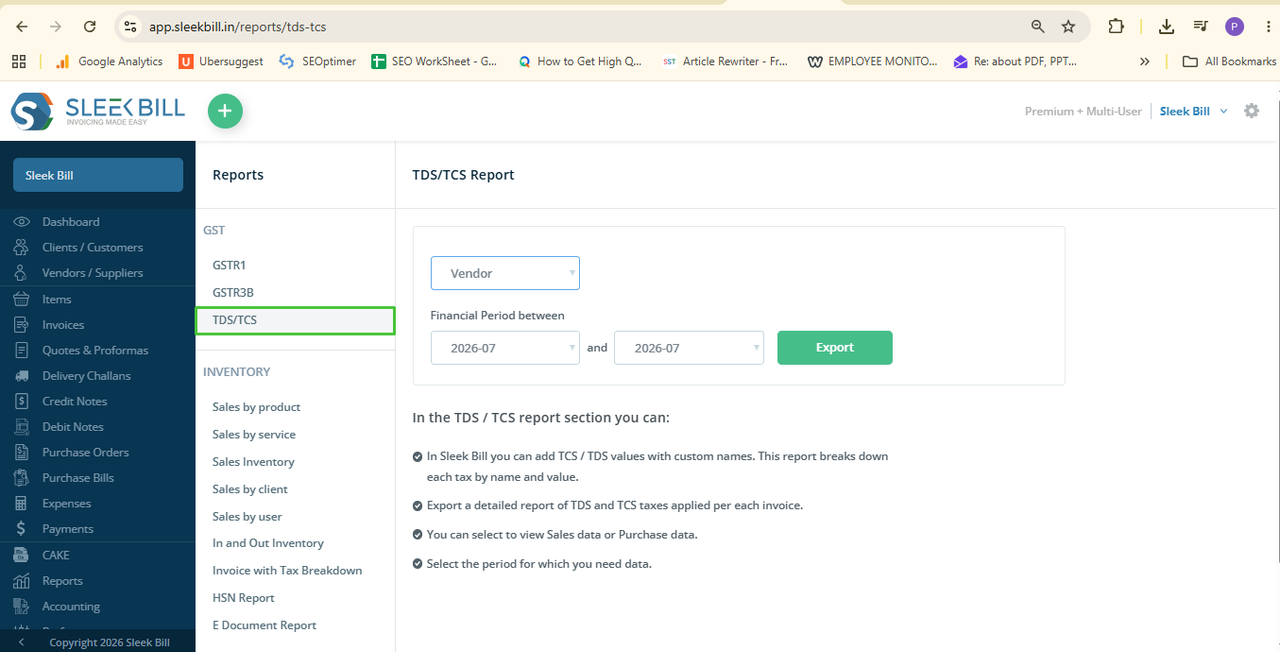
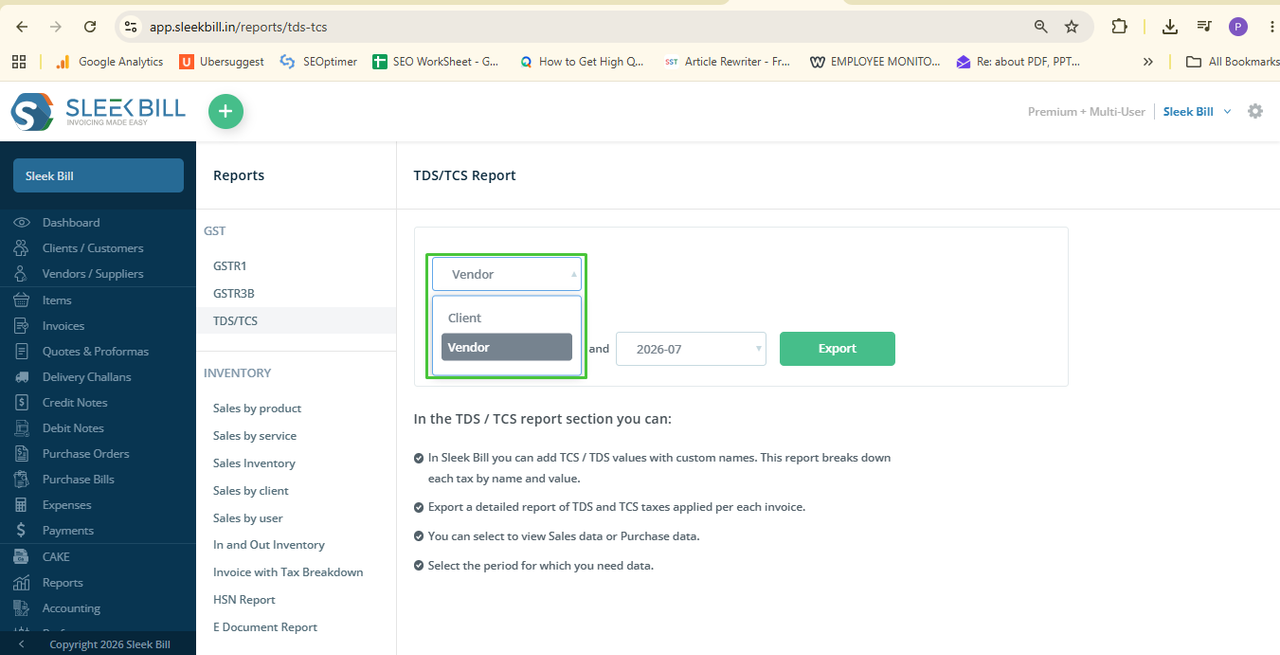
Step 5: Choose Your Client or Vendor
Decide if you’re pulling a report for a client or a vendor. Select the right one from the list. This way, you can narrow things down instead of getting a huge report for everyone.
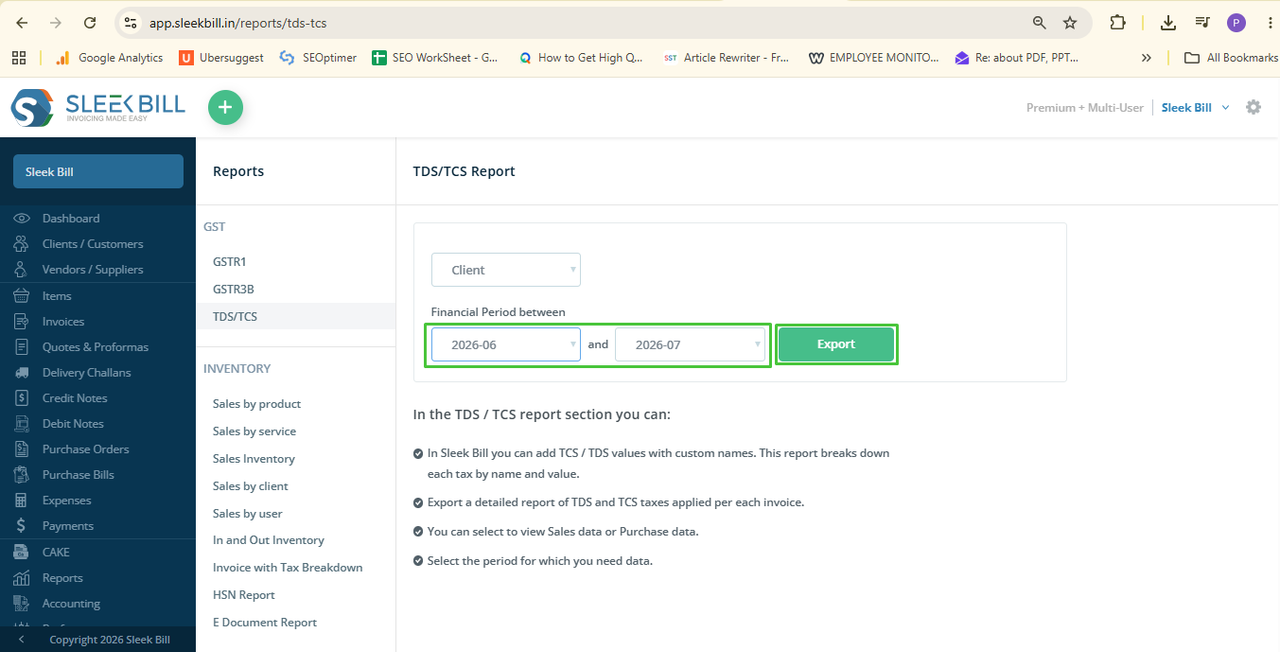
Step 6: Set the Date Range
Pick your From Date and To Date for the report. Double-check the period—it should match exactly what you need for filing or review.
Step 7: Hit Export
Once your client/vendor and date range are set, click Export. Sleek Bill grabs all the right entries and gets your report ready.
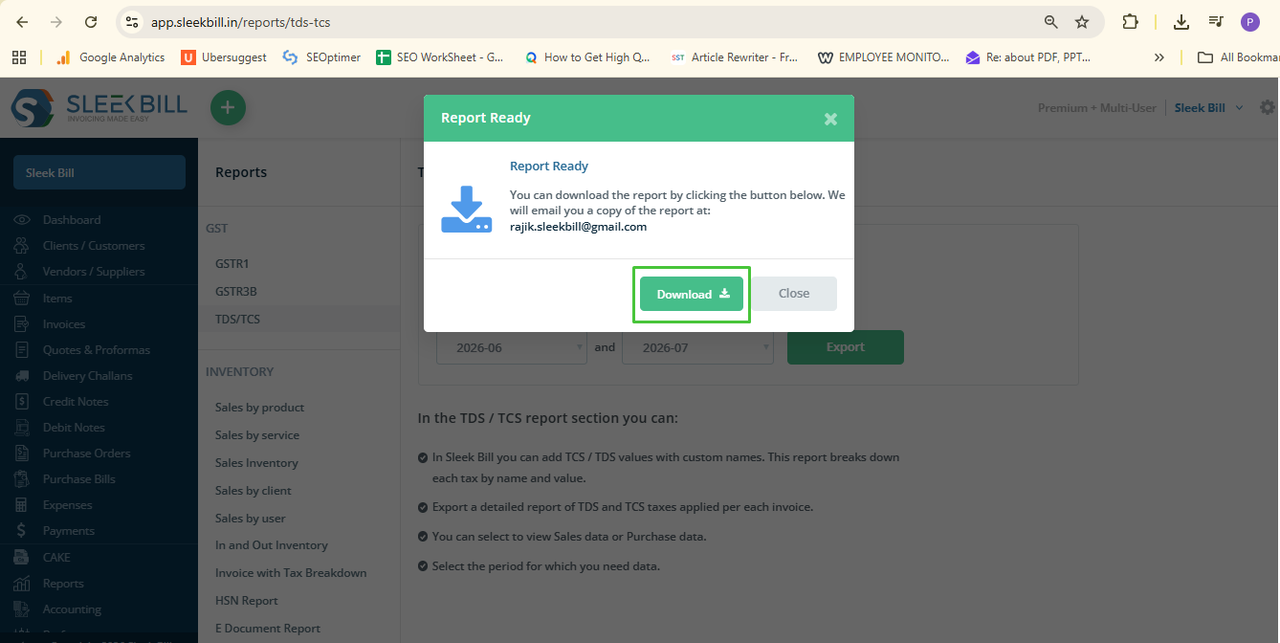
Step 8: Download Your Report
When the report’s done, click Download and save it to your computer. Now you can review, print, or send it off to your accountant whenever you need.
When Should You Generate a TDS/TCS Report?
It’s handy any time you want to:
- File your TDS or TCS returns
- Double-check your deductions or collections
- Give clear records to your accountant
- Review your tax moves for the year
- Keep your compliance records in order
- Stay audit-ready with solid documentation
Why Sleek Bill? Here’s What You Get:
- Reports in seconds, no waiting, no mess
- Forget manual errors and calculations
- Fewer headaches with reporting accuracy
- Everything tax-related stays organized
- Filing returns gets faster and easier
- You stay on the right side of the rules
Conclusion
Trying to track TDS and TCS manually is a pain—why bother? With Sleek Bill, pulling up and downloading accurate TDS/TCS reports is fast, easy, and reliable. Say goodbye to wasted hours and hello to stress-free compliance and smoother tax filing.
Was this article helpful?