How to Show Total Amount in Words in Sleek Bill Credit Note?
Hello Sleek Bill users, welcome to the Sleek Bill Knowledge Hub.
In this article, we will learn how to enable the Show Total in Words option in a Credit Note using Sleek Bill.
When creating a Credit Note, displaying the total amount only in numbers may sometimes lead to confusion. The total amount displayed in a clear and precise manner can build confidence and sound professional.
With Sleek Bill, you can enable this feature quickly in just a few simple steps.
Preview Without Total in Words
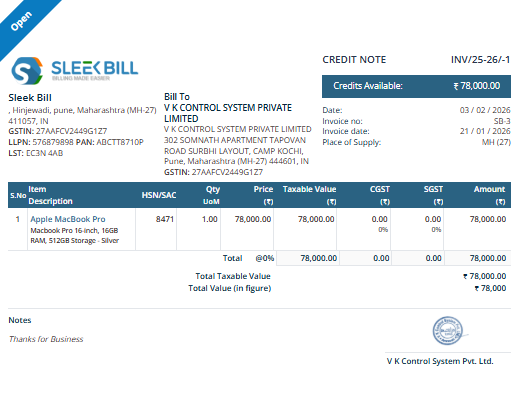
Why Should You Use “Show Total in Words?
- Makes your Credit Notes look more professional.
- Helps reduce calculation or reading mistakes.
- Improves clarity for customers and clients.
- Useful for accounting records and official business documents.
- Adds extra confidence and trust to your billing process.
How to Enable Show Total in Words in Sleek Bill Credit Note
Step 1: Open the Sleek Bill Website
Visit the official website: Sleek Bill Official Website

Step 2: Click on the Login Button
On the homepage, click the Login button available at the top corner.
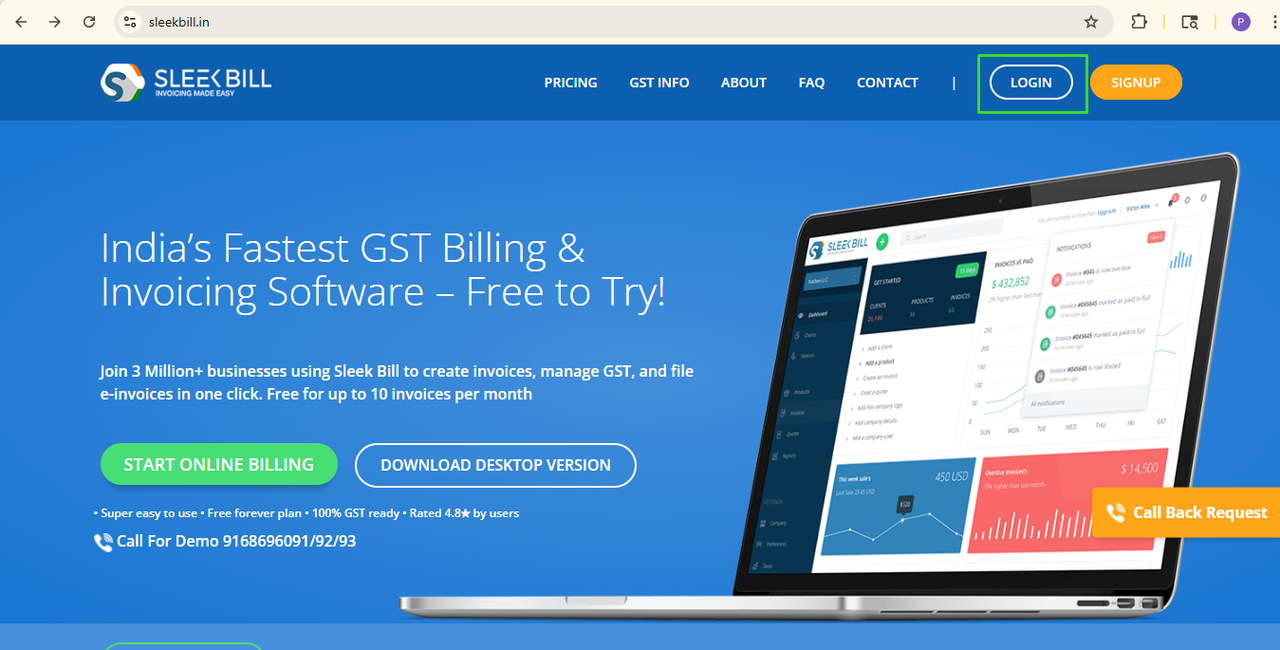
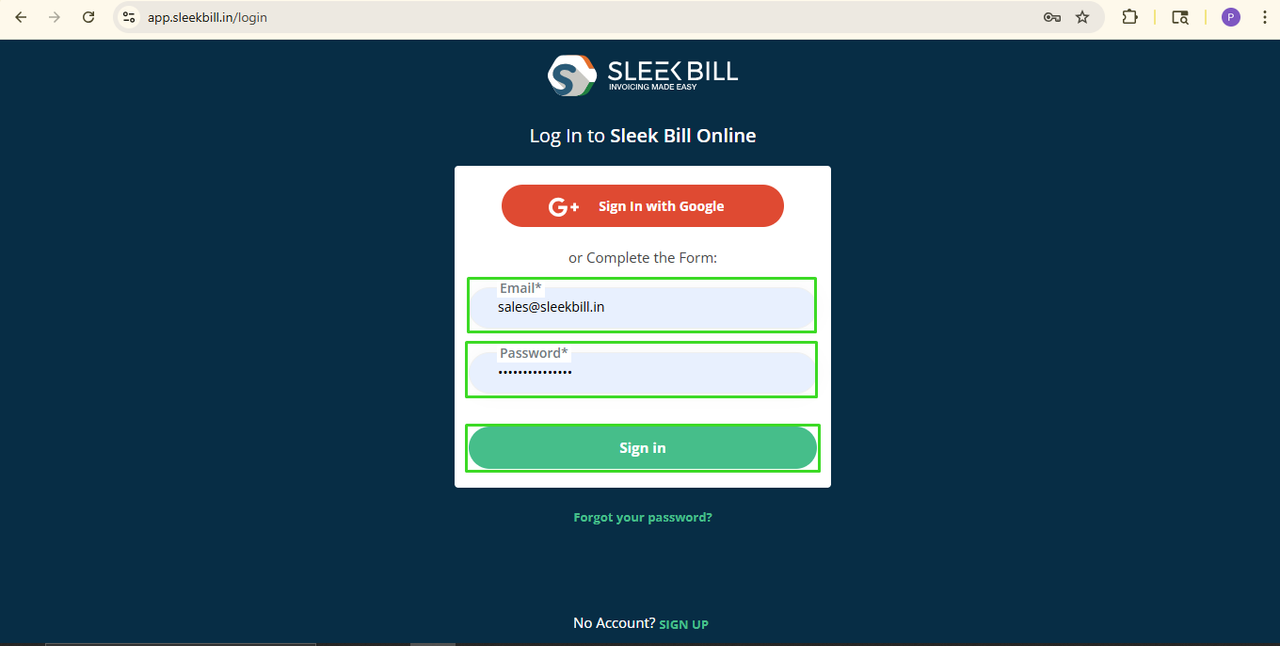
Step 3: Enter Login Details
Now enter your
login credentials and click on the Sign In button.
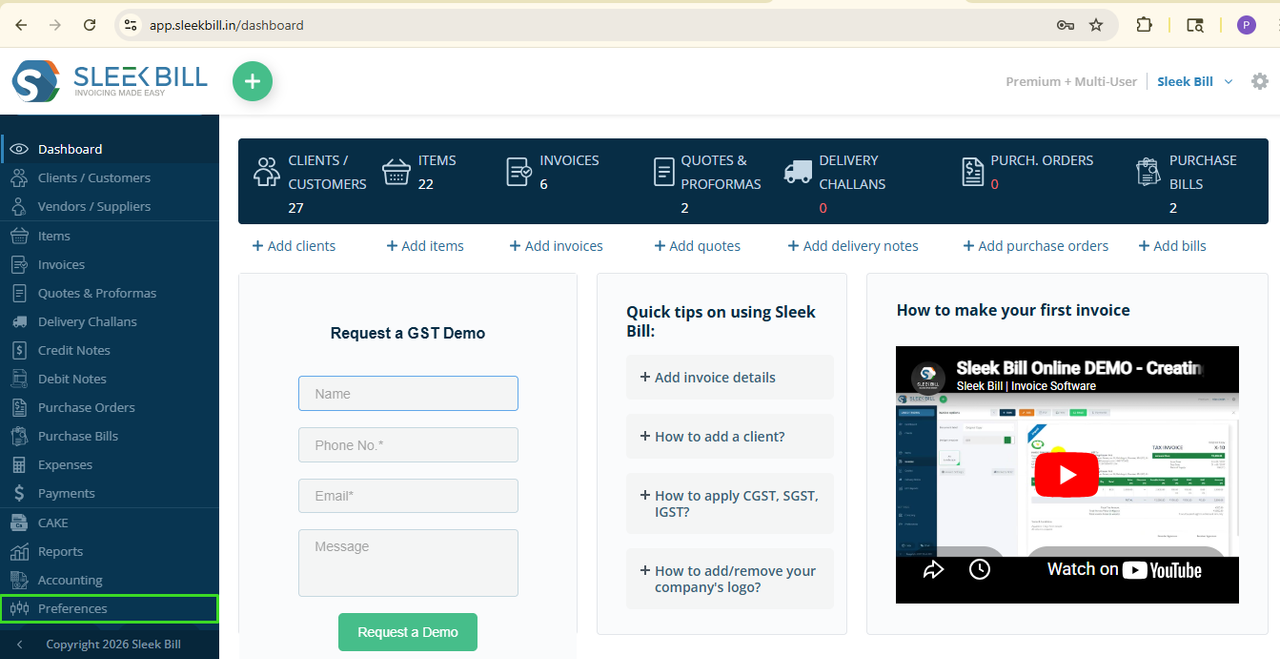
Step 4: Open Preferences
After logging in, you will be taken to the Sleek Bill dashboard. Scroll down and click on the Preferences tab.
Step 5: Open the Credit Note Settings. Now click on the Credit Note tab from the settings section.
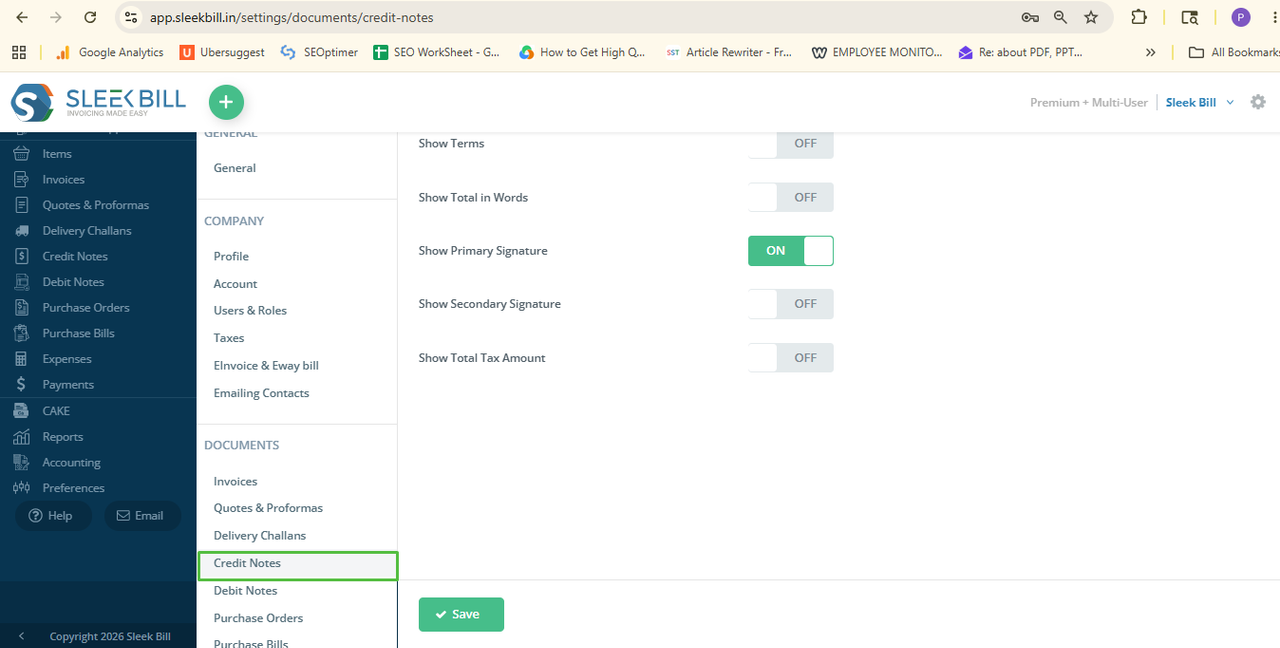
Step 6: Enable “Show Total in Words”. Find the option called Show Total in Words and turn it ON.
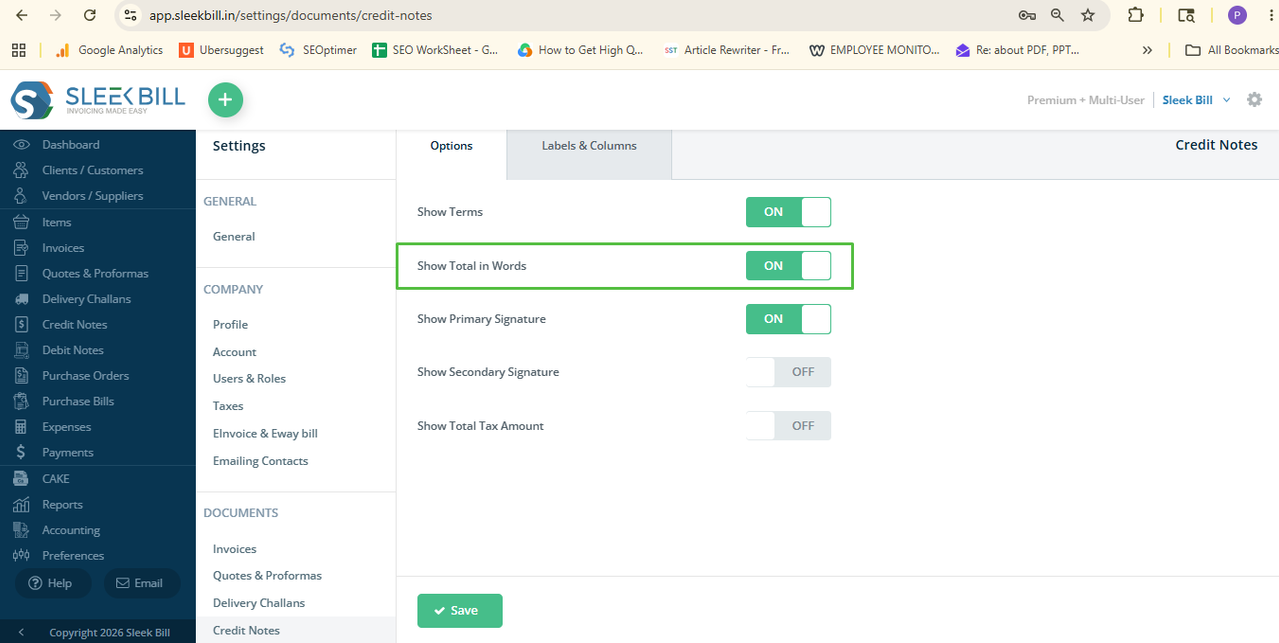
Step 7: Save the Settings
Click on the
Save button.
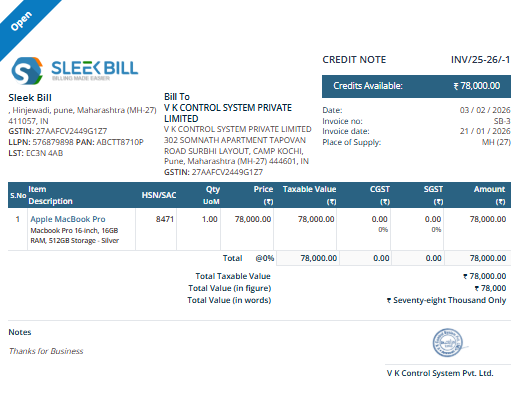
That’s it! Now
whenever you create a new Credit Note or open an existing one, the total amount
will automatically appear in words.
Conclusion:
The Show Total in Words feature is a small but useful improvement for your Credit Notes. It helps to make your documents clearer to read, more accurate, and more professional.
This
transparent option in Sleek Bill will create professional-looking, consistent business documents and help you enhance your clients’ billing
experience.
Was this article helpful?