How to Add Contact Email in Sleek Bill Online
Managing internal email contacts in Sleek Bill Online helps you quickly add frequently used email addresses in the CC field while emailing invoices, quotations, delivery challans, and other business documents. This saves time and ensures important team members receive copies of your documents automatically.
This guide explains how to add a new contact email in Sleek Bill Online.
Steps to Add a Contact Email in Sleek Bill Online

Step 2 : After logging in, go to the Dashboard. From there, navigate to Preferences.

Step 3 : Select Emailing Contacts under the Company section.
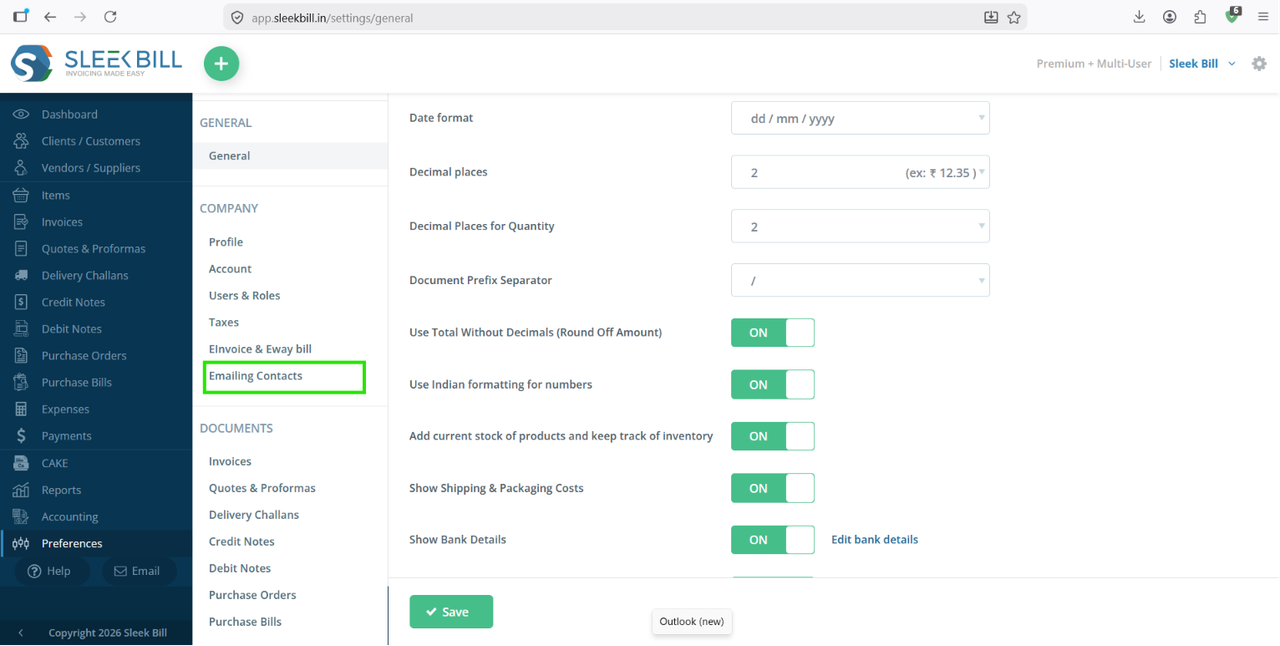
Step 4 : Click the + New button in the top-right corner to add a new internal contact.
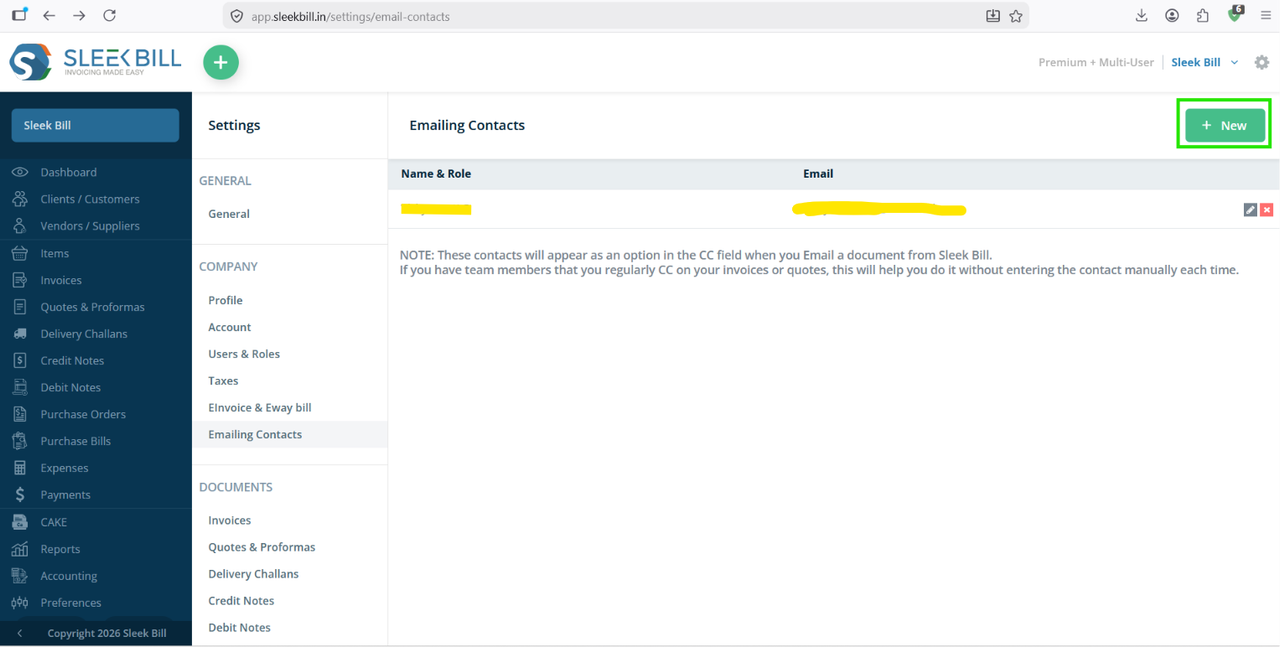
Step 5 : On the Add New Internal Contact page, enter the following information:
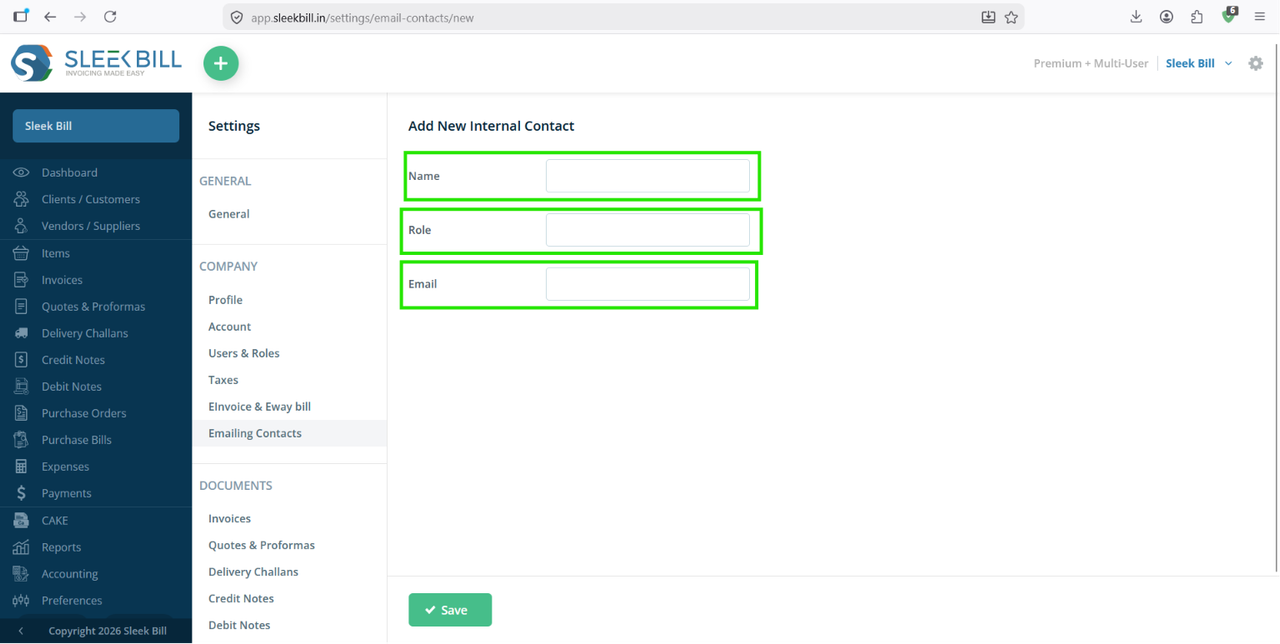
- Name – Enter the contact person's name.
- Role – Specify the person's designation or department.
- Email – Enter the email address that you want to use for document CC.
Make sure the email address is entered correctly to avoid delivery issues.
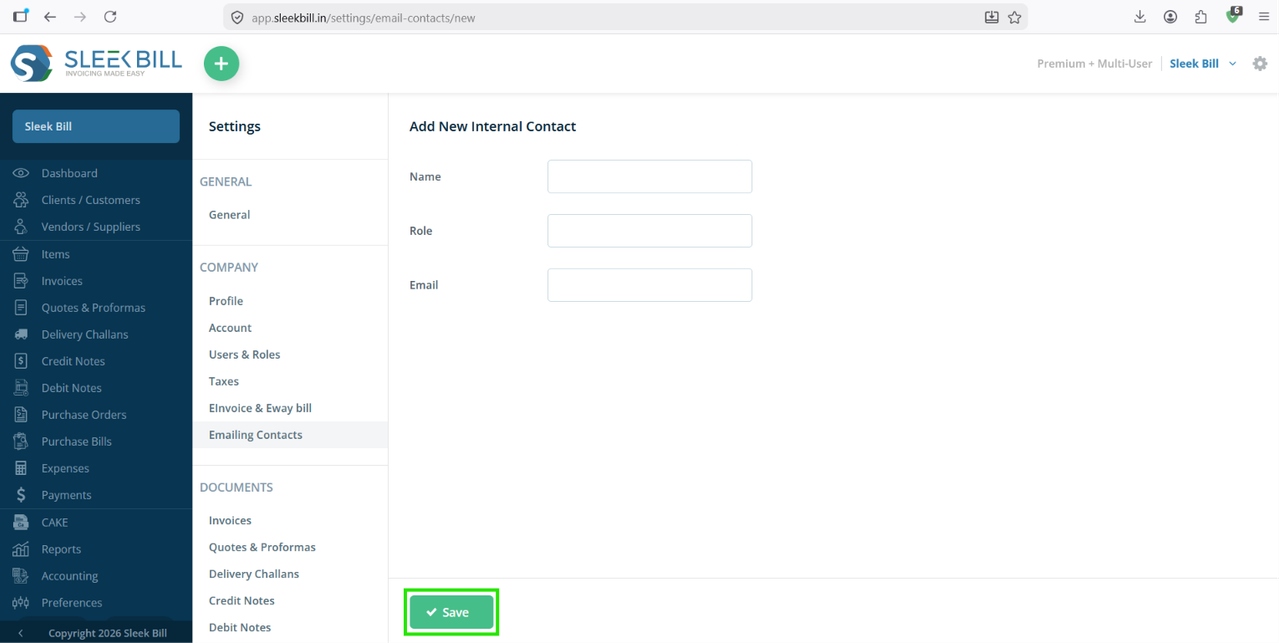
Step 6 : After entering all the required details, click the Save button.
Why Use Emailing Contacts?
Adding internal email contacts offers several benefits:
- Save frequently used email addresses for quick access.
- Easily CC your accountant, manager, or team members while emailing documents.
- Eliminate the need to type email addresses repeatedly.
- Reduce typing errors and improve communication efficiency.
- Maintain a centralized list of internal contacts.
Conclusion
The Emailing Contacts feature in Sleek Bill Online makes document sharing faster and more organized. By adding your internal contacts once, you can quickly select them as CC recipients whenever you email invoices, quotations, delivery challans, purchase orders, or other business documents. This improves collaboration and ensures the right people stay informed without any extra effort.
Was this article helpful?