🧾 Billing & Invoicing
How To Change Decimal Place In Amount In Invoice
In this guide, we’ll learn how to change decimal places in invoice amounts, and understand why setting the correct decimal precision is essential for accurate billing and financial management.
Why Decimal Places Matter in Invoice Amounts
Decimal places in invoices may seem minor, but they are essential for accuracy and professionalism.
- Accurate Calculations: Ensures correct totals for GST, discounts, and unit pricing, avoiding rounding errors.
- Financial Transparency: Clear figures reduce confusion and build customer trust.
- Tax Compliance: Proper precision helps prevent tax mismatches and filing errors.
- Professional Appearance: Consistent formatting (e.g., ₹100.00) improves presentation and brand image.
- Industry Requirement: Important for businesses needing precise measurements like wholesale or manufacturing.
- Easy Accounting: Helps in accurate reporting, bookkeeping, and avoids discrepancies.
Follow these simple steps:
Step 1 : Open your browser and type www.sleekbill.in, then press Enter. Click on the Login button at the top right corner.

Step 2 : After logging in, go to the Dashboard. From the left navigation panel, scroll down and click on Preferences.

Step 3 : Inside Preferences, go to the “Generals” section.

Step 4 : Find the Decimal Place field. Select the number of digits you want after the decimal point in the amount.
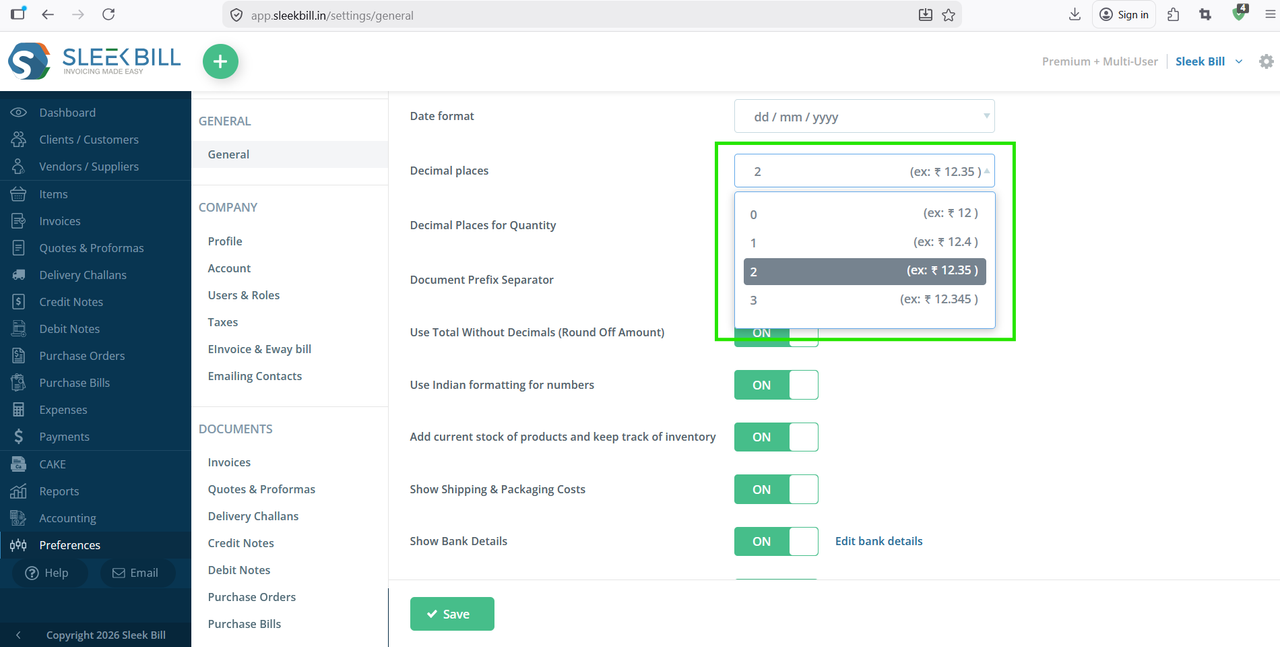
Step 5 : Click on the Save button at the bottom of the software.

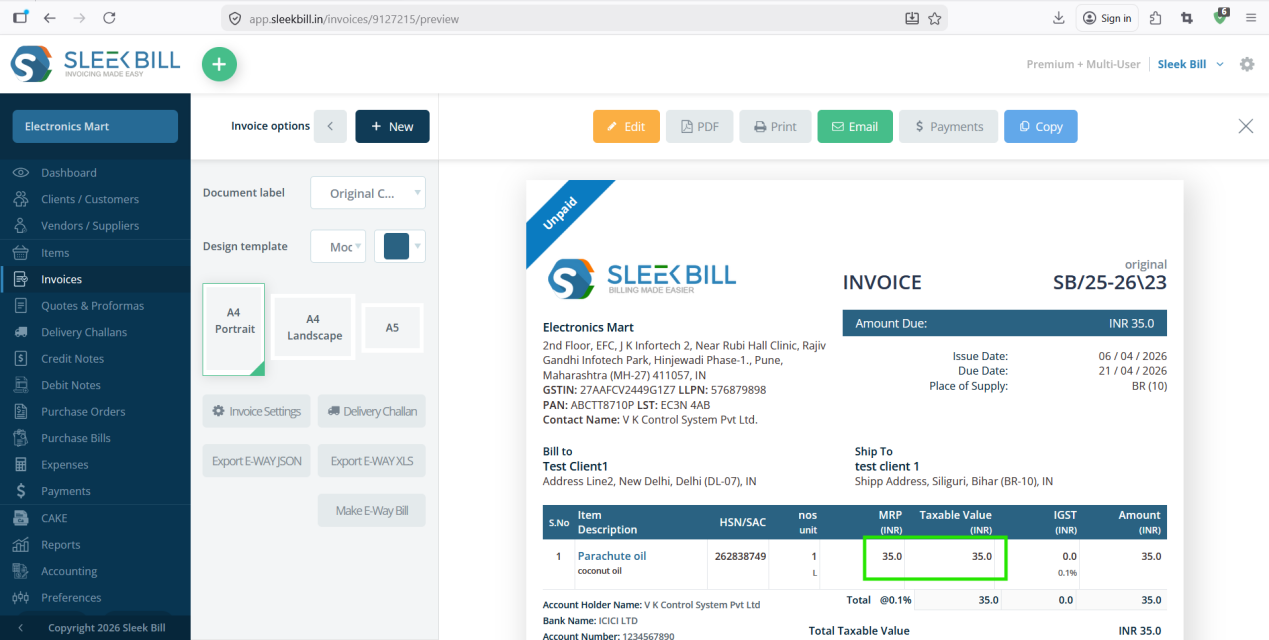
Step 6 : Now, open or create an invoice preview. You will see that the number of digits after the decimal point has been updated in the amount field.
Conclusion
Setting the correct decimal places is not just a formatting choice—it ensures accuracy, compliance, and professionalism in your invoices.
With Sleek Bill, you can easily customize this setting to match your business needs and maintain error-free billing.
Was this article helpful?