📦 Inventory Management
How To Enable Opening Quantity Of Items In Inventory
Managing inventory accurately is essential for any business. One of the most important steps is setting the opening quantity of items, which helps you track stock from the beginning.
In this guide, we will show you how to enable and add opening quantity in Sleek Bill inventory in a few simple steps.
What is Opening Quantity in Inventory?
Opening Quantity refers to the stock you already have before you start using billing software. By adding this, you can:
- Track stock accurately from day one
- Avoid inventory mismatches
- Maintain proper accounting records
- Improve stock management
Follow these simple steps to add opening quantity to your items:
Step 1 : Open your browser and go to www.sleekbill.in. Click on the Login button available at the top right corner.

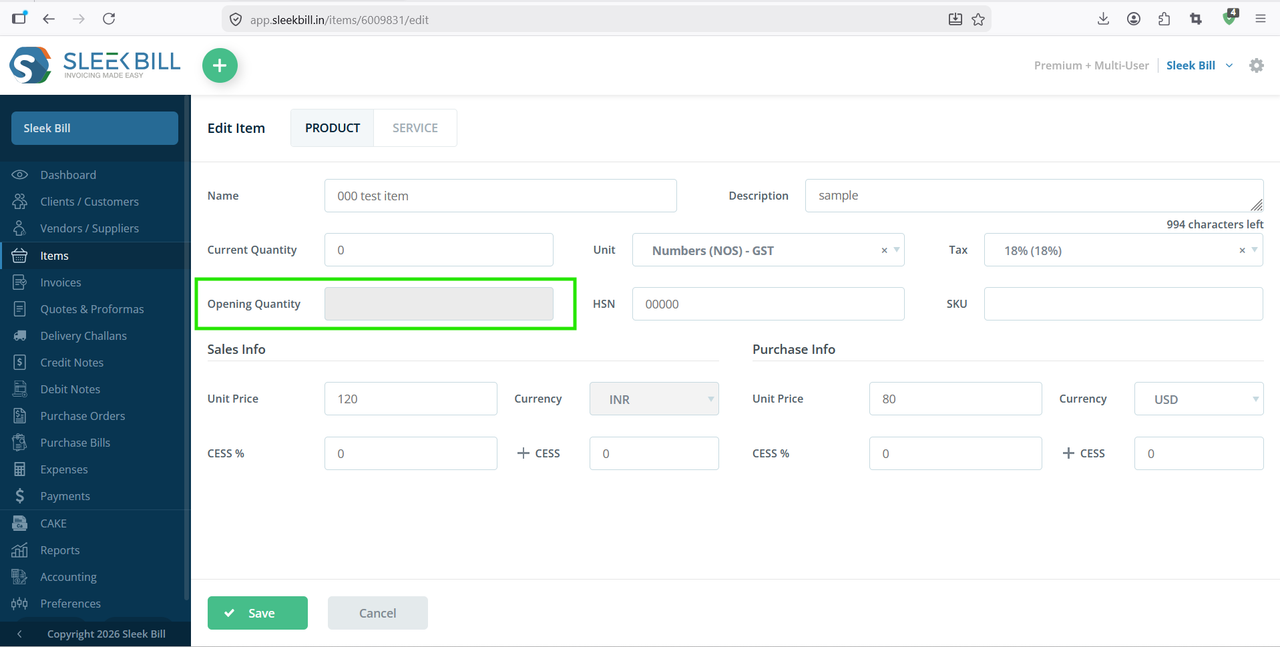
After logging in, you will be redirected to the Dashboard. Now go to items and select product which add opening quantity you see that not able to add opening quantity.
Step 2 : Click on Preferences

Step 3 : Inside Preferences, go to the “General” section

Step 4 : Find the setting “Allow primary user to edit opening quantity”. Toggle it ON.
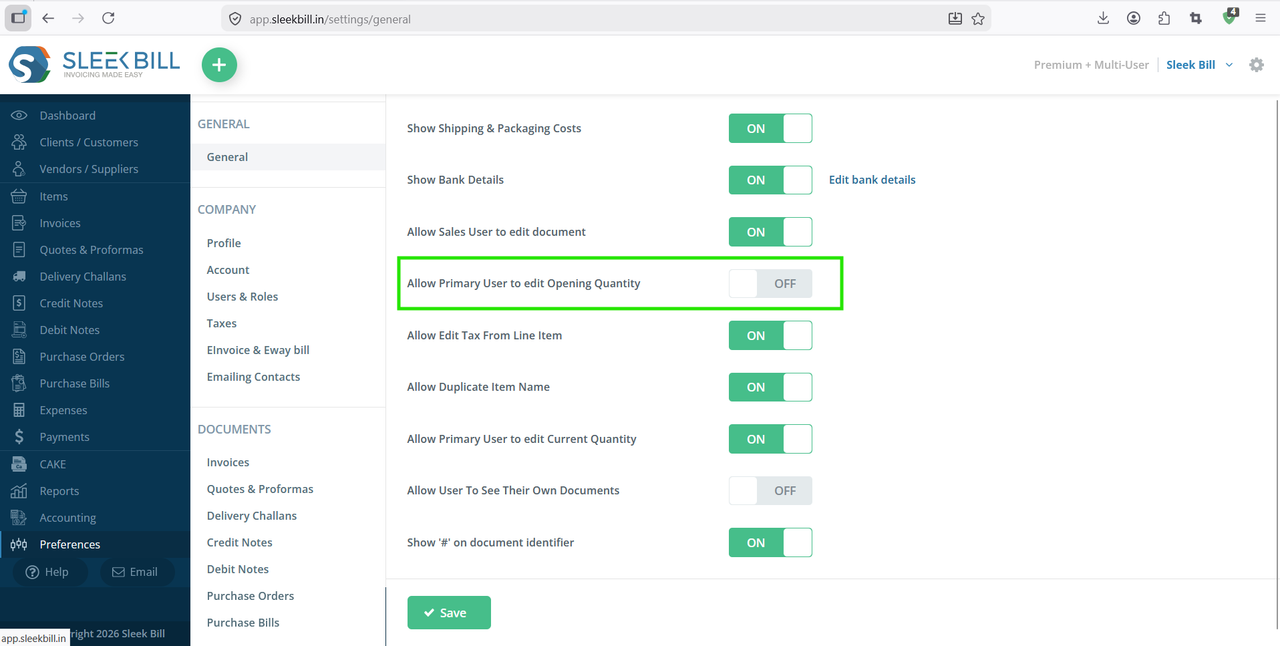
Step 5 : Scroll down and click on the Save button

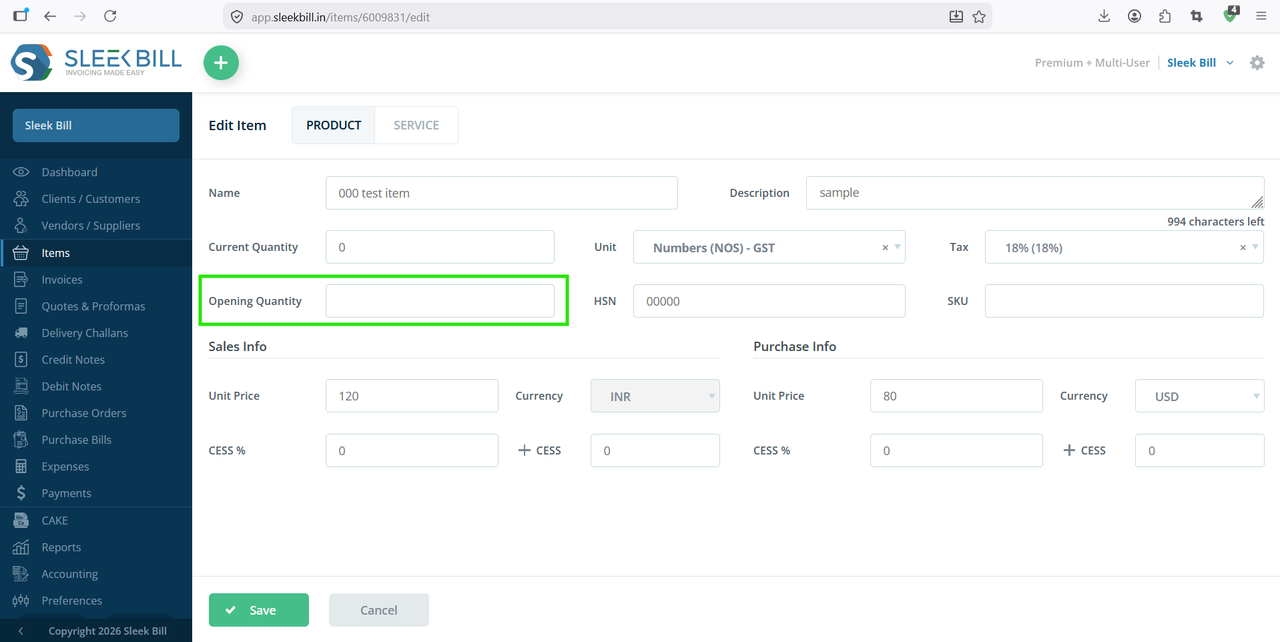
Go to Items, Select any product and click Edit, You will now see the Opening Quantity field enabled and editable.
Enabling the opening quantity in inventory in Sleek Bill is a simple yet powerful step to ensure accurate stock tracking. With just a few clicks, you can gain better control over your inventory and improve overall business efficiency.
Was this article helpful?