How to Show Total Tax Amount in Debit Note in Sleek Bill
A Debit Note is an important business document used to record increases in invoice amounts, additional charges, returned goods, or corrections in transactions. To maintain transparency and comply with GST requirements, businesses often need to display the total tax amount on their debit notes.
With Sleek Bill, you can easily enable the Total Tax Amount field in your debit note format, ensuring that tax details are clearly visible to both your business and your customers.
Why Show Total Tax Amount in a Debit Note?
Displaying the total tax amount in a debit note offers several benefits:
- Provides clear tax information to customers.
- Improves GST compliance and record-keeping.
- Helps accountants reconcile tax liabilities accurately.
- Enhances the professional appearance of business documents.
- Reduces confusion regarding taxable value and tax charges.
Steps to Show Total Tax Amount in Debit Note
Step 1 : Open your browser and visit www.sleekbill.in. Click on the Login button available at the top-right corner of the page.
.png)
Step 2 : Enter your registered Email ID and Password, then click on Sign In.
.png)
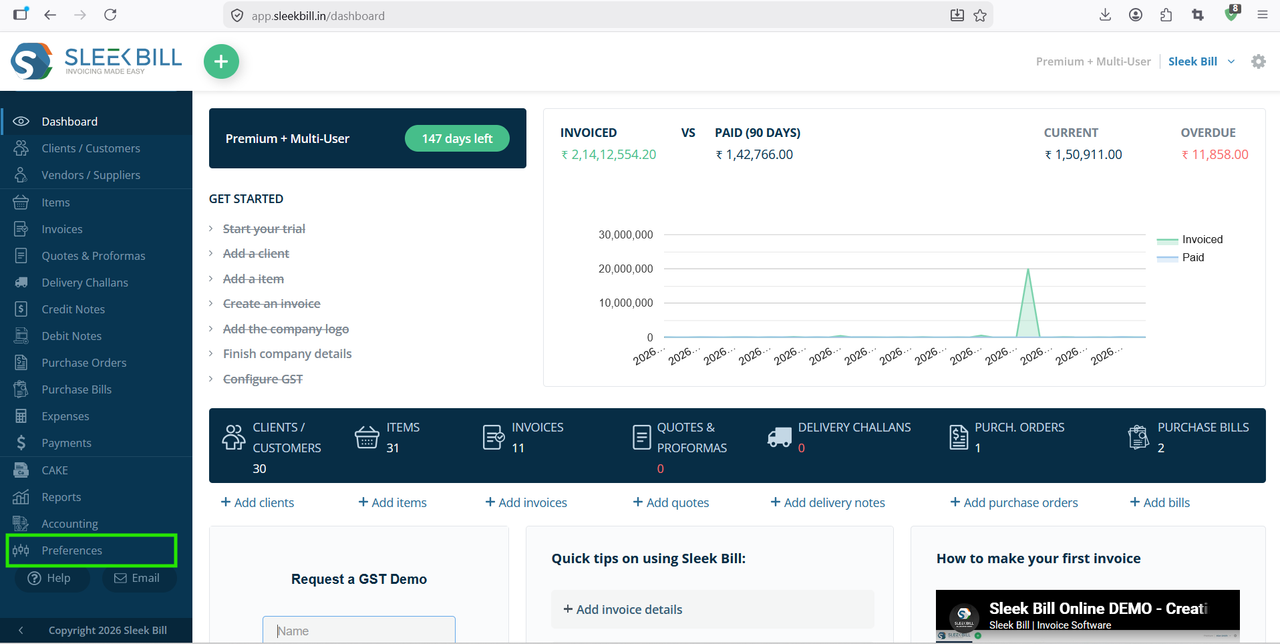
Step 3 : After successful login, you will be redirected to the dashboard. From the left-side menu, click on Preferences.
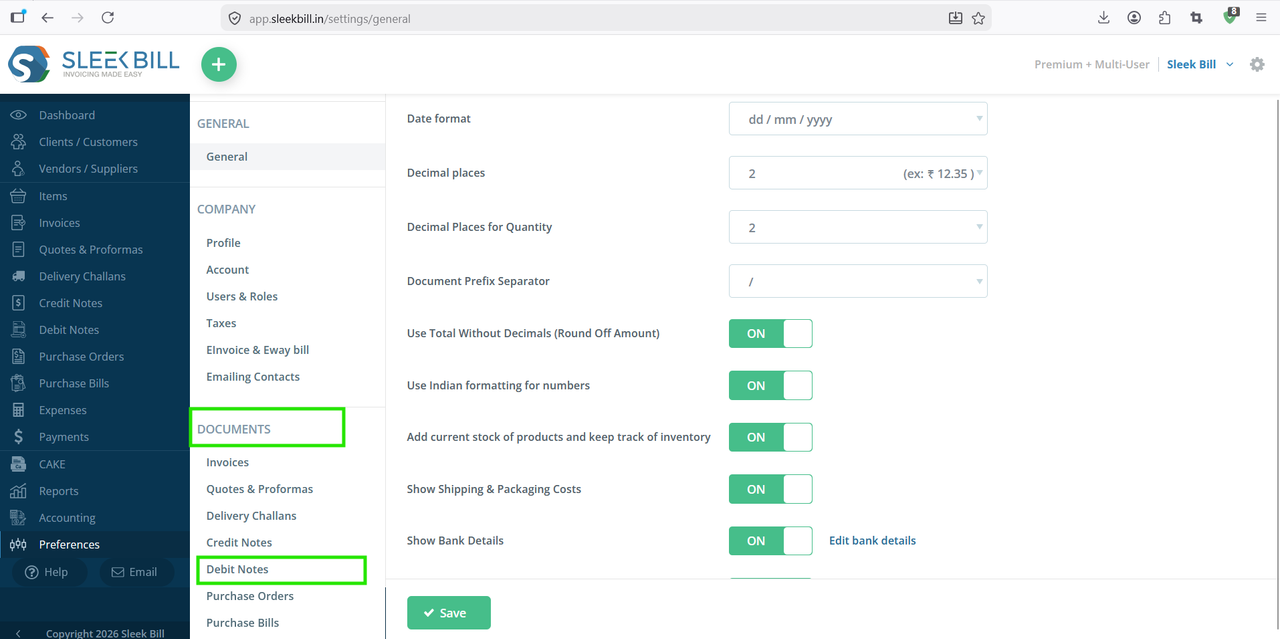
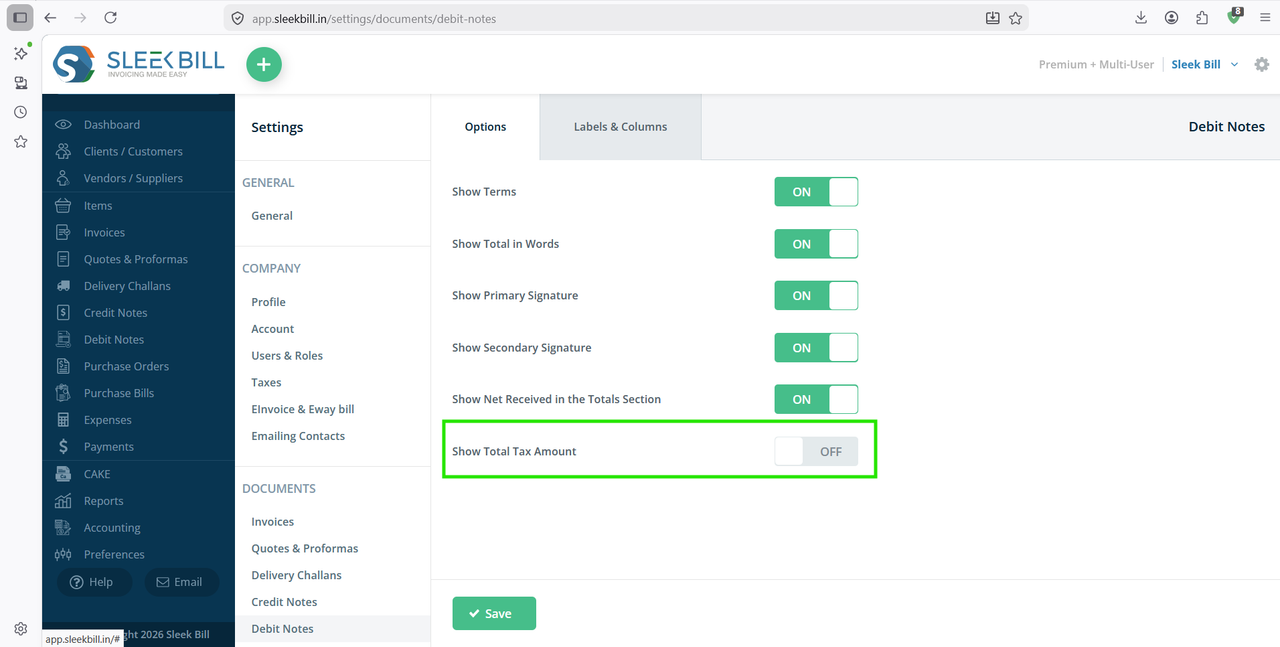
Step 5 : Locate the option Show Total Tax Amount and enable the toggle button ON.
Step 6 : Click on the Save button to apply the changes.
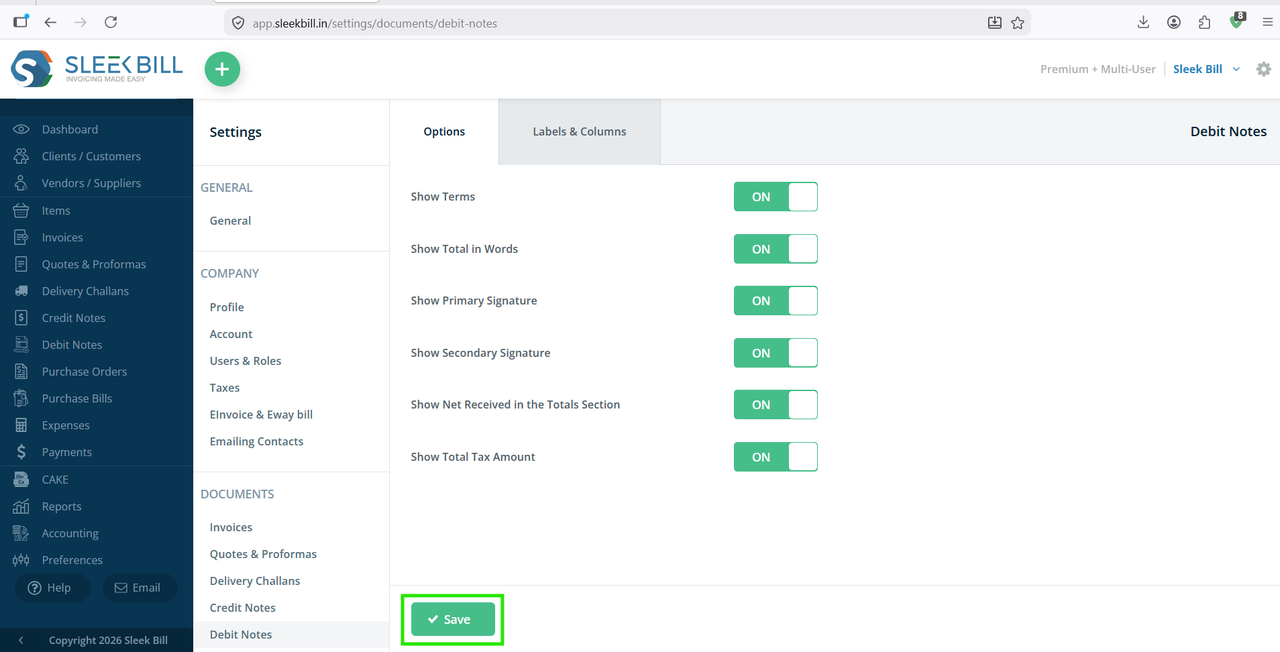
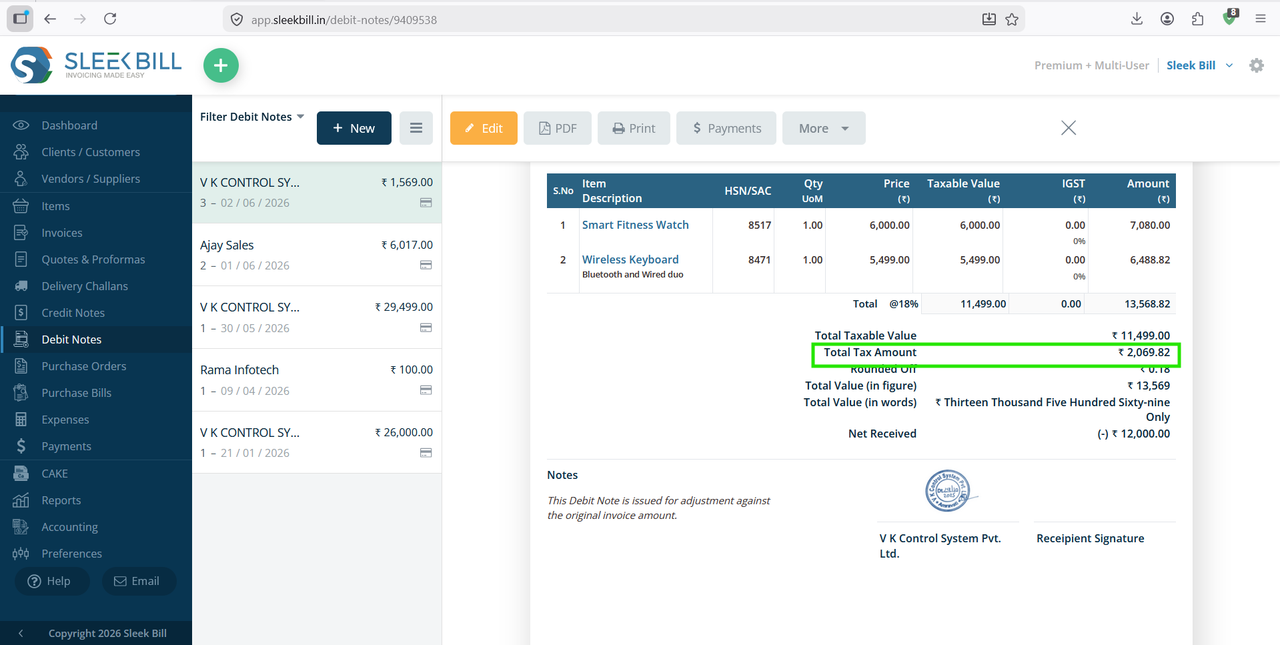
You will now see the Total Tax Amount displayed in the totals section of the debit note.
Benefits of Displaying Total Tax Amount
- Better visibility of GST calculations.
- Simplified tax reconciliation.
- Improved document clarity.
- Enhanced customer communication.
- Professional and GST debit notes.
Conclusion
Showing the Total Tax Amount in your debit notes helps maintain transparency and accuracy in business transactions. Sleek Bill allows you to enable this feature in just a few clicks, making your debit notes more informative and GST enabled. By displaying tax details clearly, businesses can improve accounting accuracy and provide better documentation to customers.
Was this article helpful?