🧾 Billing & Invoicing
How to Allow Sales User to Edit Document
Hello sleek bill users, welcome to Sleek Bill Knowledge Hub. Today we see how to allow sales user to edit document.
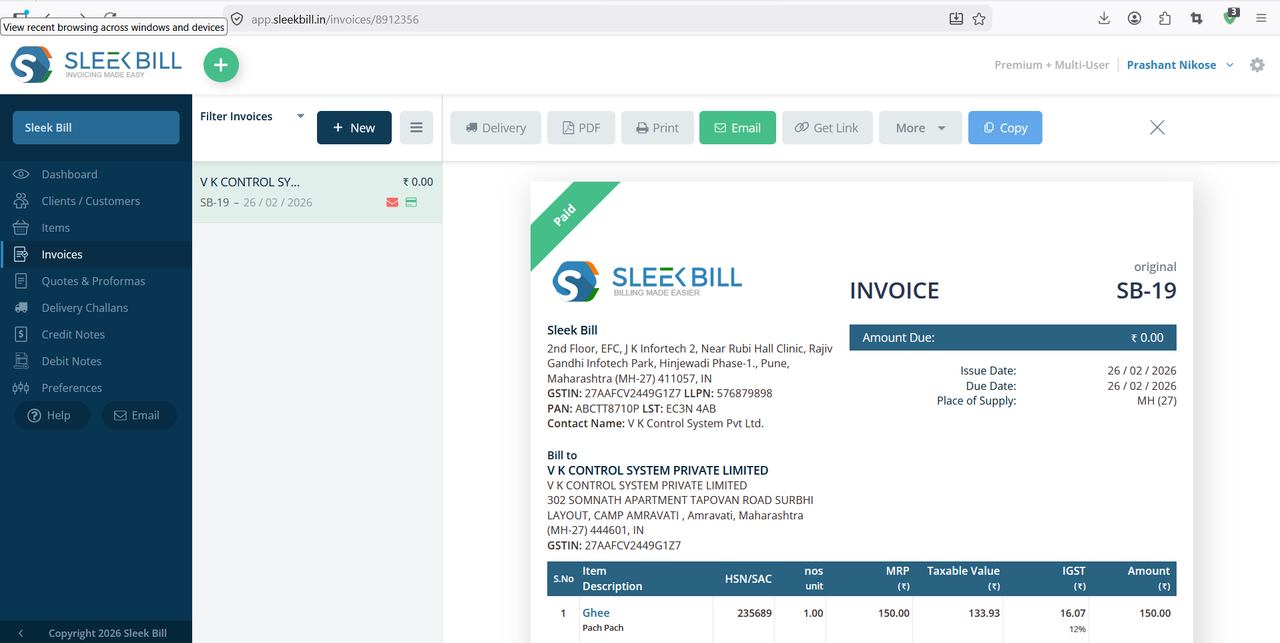
Now you have user they see invoice preview and no edit button is available. If you want to allow sales user edit invoice document.
Follow these four simple steps to get started:
Step 1 : First, navigate to www.sleekbill.in and click the Login button at the top right of the page.

Step 2 : Once you are on your dashboard, look at the sidebar menu and click on Preferences.

Step 3 : Inside the Preferences menu, you will see several tabs. Click on the Generals section. This is where the core functionality of your billing software is managed.

Step 4 : In the Generals settings, look for the option labeled "allow sales user to edit document" to give access edit invoice.
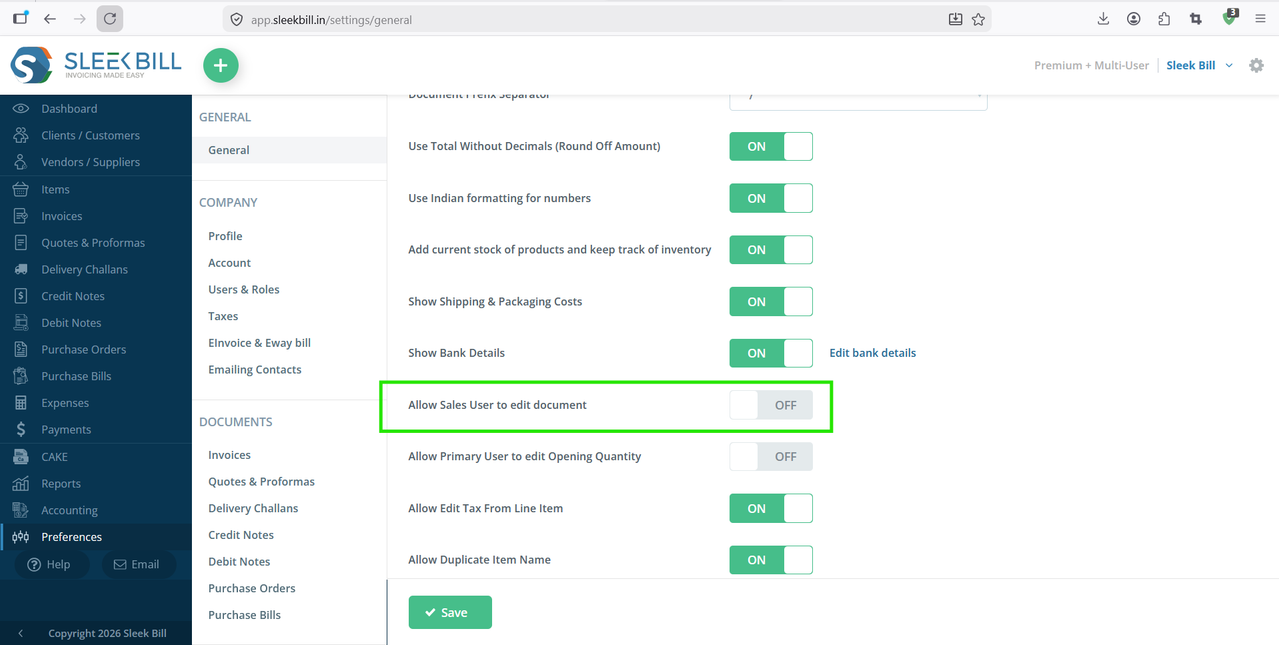
Step 5 : Scroll to the bottom of the page and click the Save button.

Now, when user preview any invoice they see edit button is active at top of invoice preview.
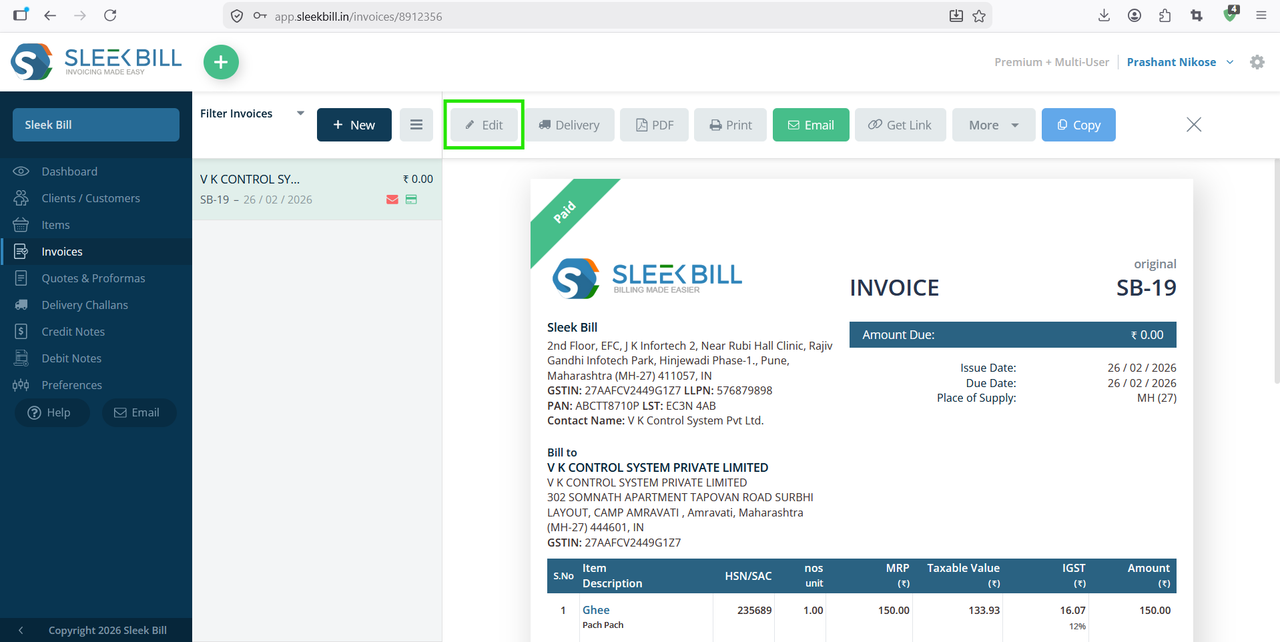
Once the setting is enabled, the Edit button will now appear in the invoice preview for sales users. They can easily make necessary changes without any restrictions.
Was this article helpful?