🧾 Billing & Invoicing
How to Change Date Format in Sleek Bill Online
Today, we’ll learn how to change the date format in invoices, and more importantly, understand why choosing the correct date format is crucial for your business.
Why Date Format Matters in Invoices (Short Version)
The date format in an invoice may seem minor, but it plays a key role in accuracy and professionalism.
- Avoids Confusion: Different formats (DD/MM/YYYY vs MM/DD/YYYY) can cause misunderstandings, especially in international transactions.
- Ensures Compliance: Clear dates help maintain proper records for GST and legal requirements.
- Improves Payment Tracking: Consistent dates support timely payments, better cash flow, and fewer disputes.
- Enhances Professionalism: A uniform format reflects attention to detail and builds client trust.
- Simplifies Accounting: Makes it easier to sort invoices, generate reports, and analyze data.
Follow these simple steps to customize your invoice date format:
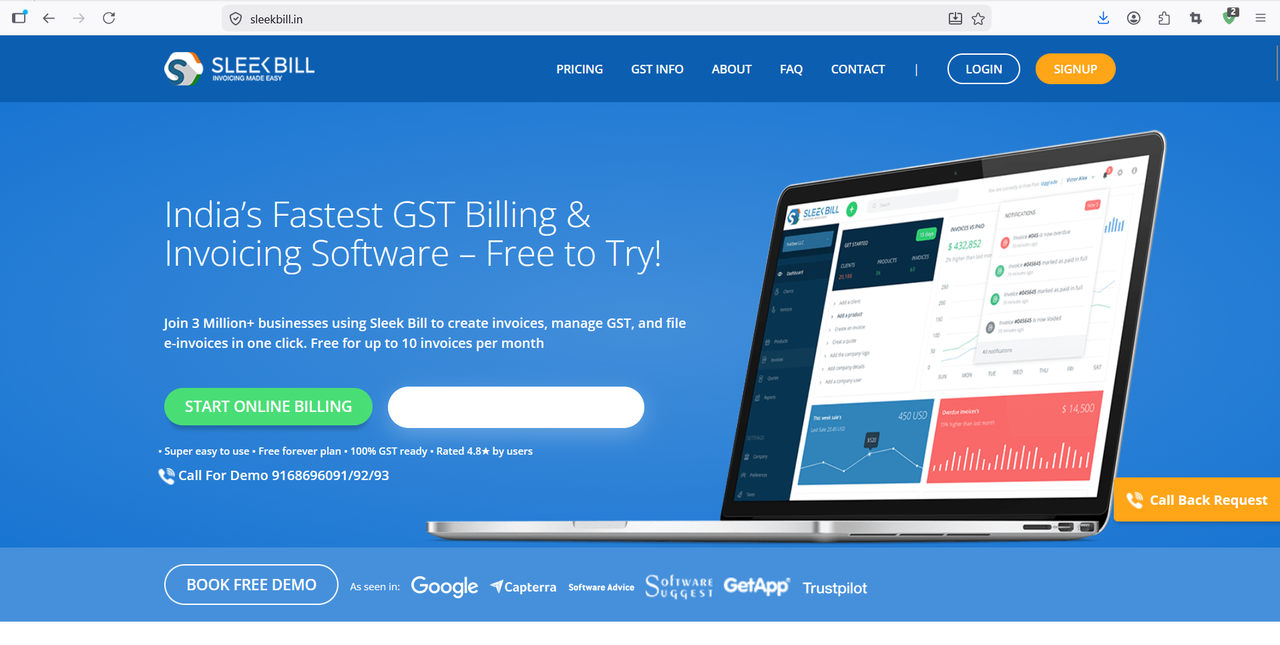
Step 1 : First, open your browser and type www.sleekbill.in then press Enter. Once the website opens, click on the Login button available at the top right corner.
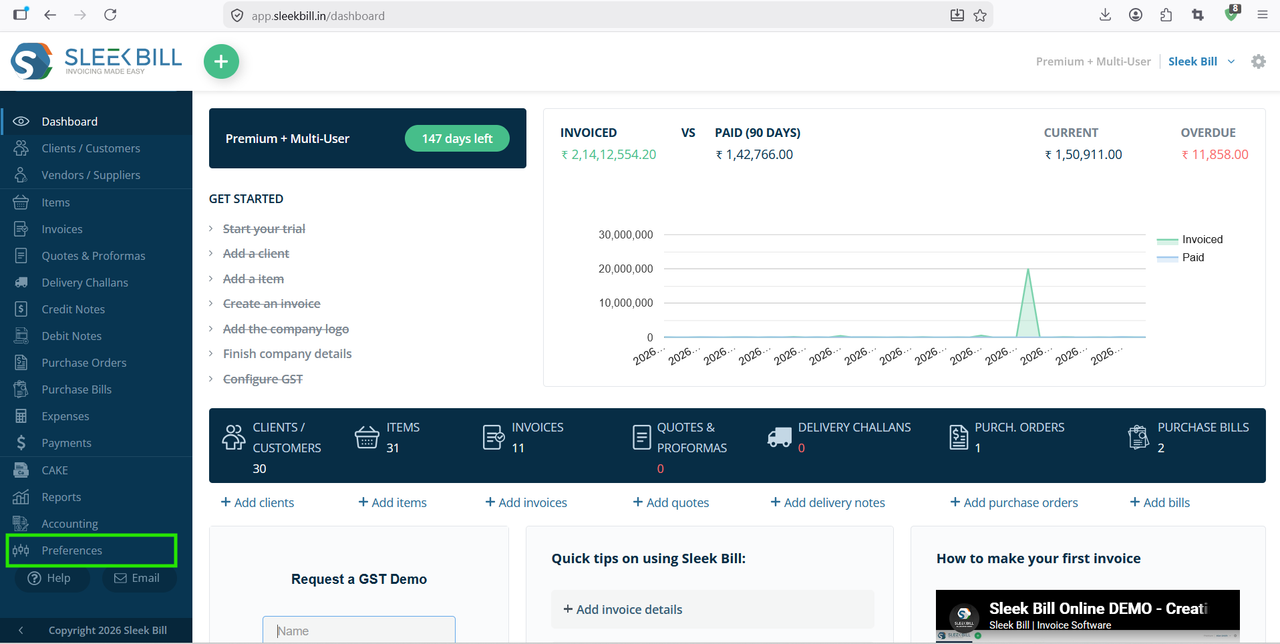
Step 2 : After logging in, you will be redirected to the Dashboard. From there, navigate to the Preferences section.
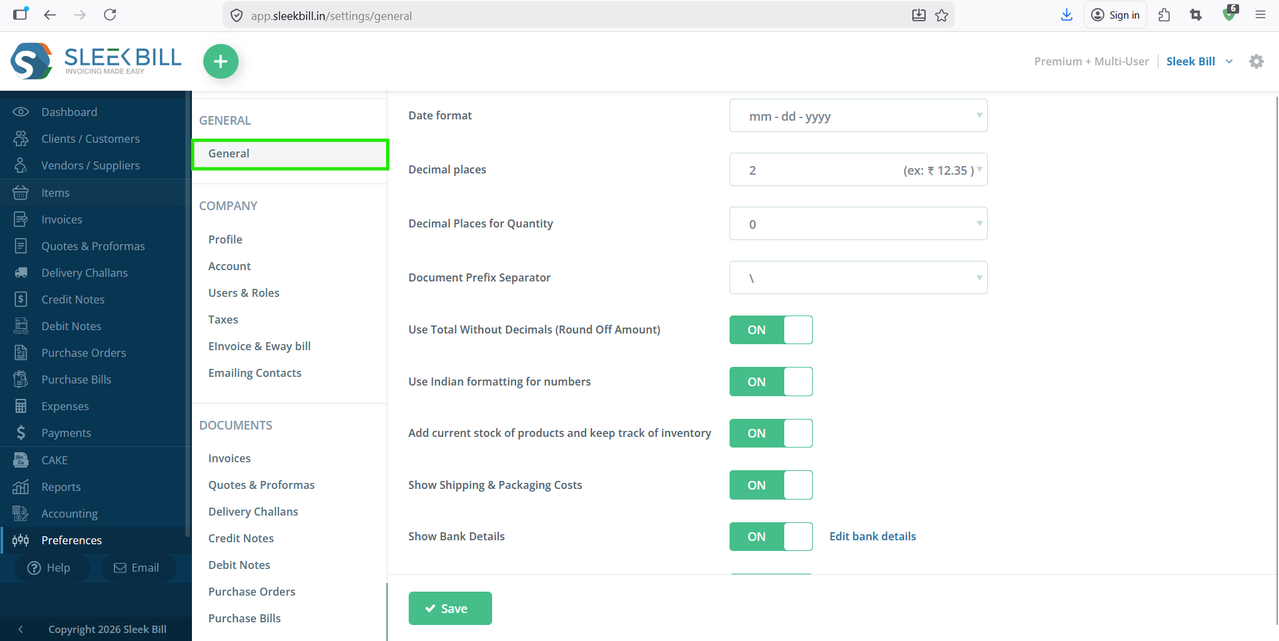
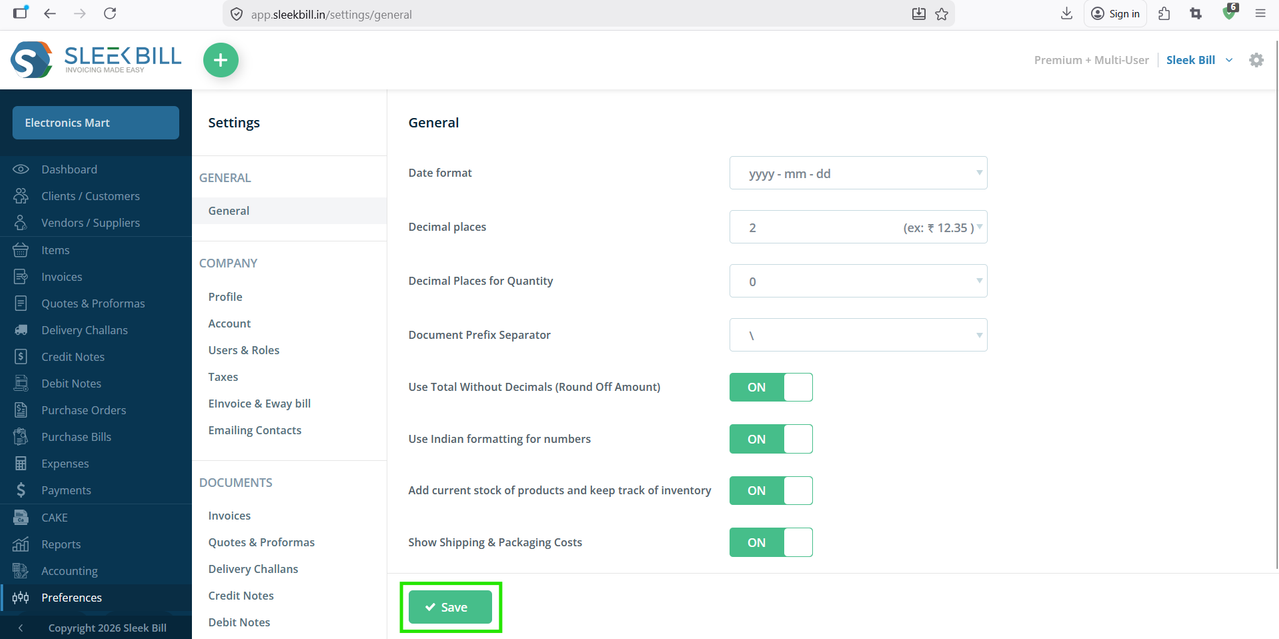
Step 3 : Inside Preferences, go to the “Generals” section.
Step 3 : Now, find the Date Format field. Click on it and select the format you want to use in your invoices.
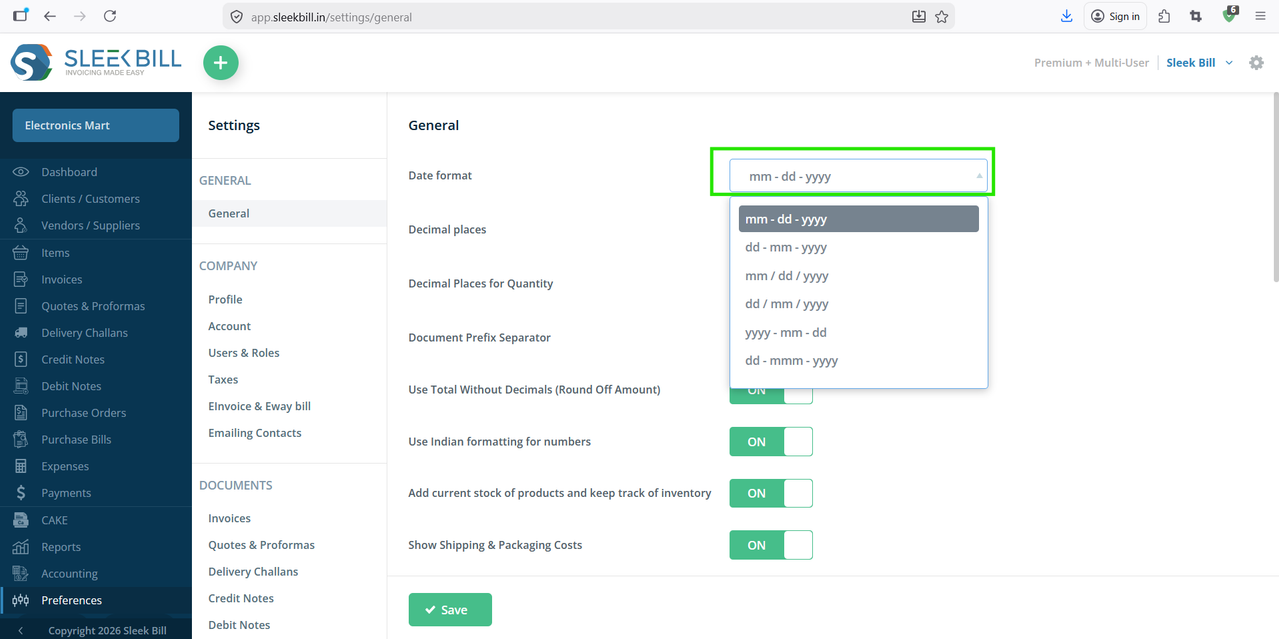
Step 4 : After selecting your preferred format, click on the Save button at the bottom.
Now, go ahead and generate an invoice.
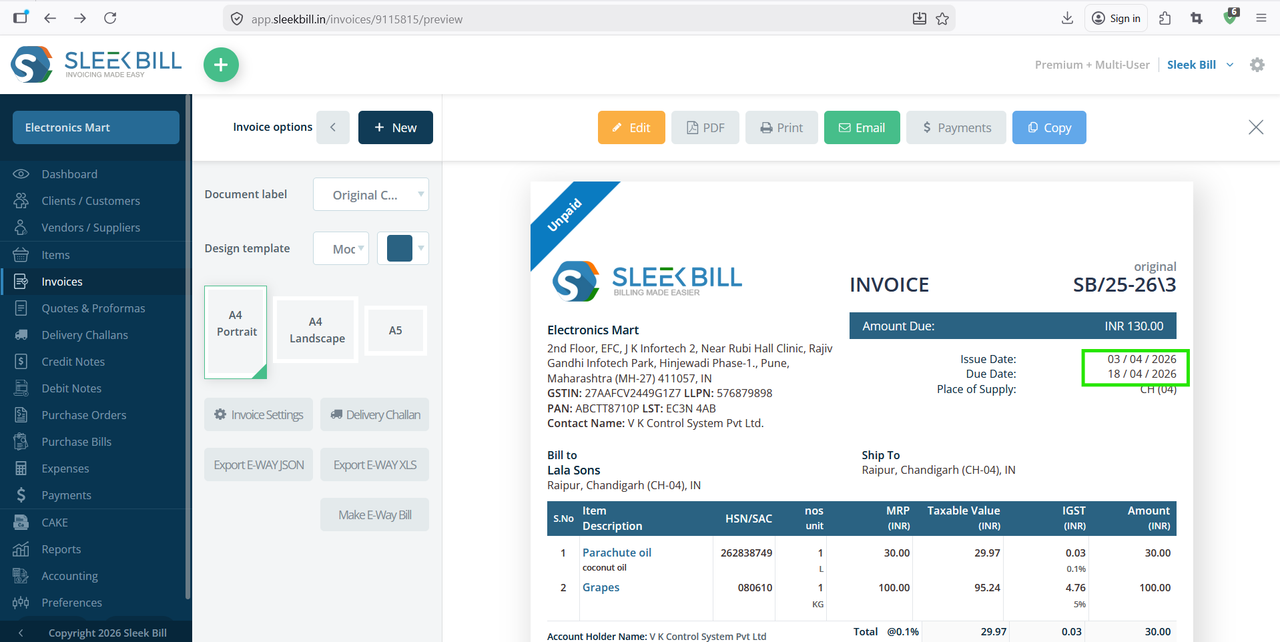
You will see the updated date format applied to both the Issue Date and Due Date.
You will see the updated date format applied to both the Issue Date and Due Date.
Conclusion
Choosing the right date format is not just a setting—it’s a key part of maintaining clarity, professionalism, and compliance in your billing process.
With Sleek Bill, you can easily customize it to match your business needs and avoid any confusion in your transactions.
Was this article helpful?