How to Change Labels and Columns in Credit Note in Sleek Bill
Creating professional credit notes is important for every business. A properly customized credit note helps customers clearly understand returned products, adjusted amounts, taxes, discounts, terms, and other important details. With Sleek Bill, you can easily customize credit note labels and columns according to your business requirements. You can change labels like Credit Note Title, Credit To, Ship To, Product, Quantity, Tax, Terms & Conditions, and many more.
This feature helps businesses create professional-looking credit notes that match their branding, industry standards, and customer preferences.
Default Labels and Columns in Credit Notes
The image below shows the default labels and columns available in Credit Notes:
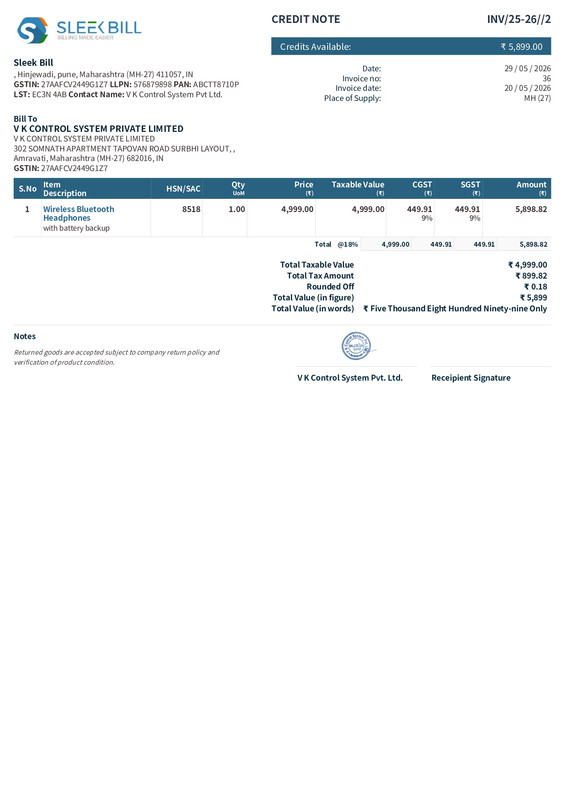
------------------------------------------------------------------------
How to Change Labels and Columns in Credit Note in Sleek Bill
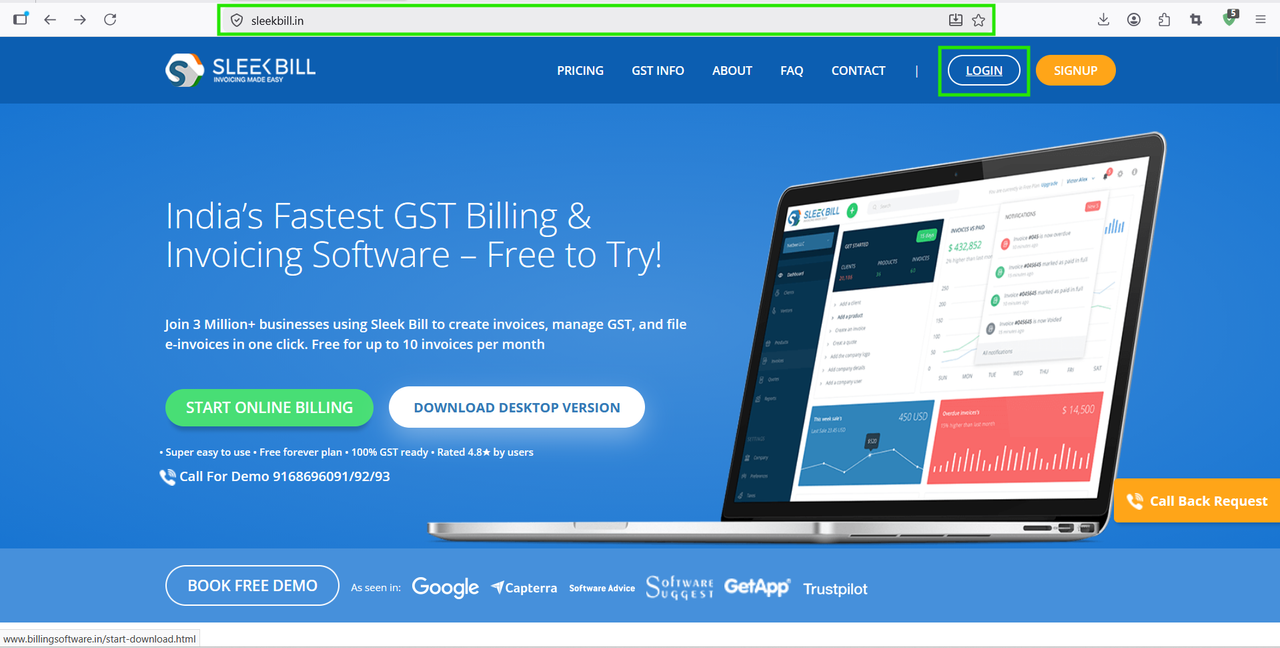
.png)
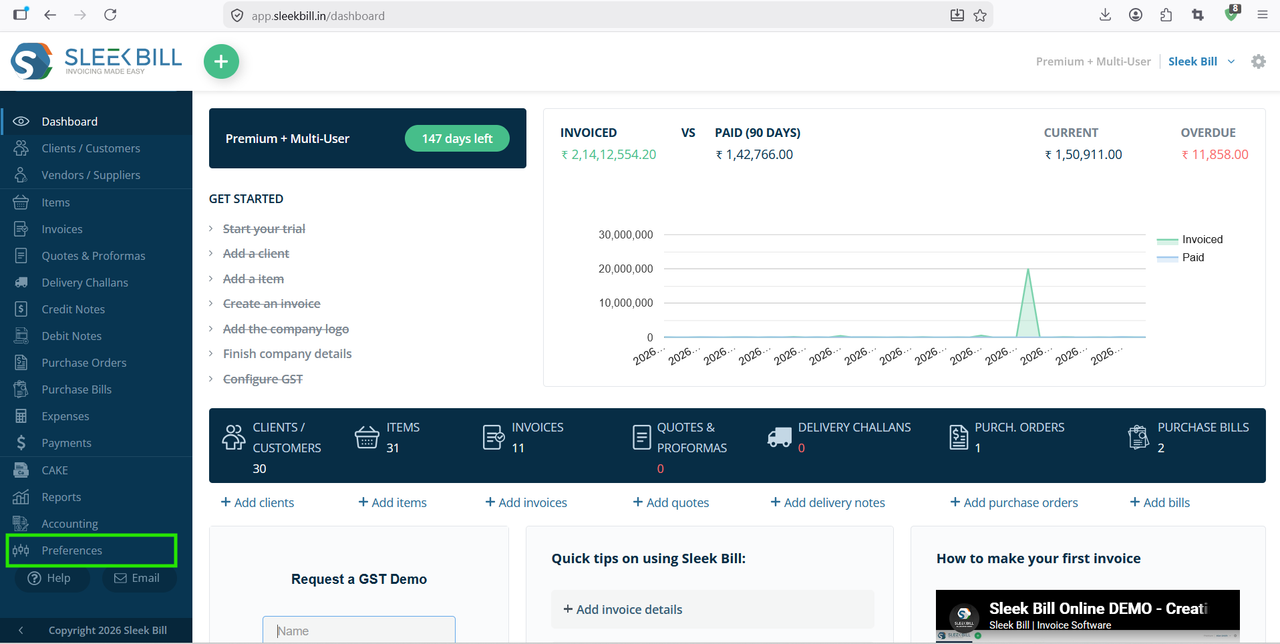
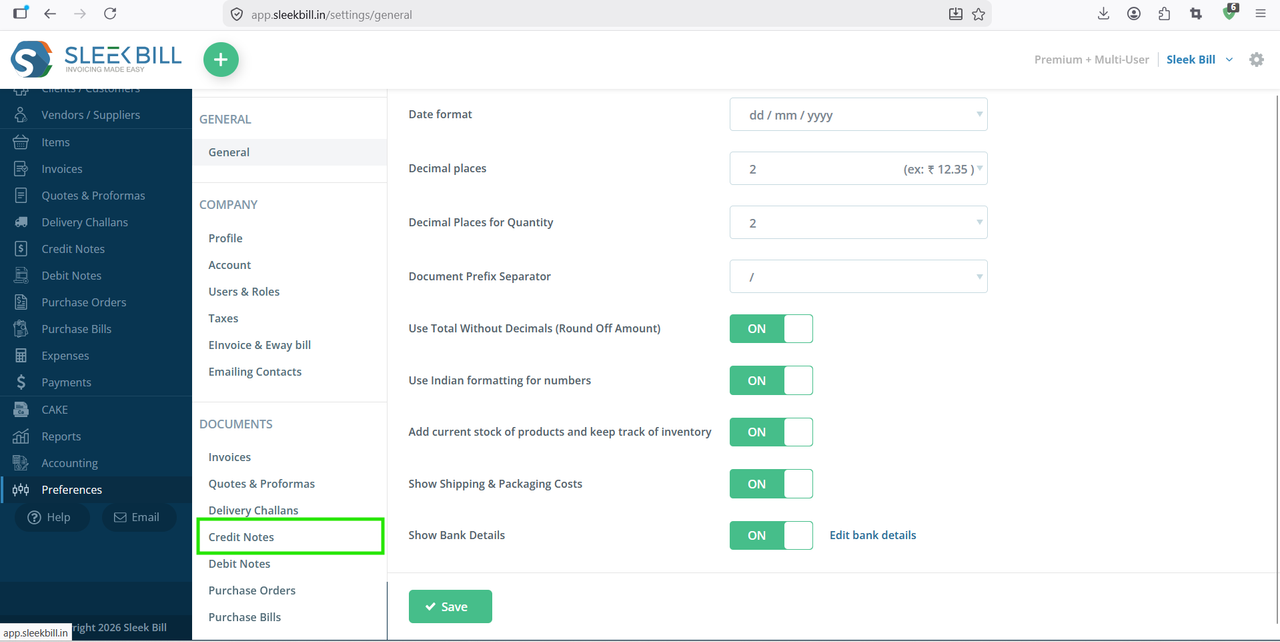
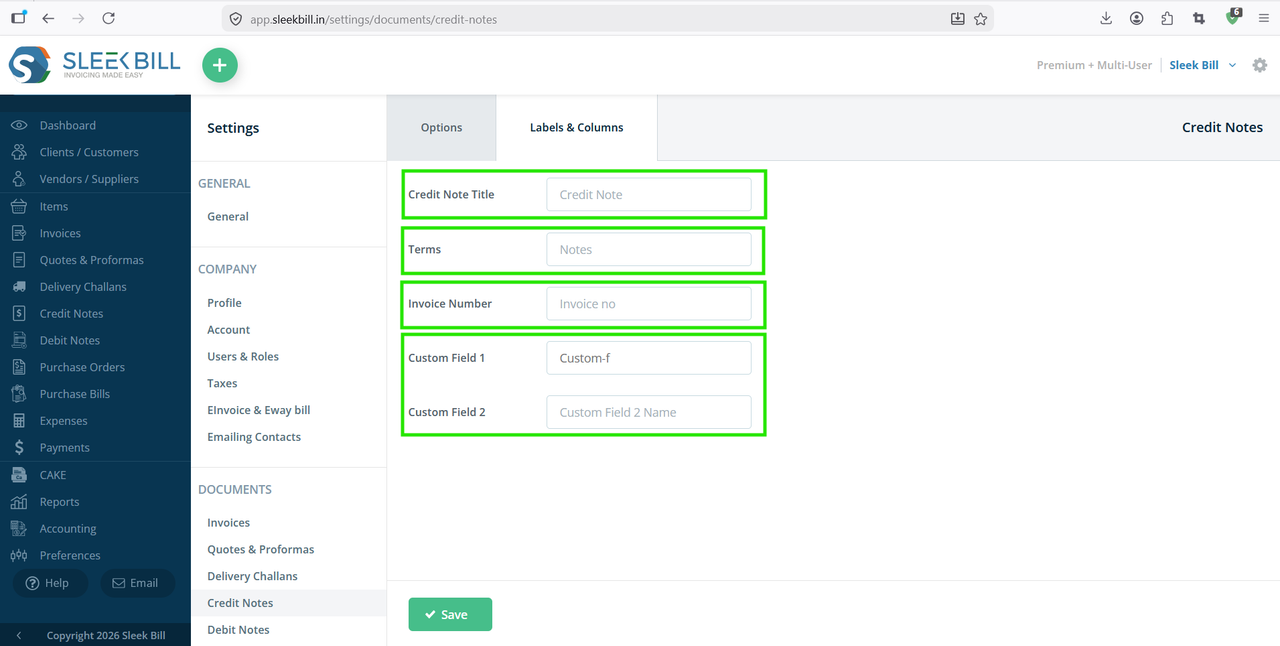
- Credit Note Title:You can change the credit note title labels like Credit Note, Credit Slip,Credit Invoice.
- Terms: You can change Terms labels to Terms & Conditions, Credit Terms, Dispatch Terms, Trade Terms, Commercial Terms, Important Notes, Credit Note Instructions, Credit Note Policies
- Invoice Number: You can customize Invoice Number labels like Invoice Ref No., Invoice Reference, Related Invoice Number, Sales Invoice No., Billing Reference Number
- Item Name: You can change Item Name labels to
- Custom Field 1 and Custom Field 2: You can use Custom Fields for Remarks, Vehicle Number, Transporter Name, Delivery Instructions, Di
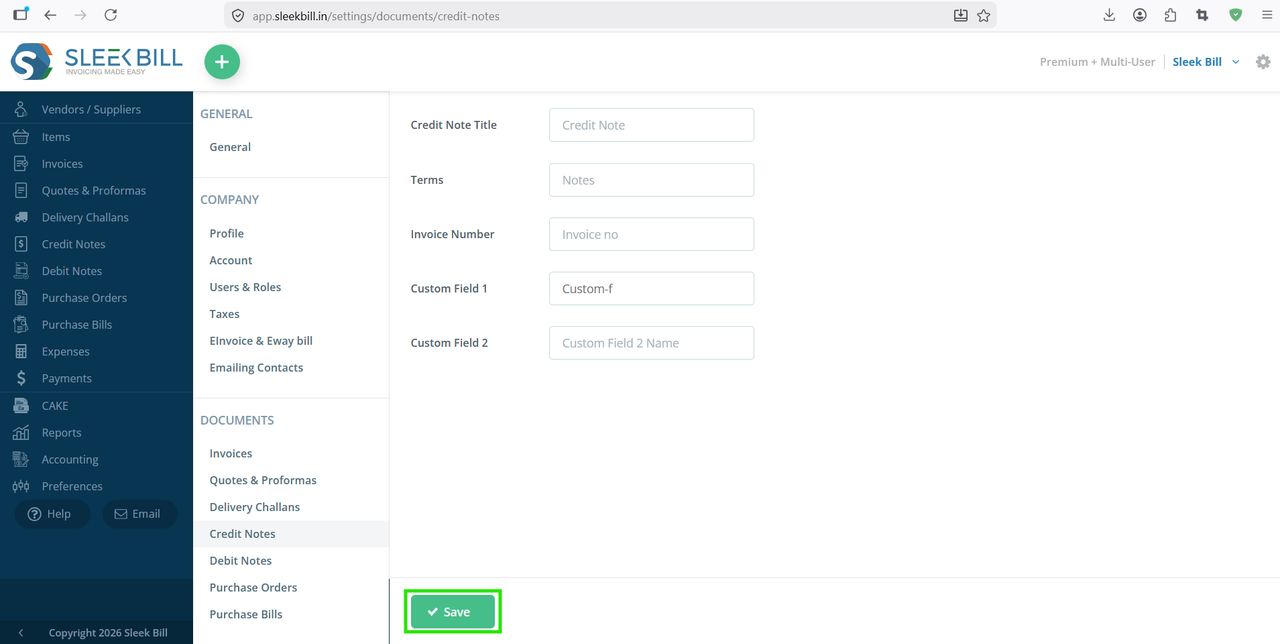
Changing labels and columns in Credit Notes in Sleek Bill Billing Software is simple, useful, and highly recommended for every business. Whether you want to customize Credit Note Titles, Customer Labels, Product Columns, Quantity, Tax, Terms, Discounts, or Custom Fields, Sleek Bill gives you complete flexibility to design professional credit notes according to your business needs. Customized credit notes improve readability, reduce confusion, maintain consistency across documents, and create a better impression on customers while simplifying your credit management process.
Was this article helpful?