How Convert Quotation or a Proforma invoice into an Invoice in Sleek Bill
Welcome to the Sleek Bill Knowledge Hub!
In this guide, you'll learn how to convert a Quotation or Proforma Invoice into a GST Invoice in just a few simple steps using Sleek Bill. Instead of creating a new invoice from scratch, you can quickly convert your approved quotation or proforma invoice, saving time and reducing errors.
The first step to close sale is preparing a quotation or proforma invoice. After gaining customer approval, you do not need to create an invoice again. With Sleek Bill, you can quickly convert Quotation /pro forma invoice into GST Invoice.
Why do you want to make a Quotation/ Proforma into an Invoice?
Converting an existing quotation or proforma invoice will save you time and reduce repetitive tasks. It will also enable you to:
- Do not duplicate the same information again.
- Minimize typing errors.
- Customer and product data should be maintained.
- Speed up invoice generation by allowing invoices to be produced shortly after customers approve them.
- Document and keep accurate records of each sale.
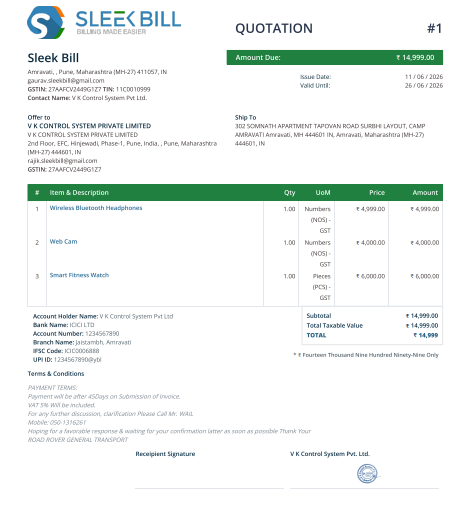
Steps to turn a Quote or proforma into an invoice
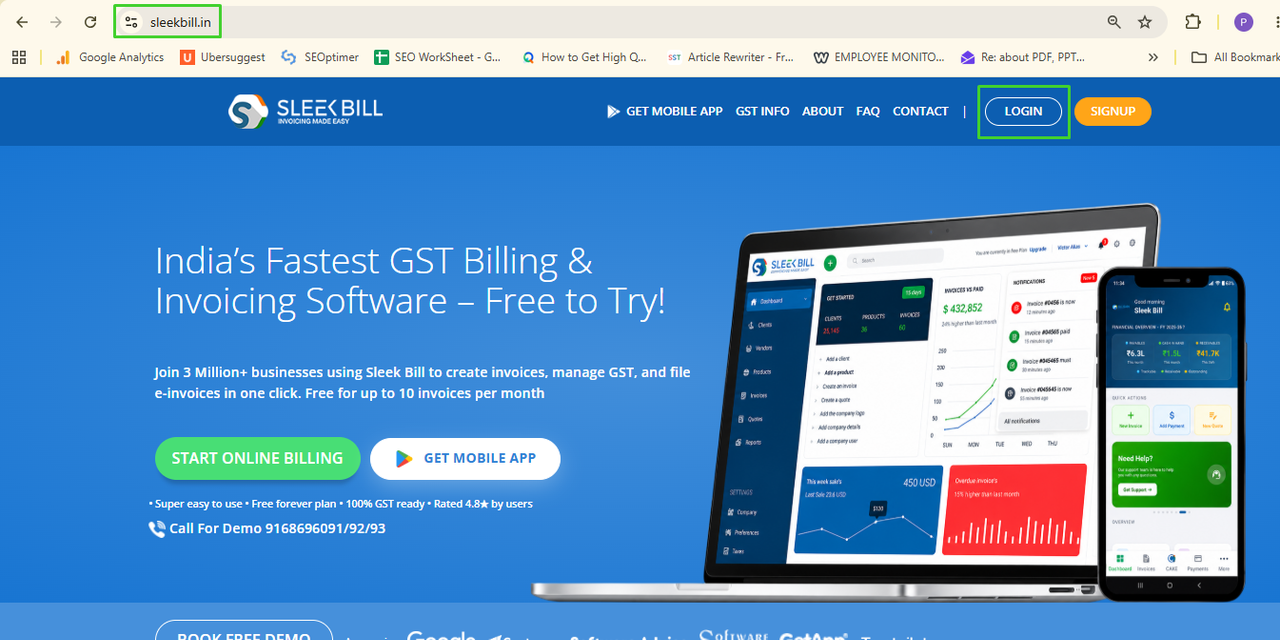
Step 1: Visit SleekBill.in and click Login.
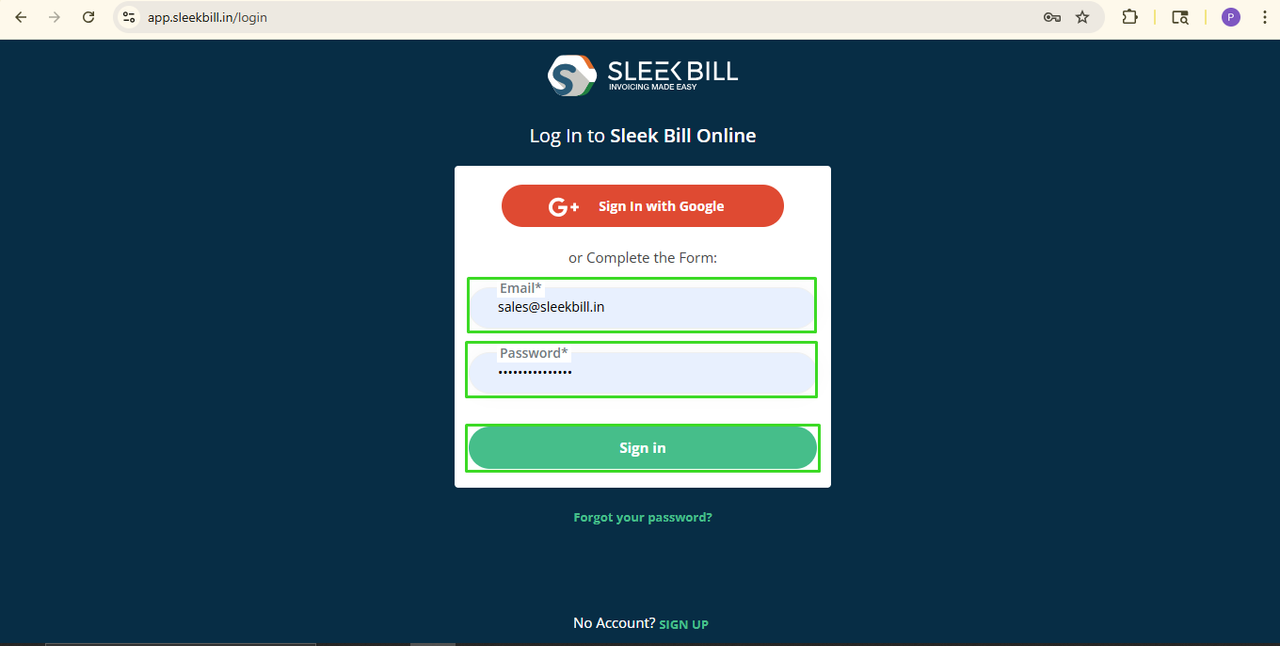
Step 2: Enter your User ID and Password, then click Sign In.
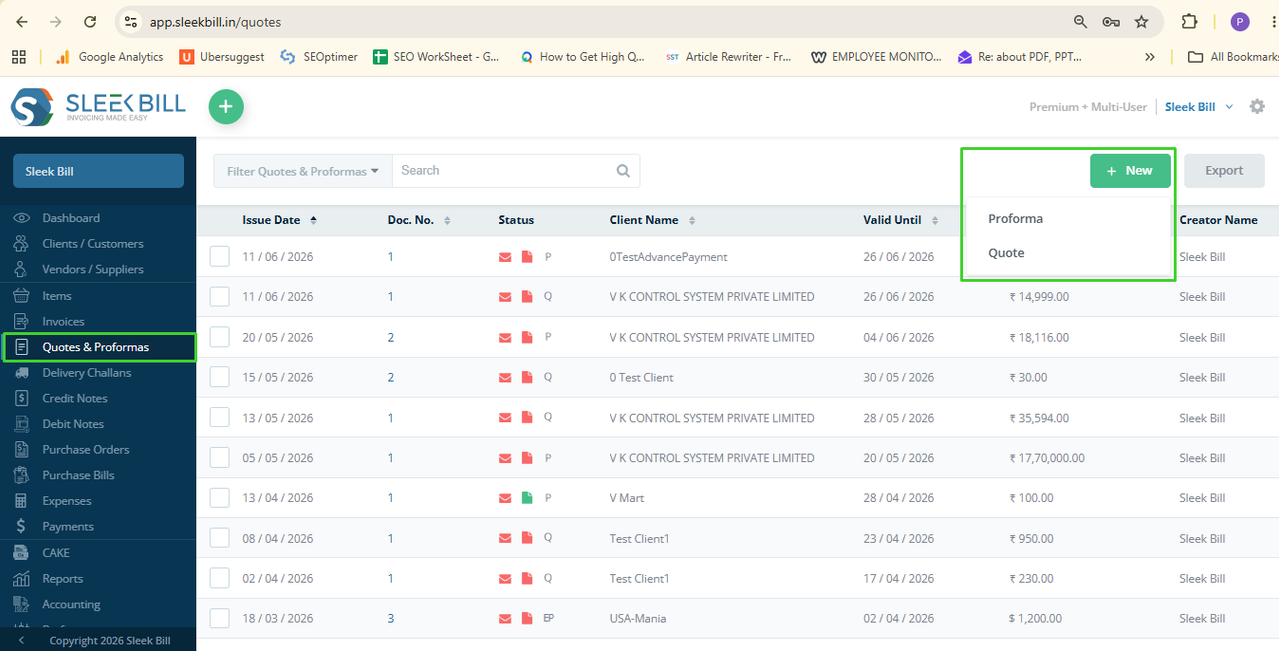
 Step 3: Open the Quotation tab
Step 4: Create a new
quotation/proforma by click on new button or Open the saved quotation or proforma invoice.
Step 5: Choose your customer, create your products,
and check the details such as due date, shipping address, terms, taxes and
other information.
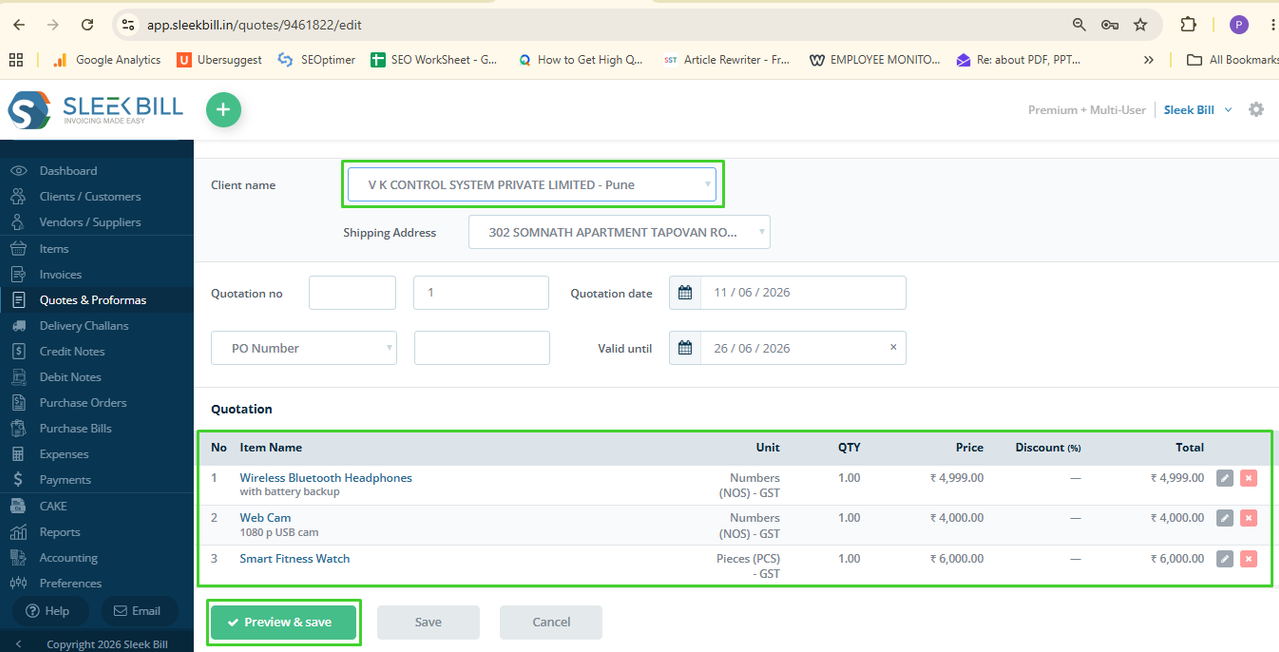
Step 6: Click Preview
& Save.
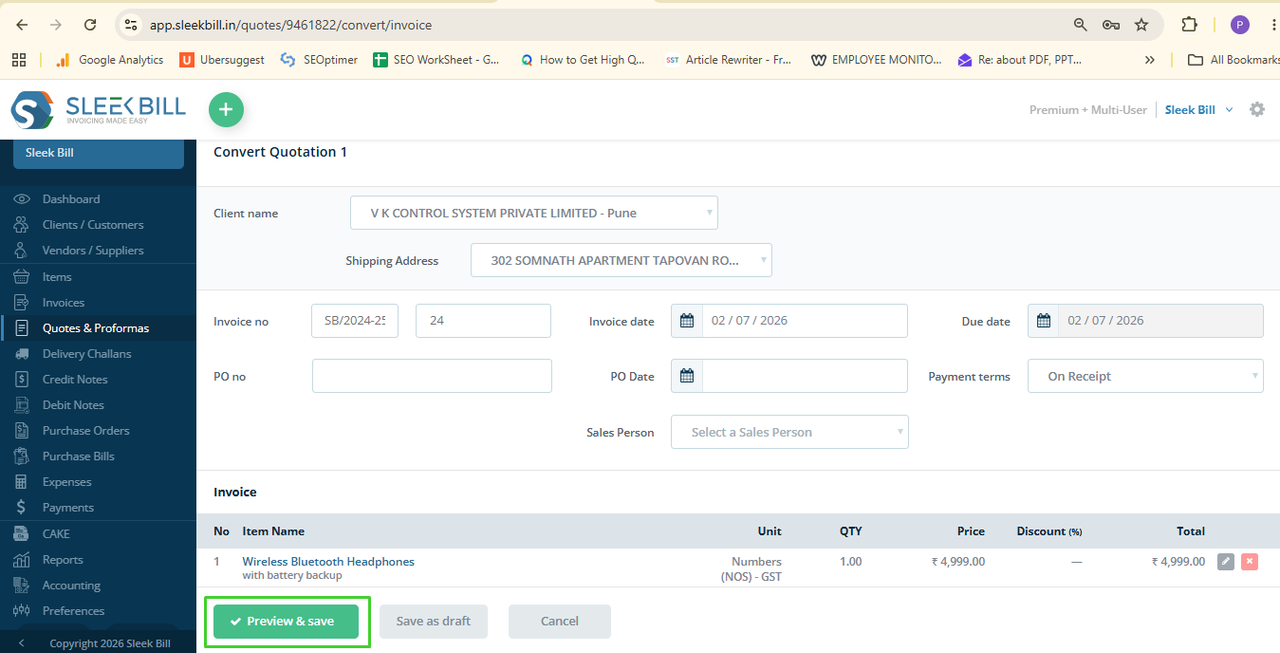
Step 7: Click Convert to
button on top and select invoice.
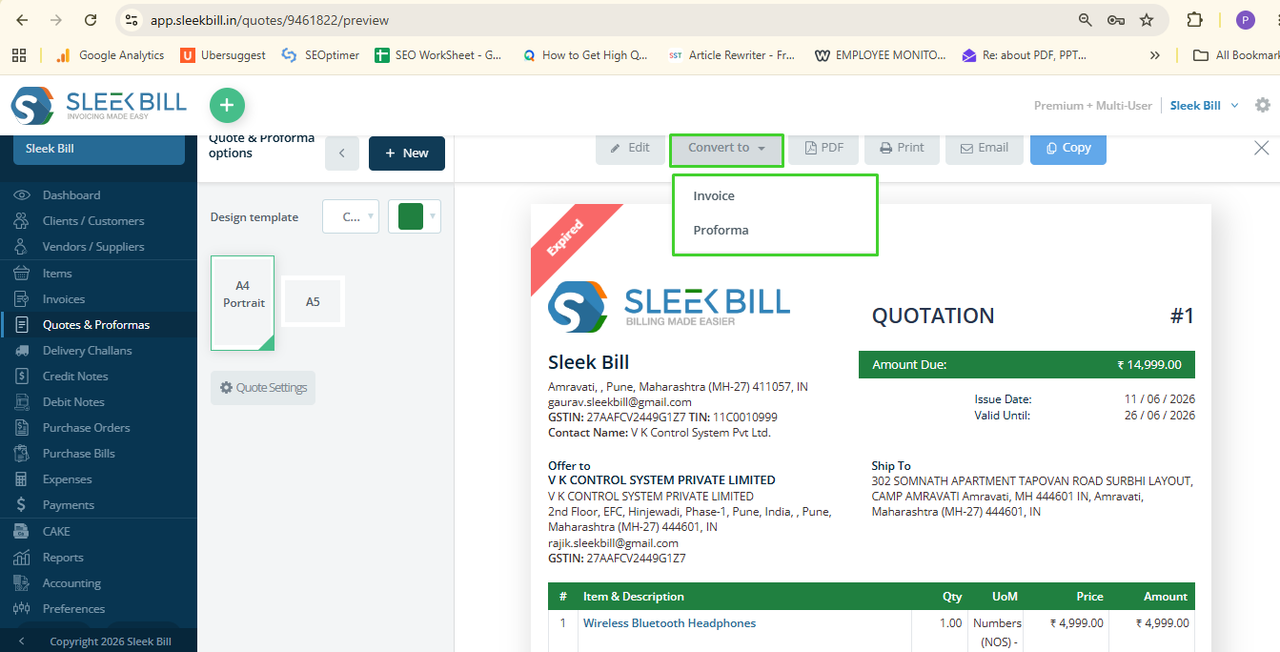
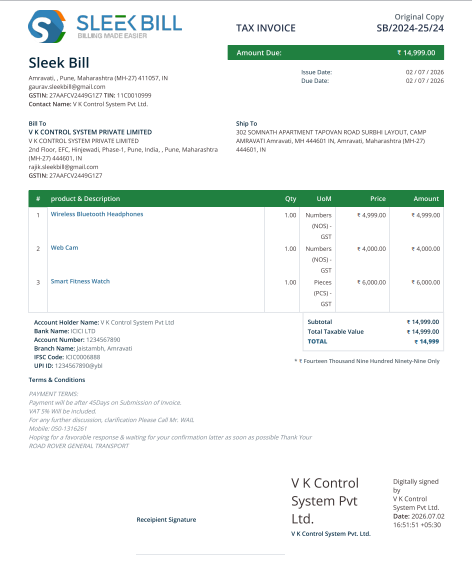
Step 8: Check the invoice information and download or
share it.
Your GST
invoice is now ready for printing or for sending to your customer in a PDF
format.
Convert a quotation or a proforma invoice into an invoice in
Sleek Bill. It is easy, fast, and reliable, and brings you the advantage of
saving your time, reducing billing error, and closing your sale more
quickly. Convert to invoice instantly
instead of making the invoice on your own.
Was this article helpful?