How to Enable Show Amount Due on Invoice in Sleek Bill
Hello Sleek Bill users, welcome to the Sleek Bill Knowledge Hub.
In this article, we will see how to enable the “Show Amount Due” option in an invoice. Sometimes customers may miss the pending amount while checking the invoice, especially when partial payments have already been made. The “Show Amount Due” option helps you clearly display the remaining payable amount on the invoice.
This helps remind the client of the due amount and makes billing more transparent, professional, and easier for customers to understand. With Sleek Bill, you can enable this option quickly in just a few simple steps.
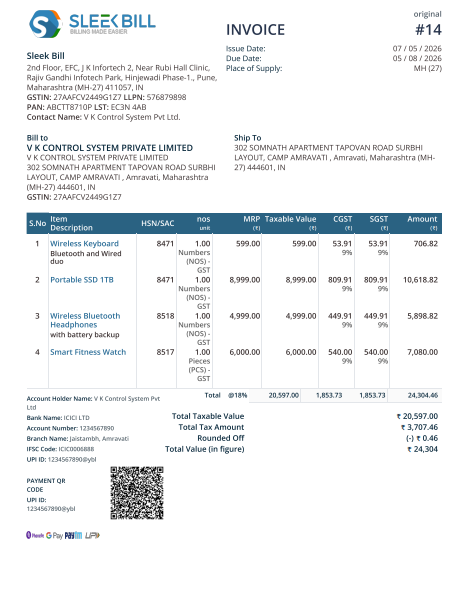
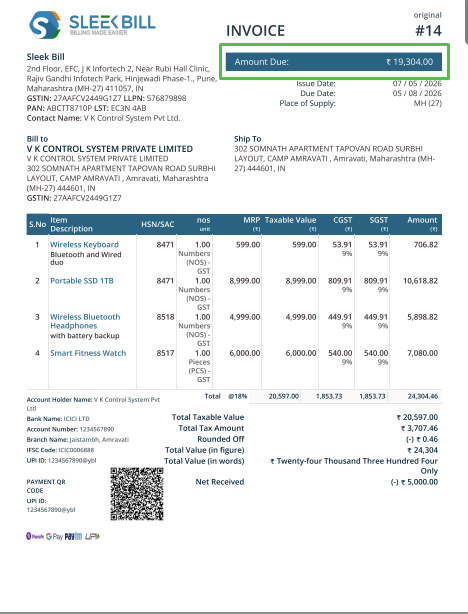
First, see the invoice below not mention the Due Amount.
Why Should You Use “Show Amount Due” in an Invoice?
Helps customers clearly see the pending payment amount
Makes invoices more professional and easier to understand
Reduces confusion in partial payment invoices
Improves payment tracking for businesses
Helps avoid payment misunderstandings
Adds better clarity to billing documents
How to Enable the “Show Amount Due” Option in Sleek Bill?
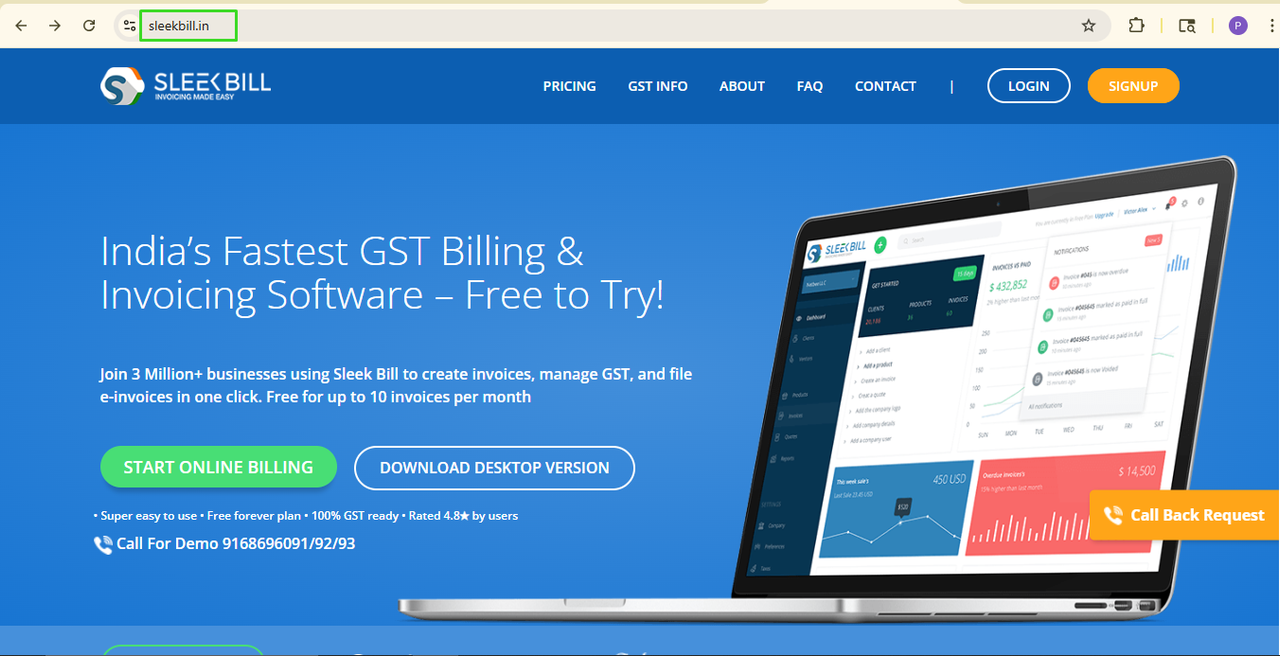
Step 1: Open Sleek Bill Website:
Search for www.sleekbill.in and open the website.
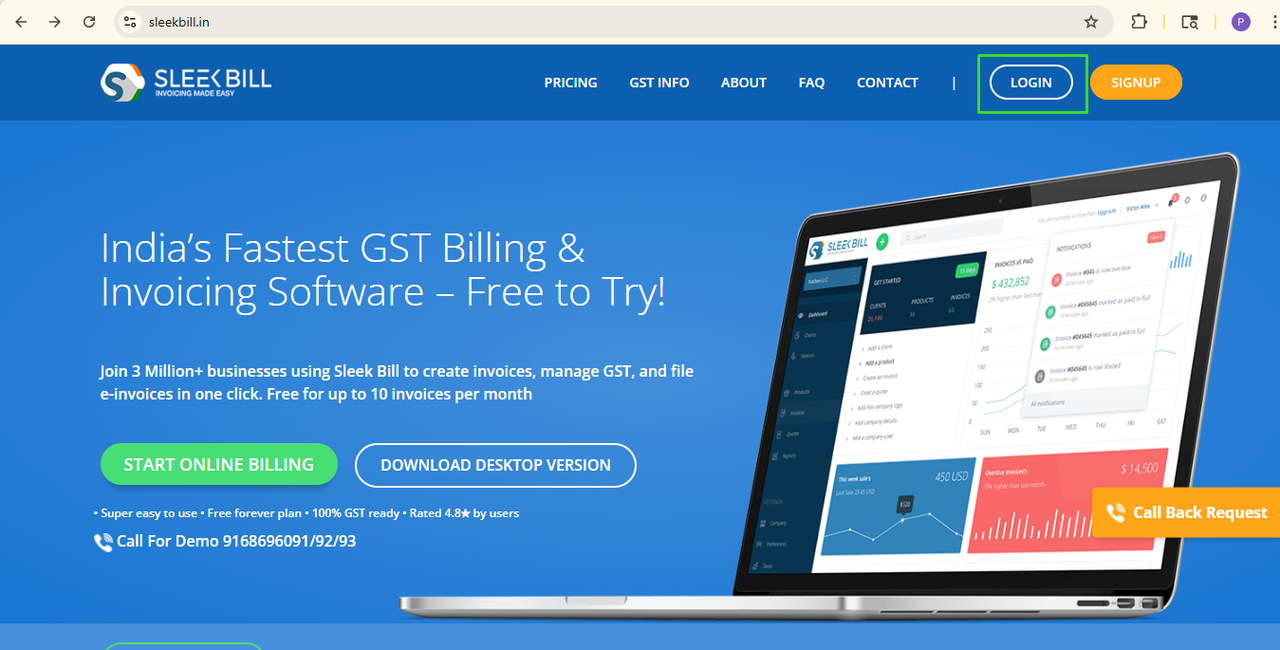
Step 2: Click on the Login Button:
Now, click on the Login button available at the top left corner of the website.
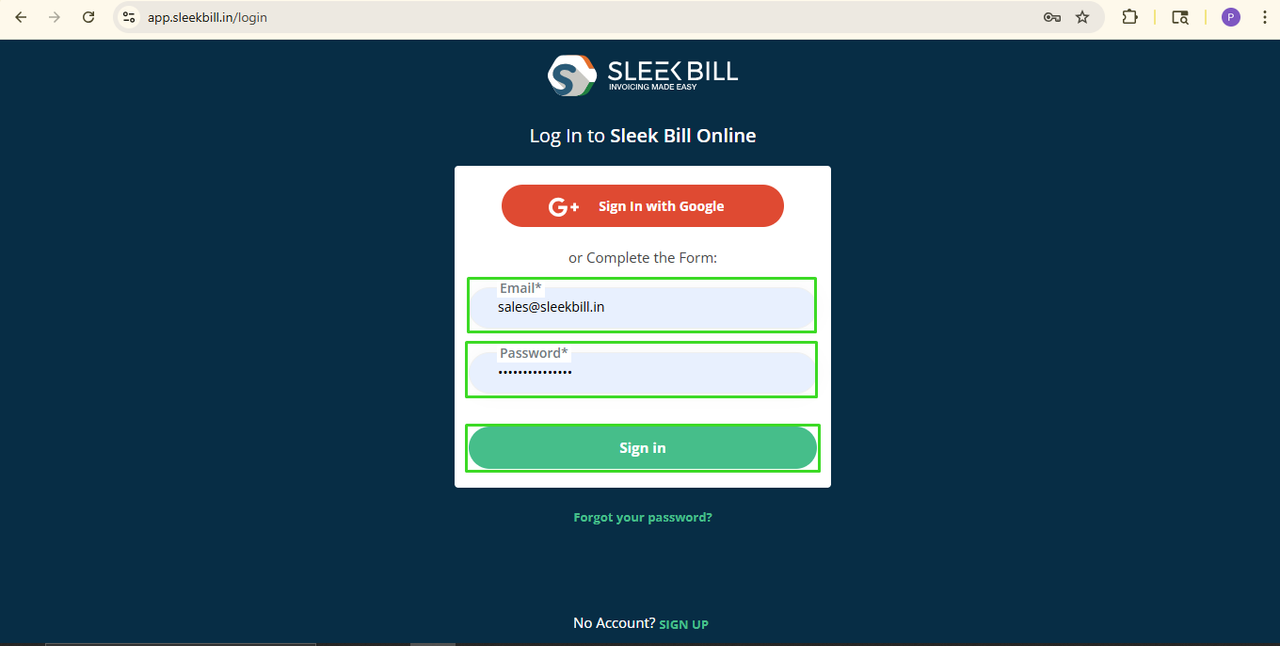
Step 3: Enter Login Details:
Enter your login credentials and click on the Sign In button.
Step 4: Open Preferences Tab:
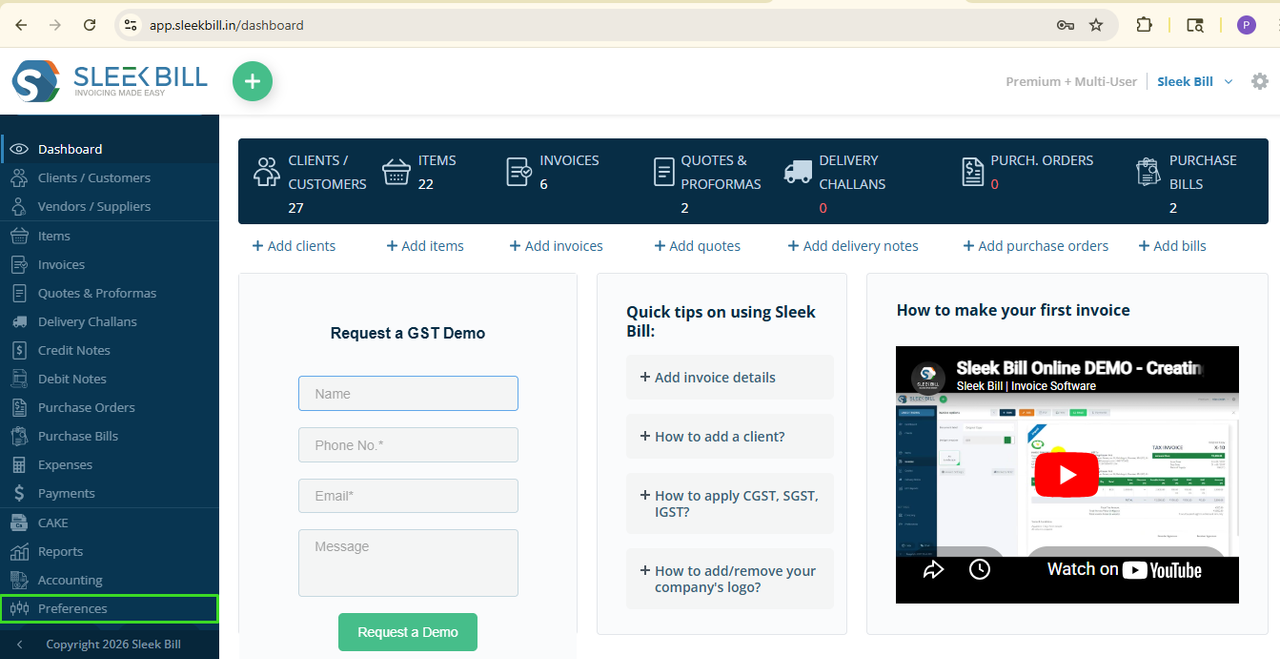
After logging in, you will enter the Sleek Bill dashboard. Click on the Preferences tab.
Step 5: Click on the Invoice Tab:
Now, click on the Invoice tab.
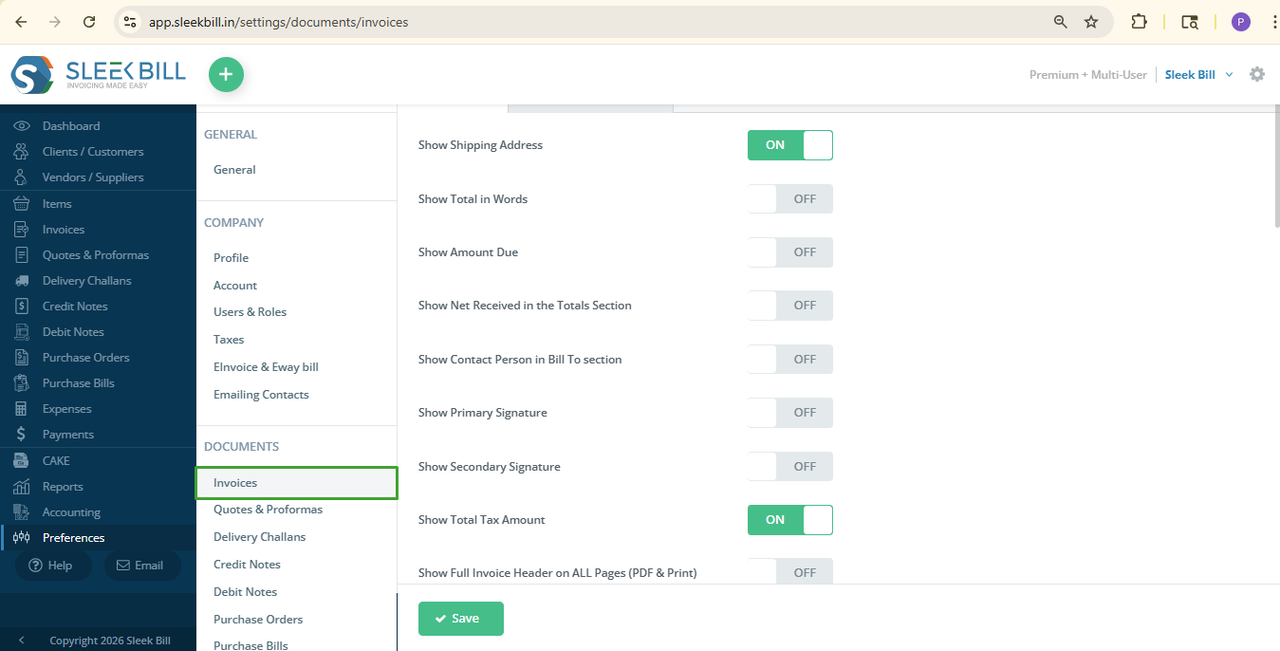
Find the option called Show Amount Due and turn it ON.
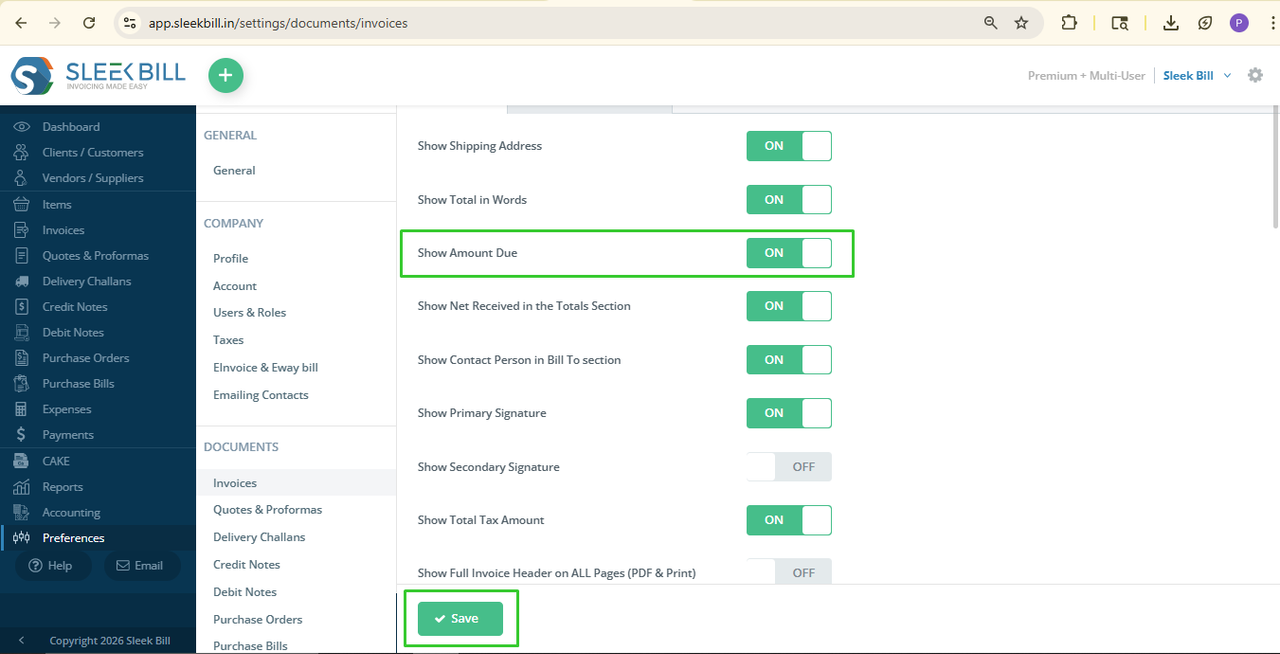
Step 7: Save the Settings
Finally, click on the Save button to apply the changes.
What Happens
After Enabling This Option?
Once you enable
the “Show Amount Due” option, every invoice will automatically display the
remaining unpaid amount. If a customer has made a partial payment, the balance
amount will be clearly displayed on the invoice.
This helps both
you and your customers keep payment records clear and organized. It also
improves professionalism and makes payment follow-up easier.
Conclusion
The “Show
Amount Due” option is a small but very useful feature in Sleek Bill. When Due
amount show on invoices helps businesses maintain transparency and gives
customers a clear understanding of their pending payments. By enabling this
option, you can create more accurate and professional invoices in just a few
clicks.
Was this article helpful?