How to Show Net Received in the Totals Section in Sleek Bill
Managing business transactions efficiently requires clear and accurate financial documents. When creating invoices, receipts, or payment-related documents, it is often important to display the Net Received Amount in the totals section. This helps businesses and customers clearly understand the exact amount received after adjustments, discounts, taxes, or deductions.
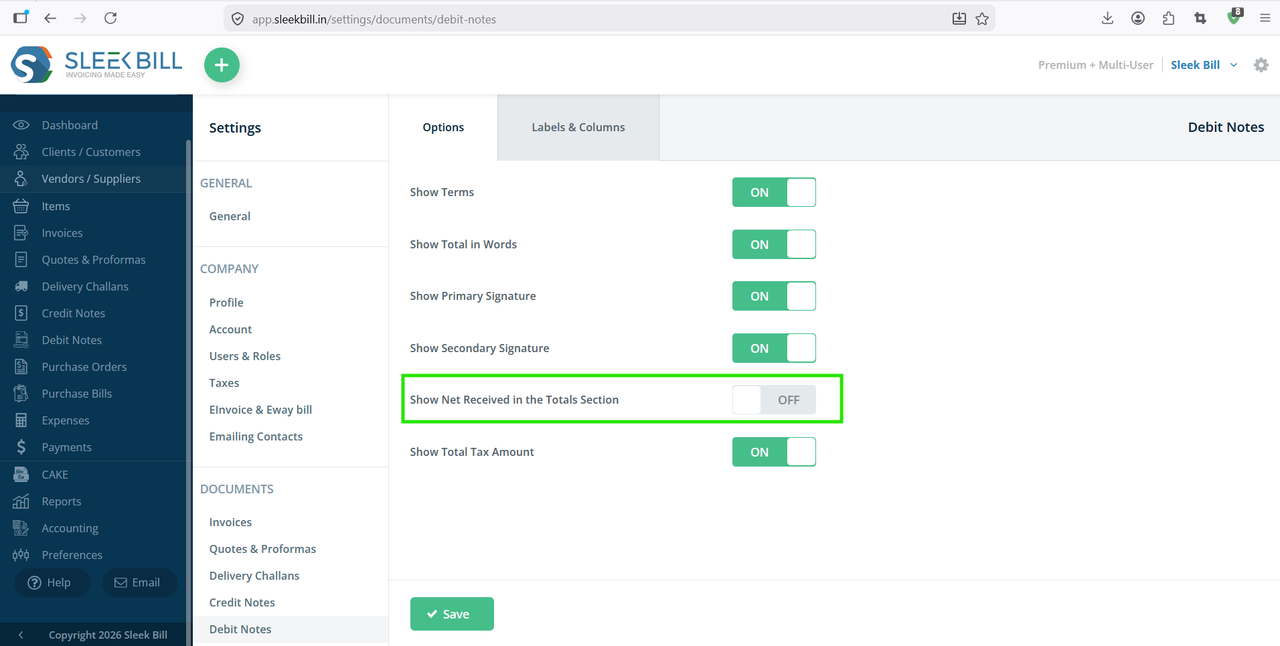
With Sleek Bill, you can easily enable the Net Received field in the totals section to improve transparency and maintain accurate financial records.
Why Show Net Received in the Totals Section?
Displaying the Net Received amount offers several benefits:
- Provides clear visibility of the actual amount received.
- Improves transparency in customer transactions.
- Reduces confusion regarding taxes, discounts, and deductions.
- Helps maintain accurate accounting records.
- Makes invoices and payment documents more professional.
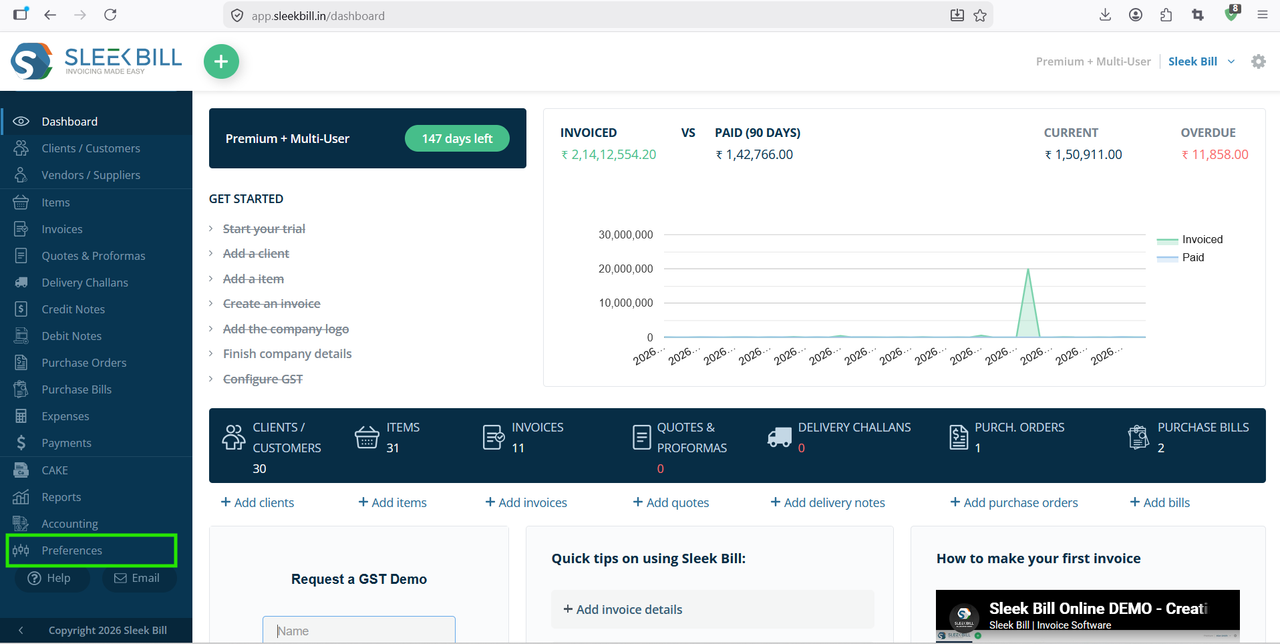
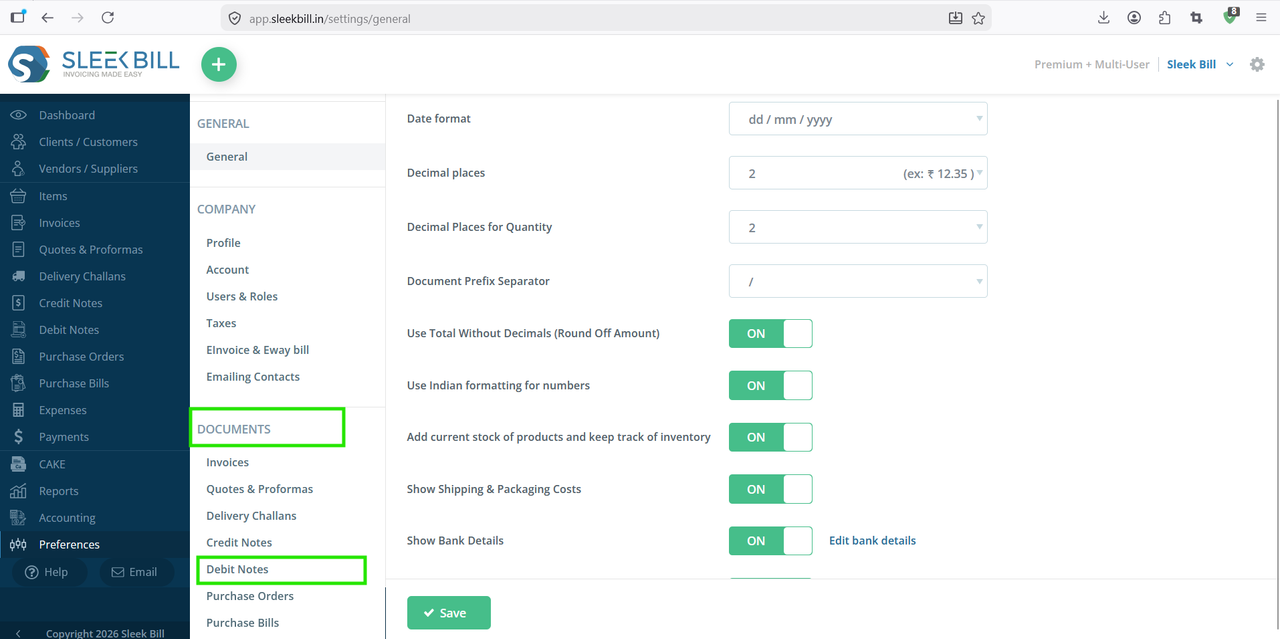
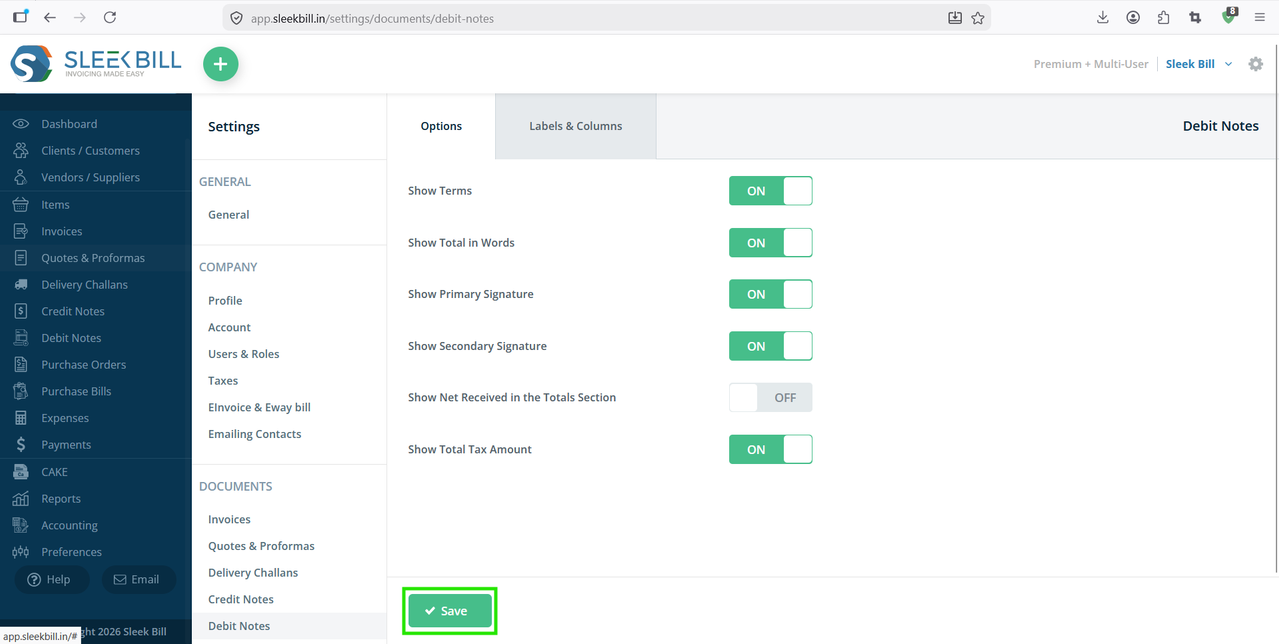
Steps to Show Net Received in the Totals Section
.png)
.png)
Benefits of Showing Net Received
- Enhances document clarity.
- Improves customer trust and transparency.
- Helps track received payments accurately.
- Simplifies reconciliation and bookkeeping.
- Creates professional and detailed invoices.
Conclusion
Displaying the Net Received amount in the totals section is a simple yet valuable customization in Sleek Bill. It helps businesses present accurate payment information, improve transparency, and maintain professional financial records. By enabling this option, you can ensure that every invoice clearly reflects the actual amount received, making payment tracking and accounting much easier.
Was this article helpful?