How to Show Primary Signature in Quotation / Proforma in Sleek Bill
A professional quotation helps build trust with customers and improves business communication. Adding a Primary Signature to your quotation gives your document authenticity and makes it look more official.
With Sleek Bill Billing Software, you can easily display your primary signature in quotation documents.
Why Add a Primary Signature in Quotations?
Using a signature in quotations offers several advantages:
- Makes quotations look professional
- Builds customer trust
- Adds document authenticity
- Helps in approval and verification
- Improves brand identity
Steps to Show Primary Signature in Quotation / Proforma
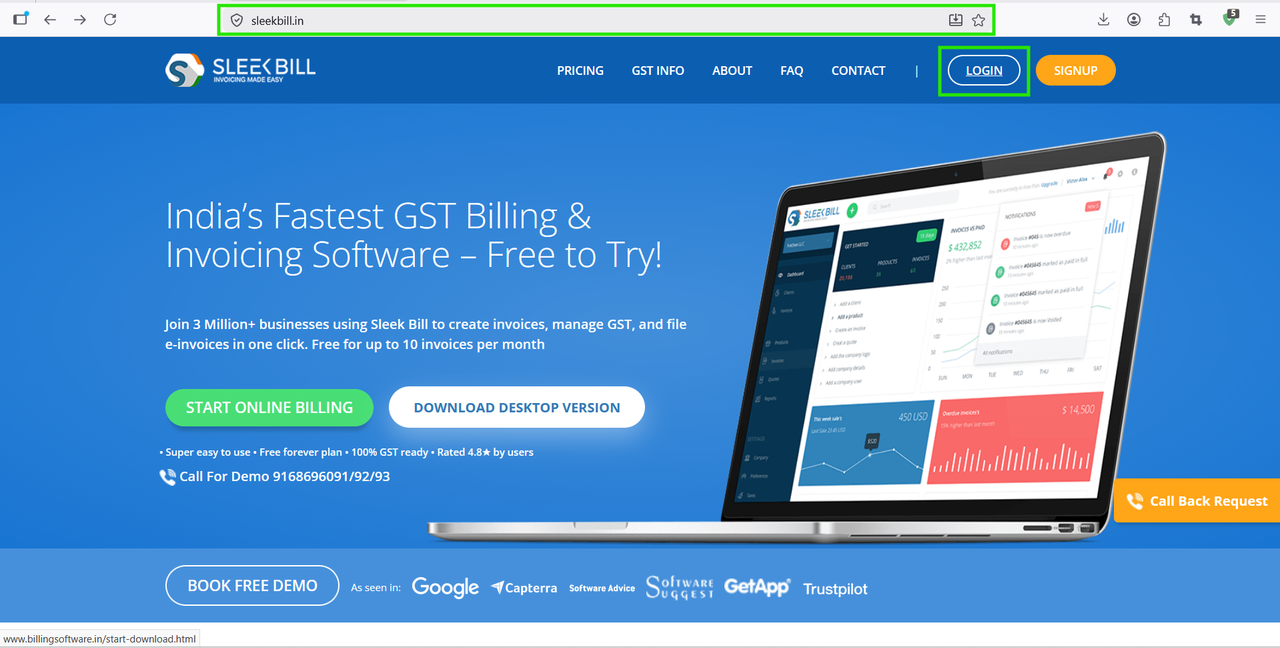
Step 1: Open your browser and visit www.sleekbill.in. Click on the Login button available at the top-right corner.
Step 2: Enter your registered Email ID and Password, then click on Sign In.
.png)
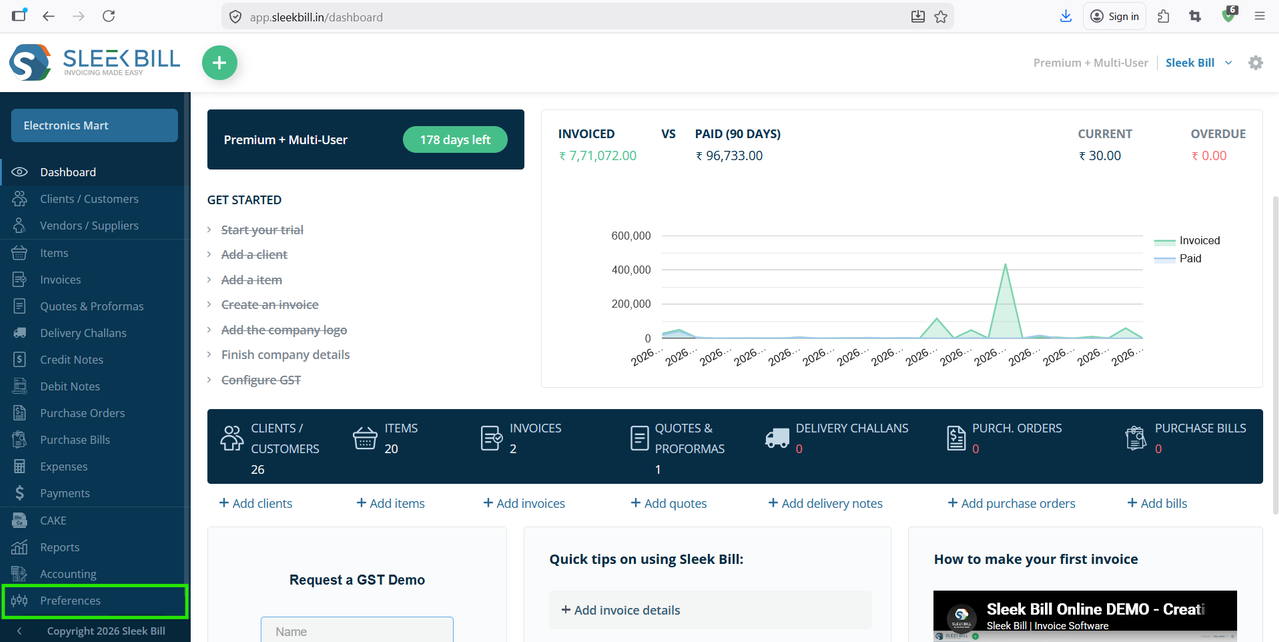
Step 3: After login, you will reach the dashboard. From the left-side menu, click on Preferences.
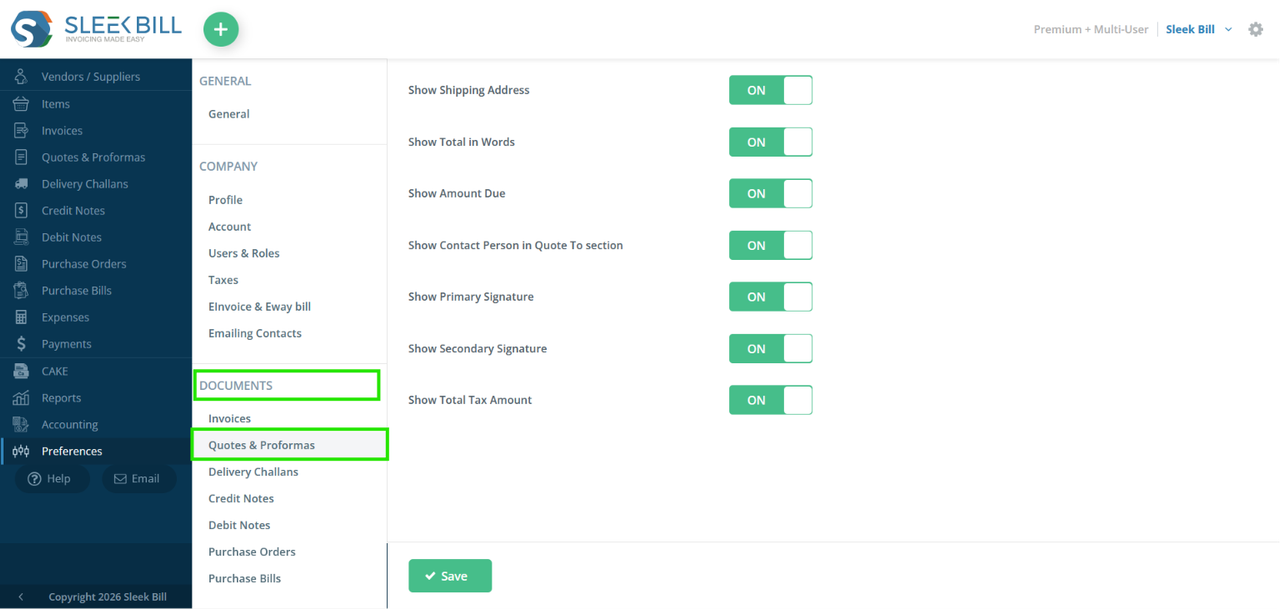
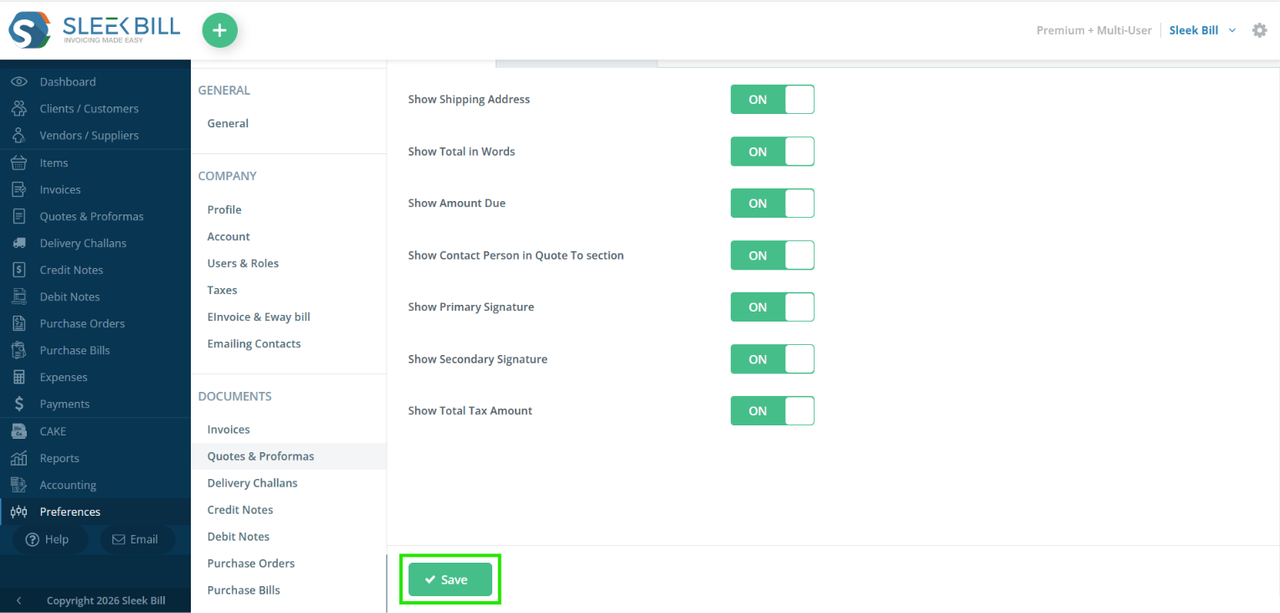
Step 4: Inside Preferences, navigate to Documents → Quote & Proforma. This section contains all quotation customization settings.
Step 5: Enable the option "Show Primary Signature" to display the primary signature in quotations
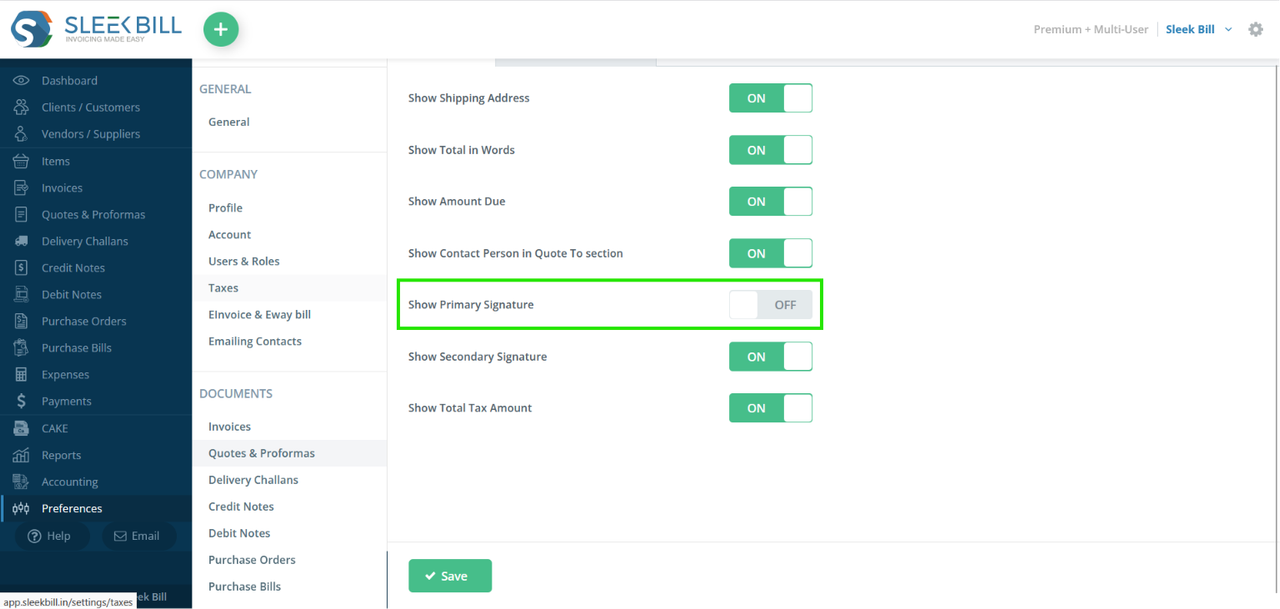
Step 6: Click on save button to save the settings
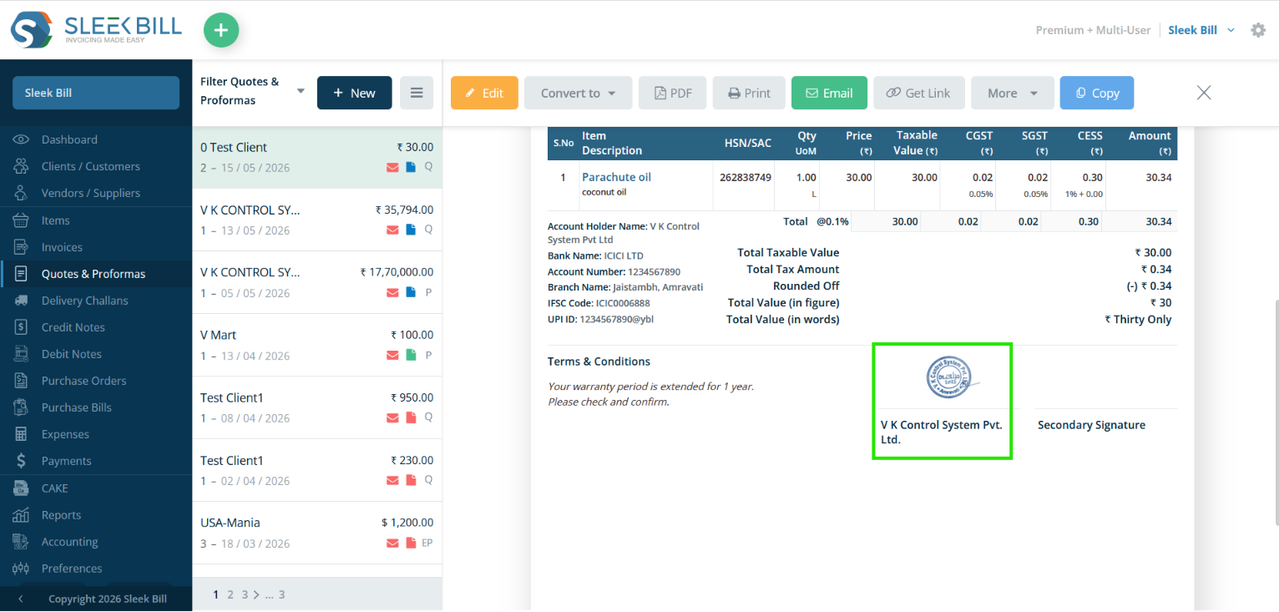
You will see the Primary Signature displayed in the quotation document.
Tips for Better Signature Appearance
- Use a clean digital signature
- Avoid blurry images
- Keep the signature size optimized
- Use transparent background for professional look
Benefits of Using Signature in Quotations
Adding a primary signature helps businesses:
- Improve professionalism
- Increase customer confidence
- Authorize quotations officially
- Maintain brand consistency
- Simplify document approvals
Conclusion
Displaying a primary signature in quotation documents is an excellent way to make your business documents more professional and trustworthy. With Sleek Bill GST Billing Software, you can quickly upload and show your signature in quotations with just a few steps.
Start creating professional quotations with signatures using Sleek Bill today.
Was this article helpful?