How To Show Shipping & Packaging Costs
Why Adding Shipping & Packaging Costs is Important
Many business owners overlook the "small" costs of bubble wrap, boxes, and courier fees, but these add up quickly. Here is why you should track them:
Transparency: Customers appreciate knowing exactly what they are paying for. Clear breakdowns prevent disputes over "hidden" costs.
Profit Protection: By charging for shipping and packaging separately, you ensure that your product's base price remains competitive while covering your overheads.
GST Compliance: In many cases, shipping charges are part of the "composite supply" in GST. Adding them as a dedicated field helps you calculate the total taxable value accurately.
Professionalism: A professional invoice should reflect all services provided, including the safe delivery of the product to the client’s doorstep.


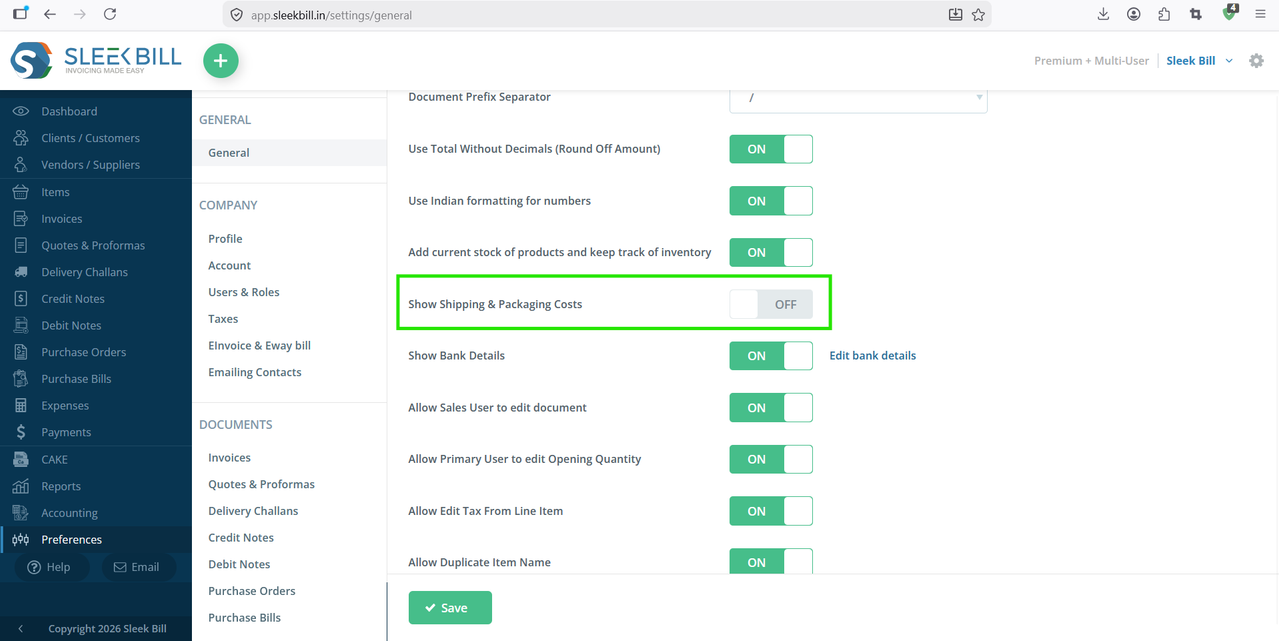

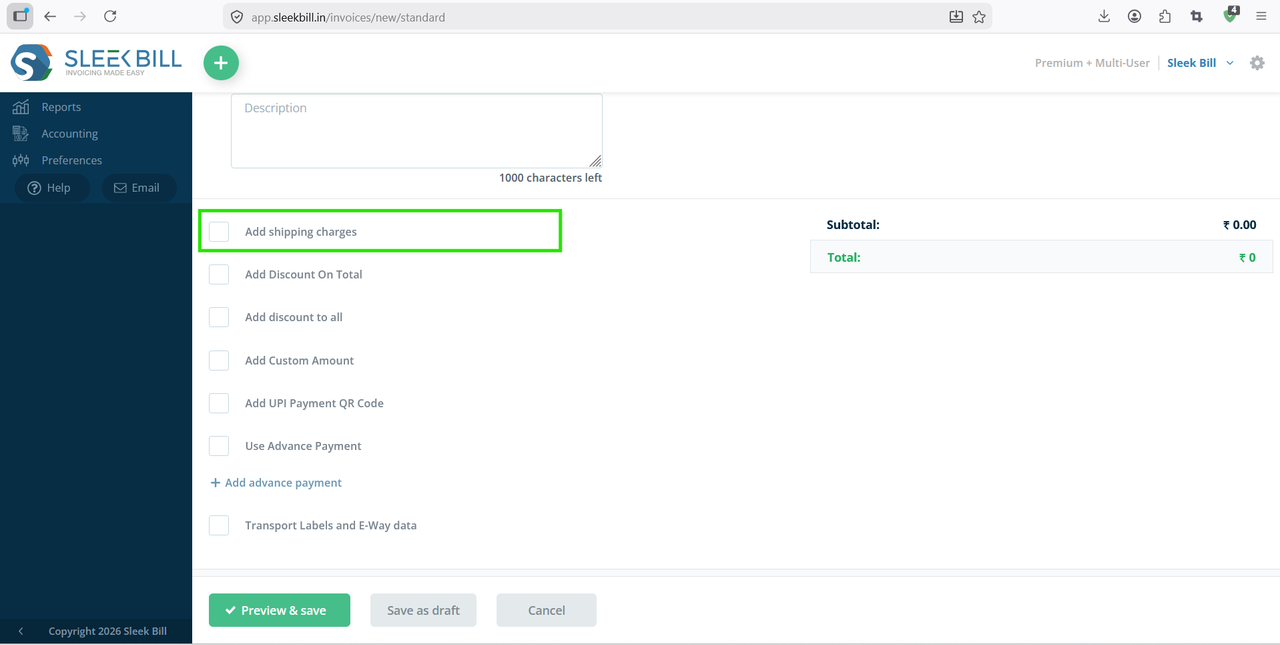
Activating shipping and packaging costs in Sleek Bill is a small setting—but it makes a big difference. It improves accuracy, boosts professionalism, and helps you maintain clear financial records.
If you’re not already using this feature, take a minute to enable it today and streamline your invoicing process.
Was this article helpful?