How to Show Total Amount in Words in Quotation & Proforma Invoice in Sleek Bill ?
Hello Sleek
Bill users, welcome to the Sleek Bill Knowledge Hub.
In this
tutorial, we'll show you how to enable the "Show Total in Words"
feature for Quotations and Proforma Invoices. When creating a quotation or
proforma, for a customer showing the total amount only in numbers can sometimes
confuse due to the use of extra zeros after the decimal point or sometimes the client does
not count zeros properly. Adding the total in words makes your quotation or
proforma invoice easier to understand and helps avoid mistakes. It also
builds trust with your customers and adds an extra layer of clarity to every
billing document you send.
Check the quotation below without "Show Total in Words."
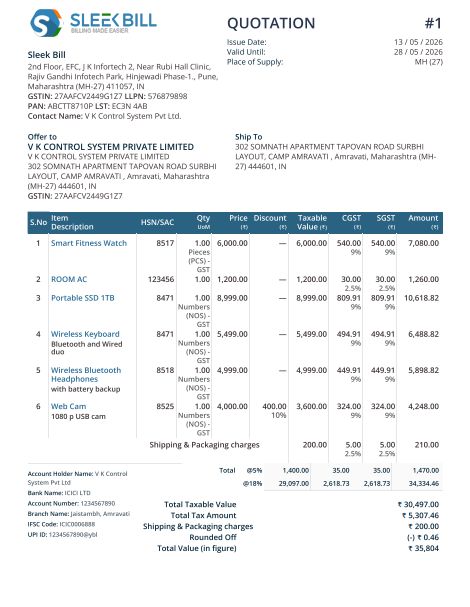
Why Should You Use "Show Total in
Words" in Quotation or Proformas?
- Your quotations and proforma invoices look sharp and professional.
- Mistakes drop way down.
- Customers are very sure about the amount they're agreeing to pay.
- Helpful for accounting, approvals, and official documentation.
How to Enable
"Show Total in Words" for Quotation & Proforma in Sleek Bill
 Step 2: Click on the Login button at the top left corner.
  Step 3: Enter your login credentials and click on the Sign In button.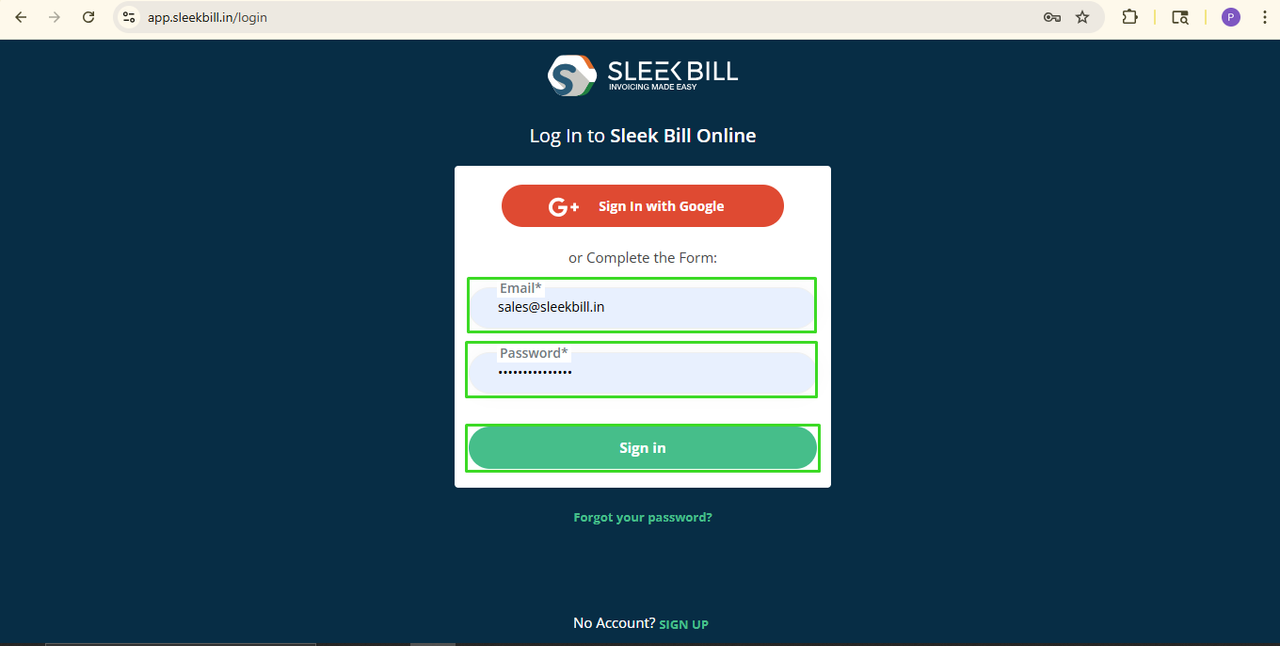
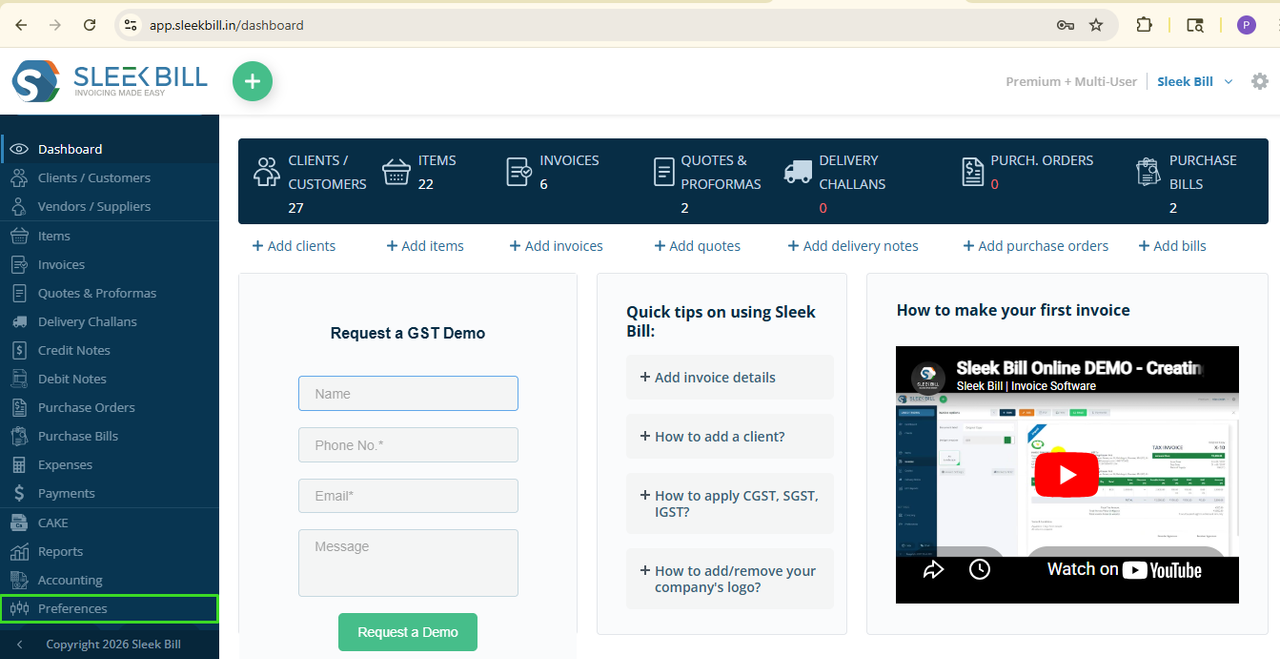
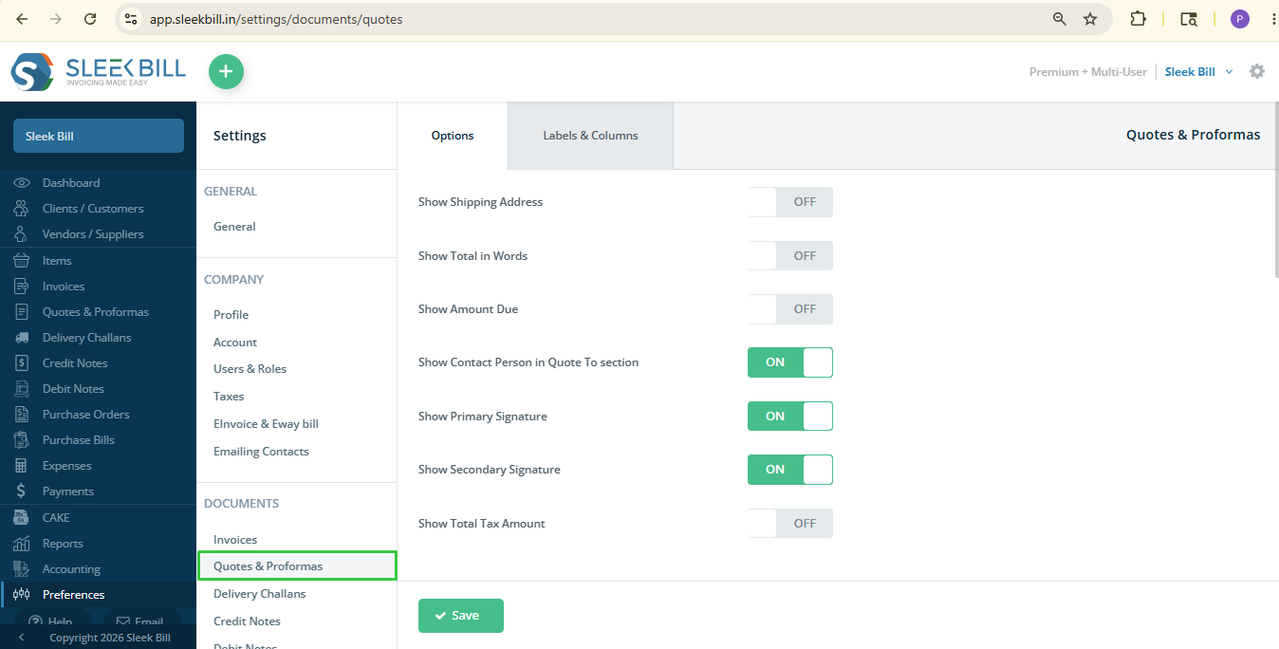 Step 6: On the right side window, find the option "Show Total in Words" and turn it ON.
 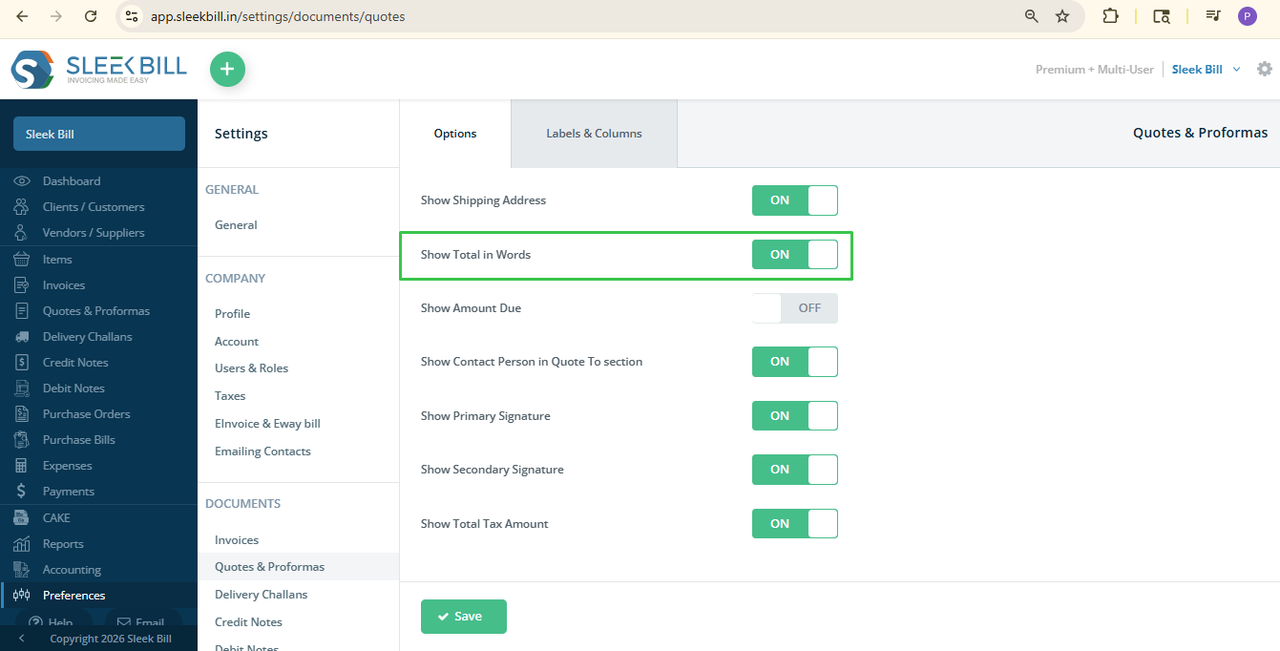 Step 7: Click the Save button. Done!
 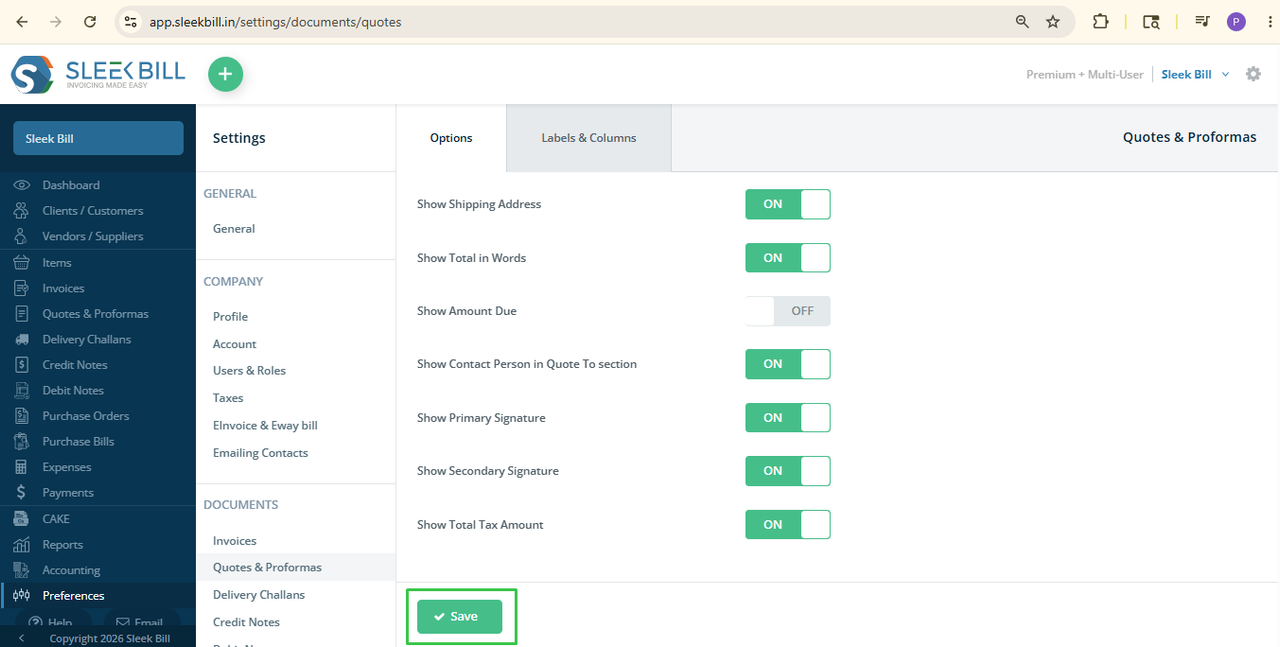 Next time, whenever you create a new quotation or proforma invoice or
open an existing one, the total amount will show in words too.
Next time, whenever you create a new quotation or proforma invoice or
open an existing one, the total amount will show in words too.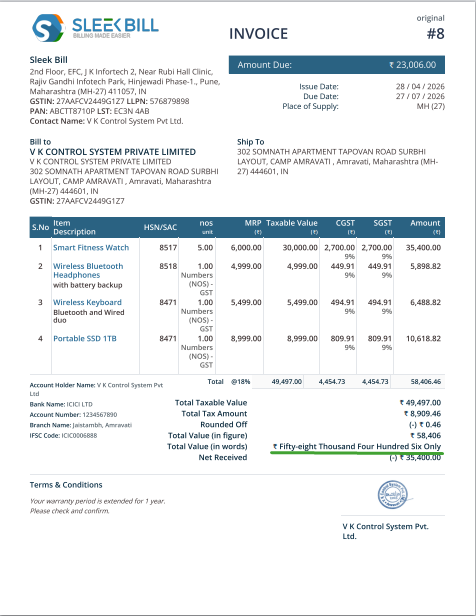
Conclusion:
This
simple feature makes a big difference. Enabling "Show Total in Words"
on your Quotations and Proforma Invoices helps you create clear, professional,
and trustworthy documents right from the first step of your billing process. Try
it today and take your billing to the next level with Sleek Bill.
Was this article helpful?