How To Show Total Tax Amount In Credit Note In Sleek Bill
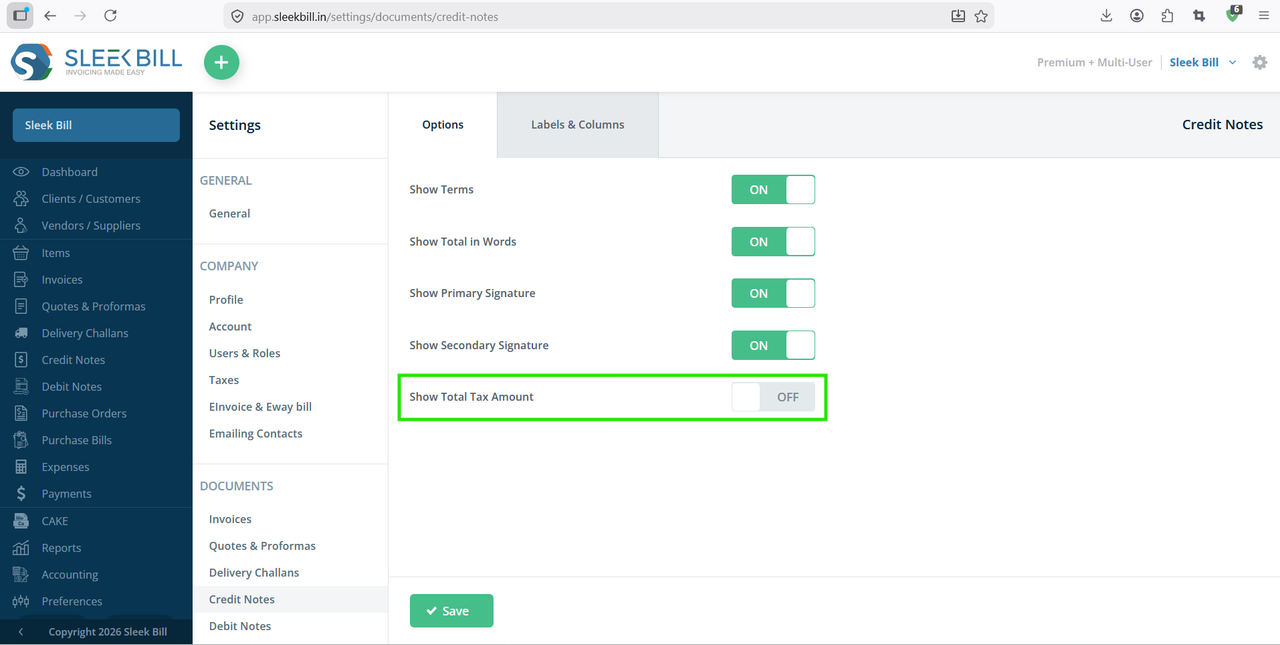
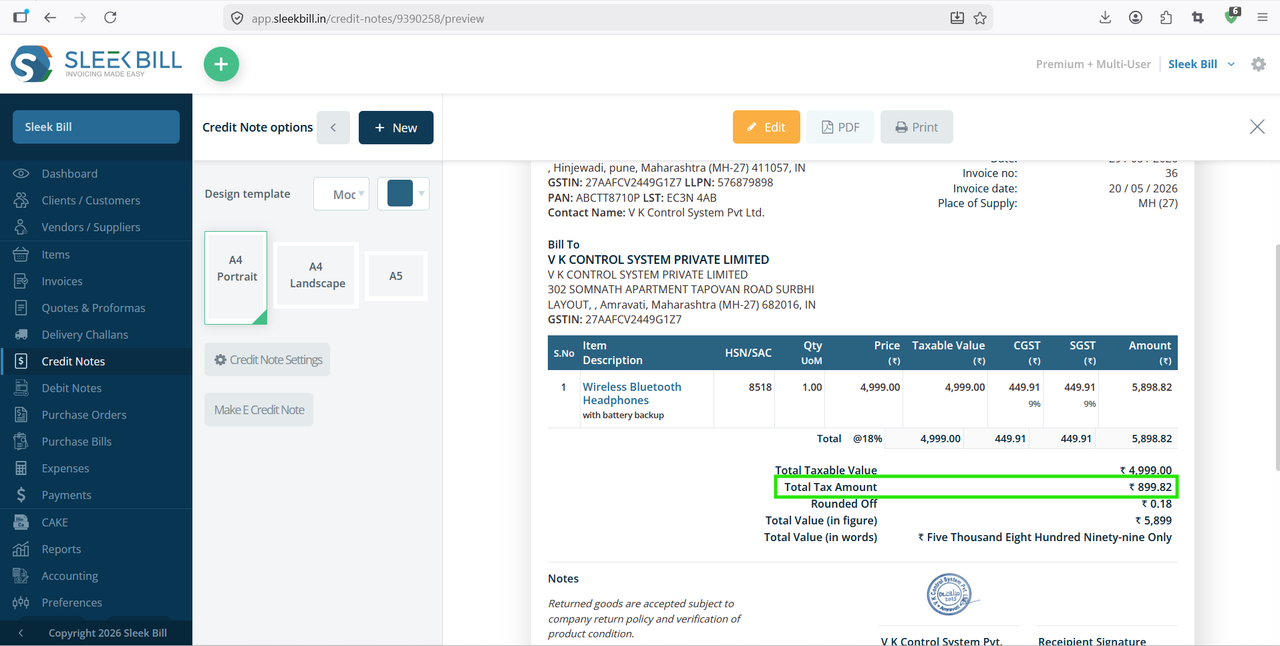
Managing taxes correctly in business documents is important for accurate accounting and customer transparency. While creating a credit note, many businesses prefer to display the total tax amount separately so customers can clearly understand the tax adjustment made against returned goods, discounts, or invoice corrections.
With Sleek Bill, you can easily enable the option to show the total tax amount in your credit notes. This helps maintain professional documentation and simplifies GST or tax-related calculations.
Why Show Total Tax Amount in Credit Notes?
Displaying the total tax amount in a credit note offers several advantages:
- Improves transparency for customers
- Helps maintain accurate GST records
- Simplifies reconciliation and accounting
- Makes credit notes more professional
- Reduces confusion during returns or adjustments
Steps to Show Total Tax Amount in Credit Note
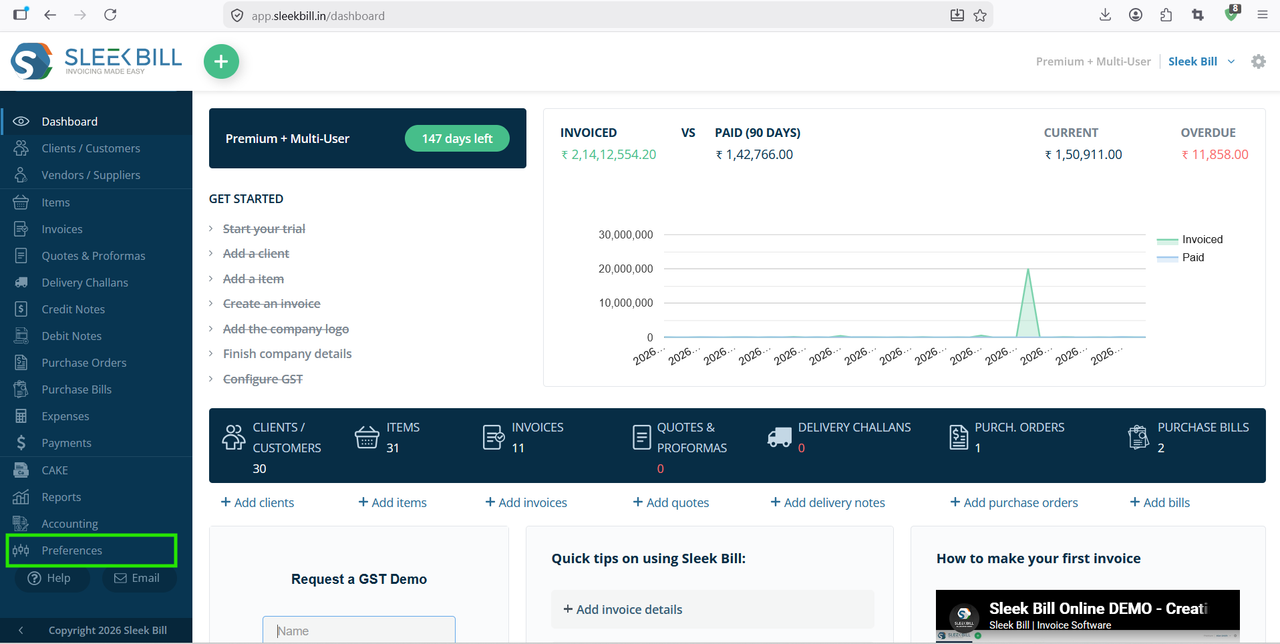
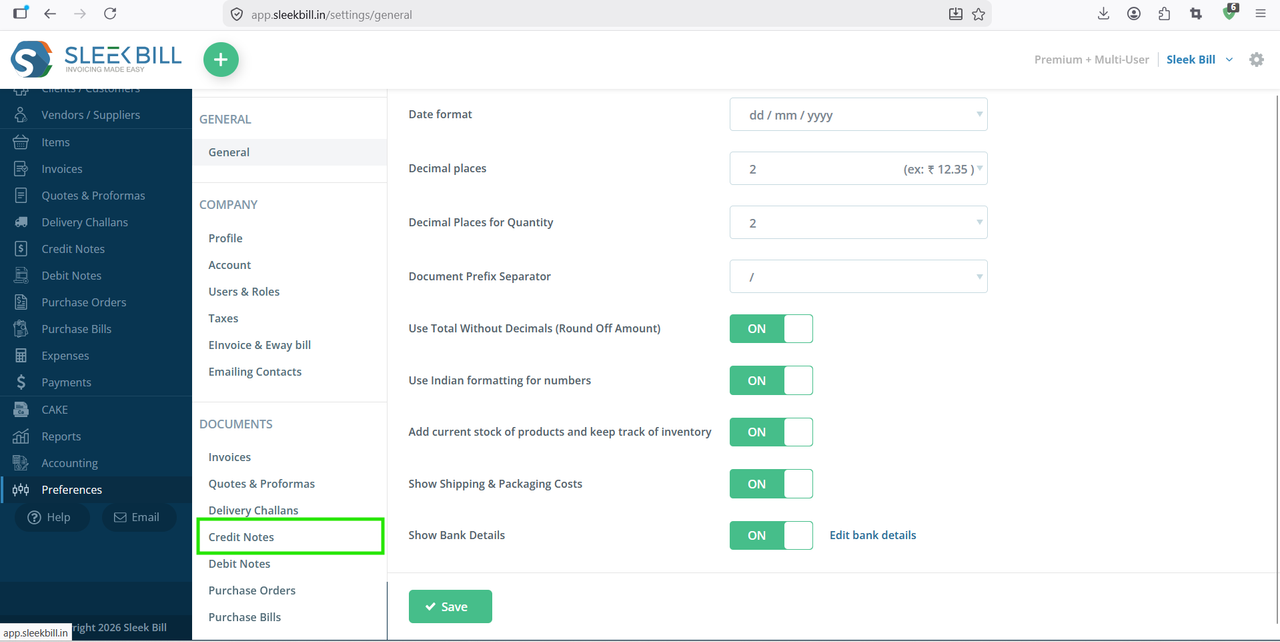
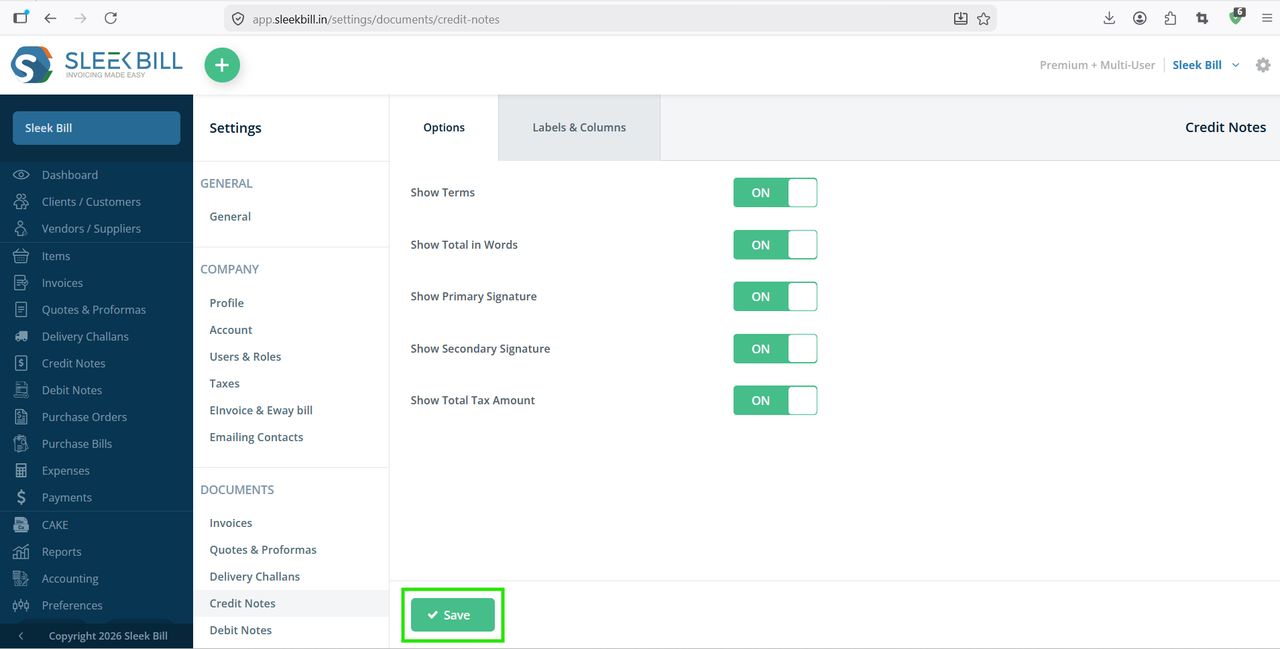
Follow these simple steps to enable the total tax amount display in your credit notes:
Step 1 : Open your browser and visit the official website www.sleekbill.in. Click on the Login button available at the top-right corner.
 Step 2 : Enter your registered Email ID and Password. Then click on Sign In.
.png)
Conclusion
Showing the total tax amount in credit notes is a useful feature for businesses that want better tax clarity and professional documentation. With Sleek Bill, enabling this option takes only a few clicks and helps maintain proper financial records effortlessly.
Was this article helpful?