🧾 Billing & Invoicing
How To Show Total Tax Amount In Delivery Challan In Sleek Bill
A Delivery Challan is an important business document used when
goods are delivered without generating an invoice immediately. In many
cases, businesses also prefer to display the total tax amount in the
delivery challan for better clarity and record keeping.
With Sleek Bill,
you can easily enable the option to show the total tax amount in your
delivery challan format. This helps customers understand the applicable
taxes clearly and makes documentation more professional.
Why Show Total Tax Amount in Delivery Challan?
Displaying the total tax amount offers several benefits:
- Improves document transparency
- Helps customers understand tax calculations
- Makes challans more professional
- Useful for internal accounting and stock transfers
- Reduces confusion during invoice conversion
Steps to Show Total Tax Amount in Delivery Challan
Step 1 : Open your browser and visit www.sleekbill.in. Click on the Login button available at the top-right corner..png)
Step 2 : Enter your registered Email ID and Password, then click on Sign In.
.png)
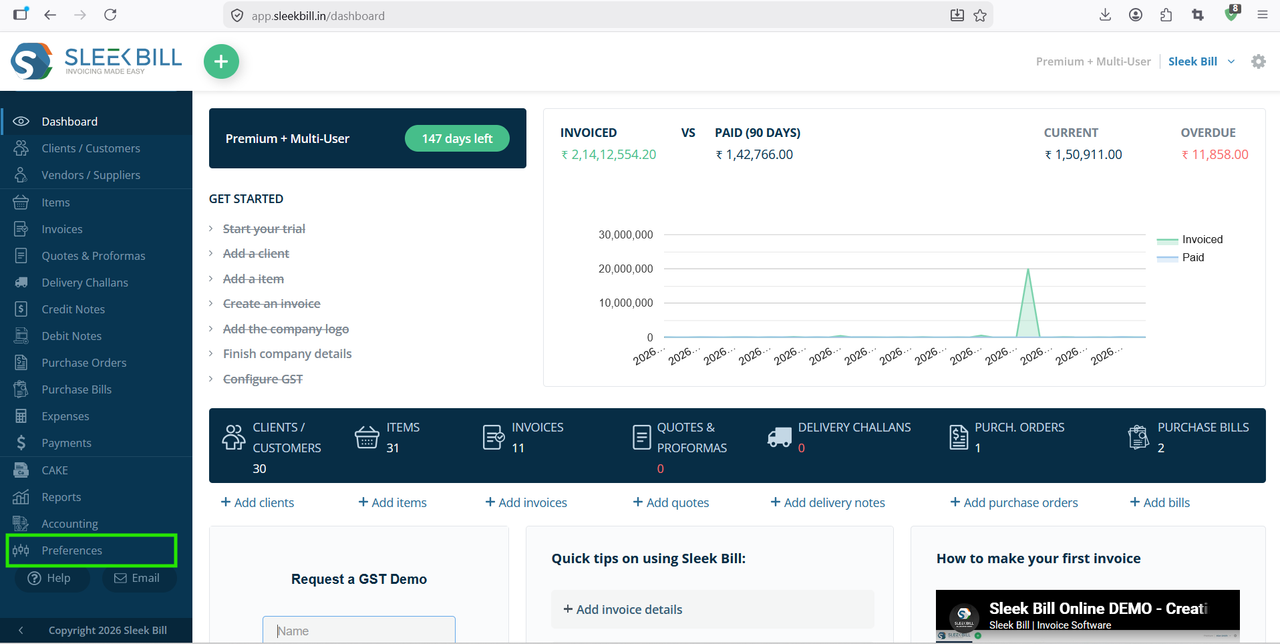
Step 3 : After successful login, you will reach the dashboard. From the left-side menu, click on Preferences.
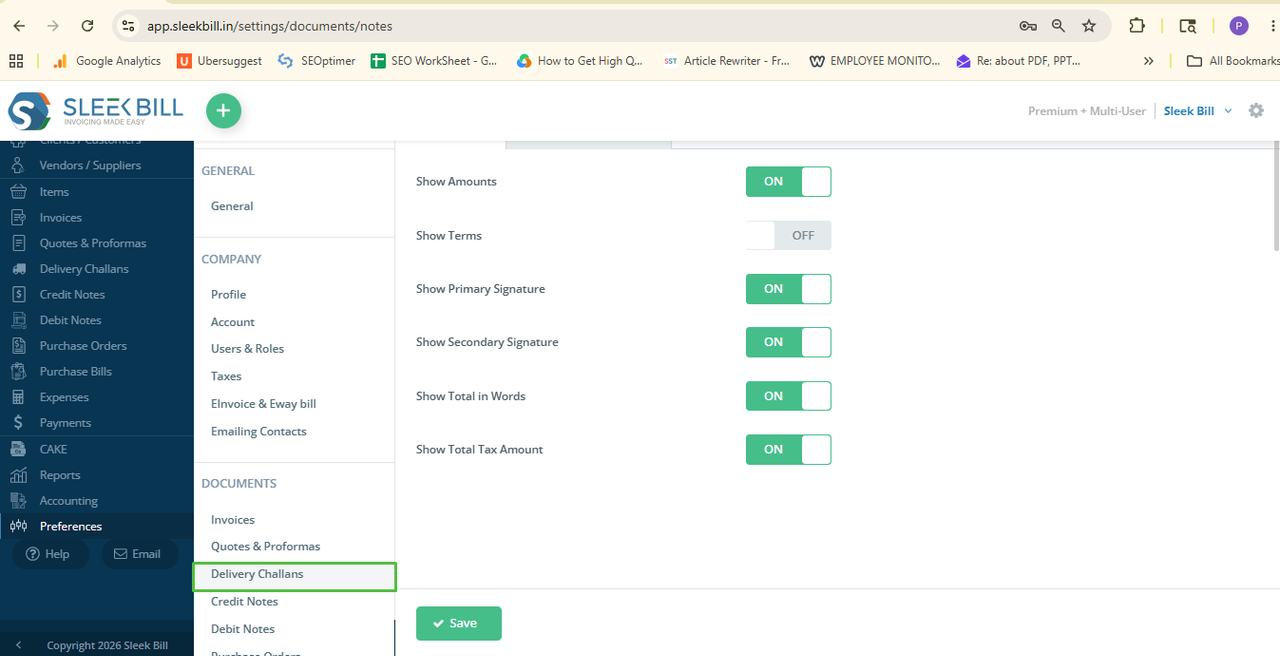
Step 4 : Inside Preferences, follow this path: Documents → Delivery Challan. Here you will find multiple customization options related to your delivery challan format.
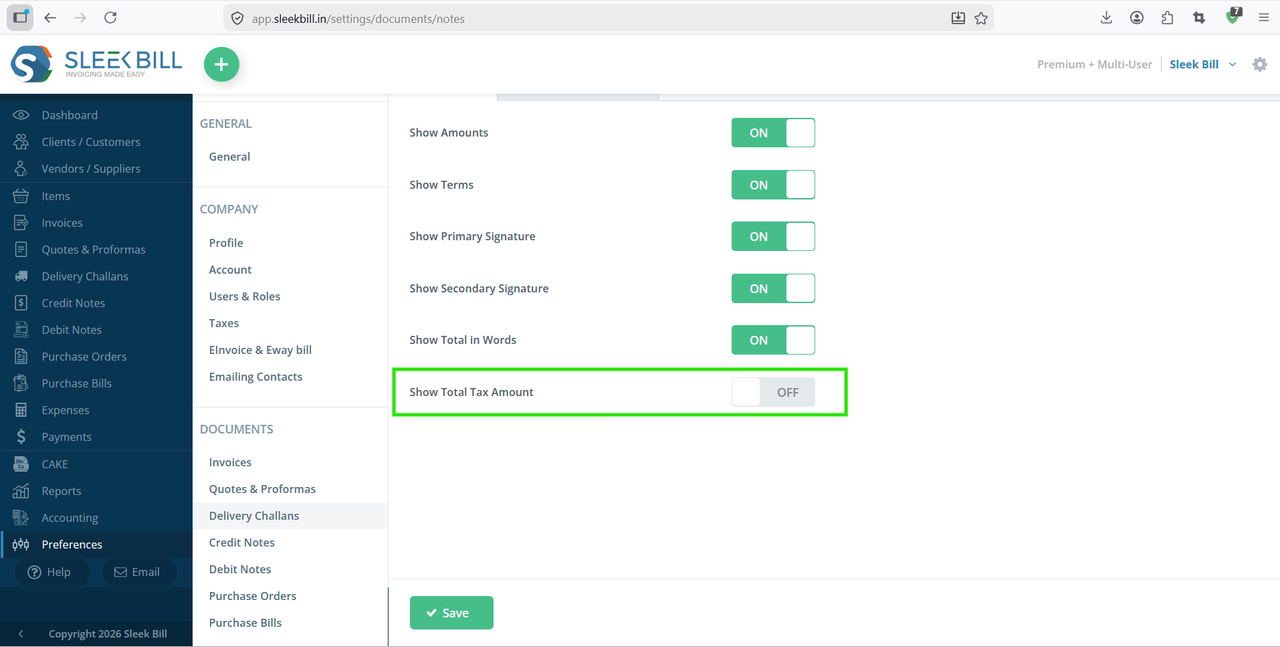
Step 5 : Scroll through the available options and locate Show Total Tax Amount. Enable this option by checking the box or turning the toggle ON.
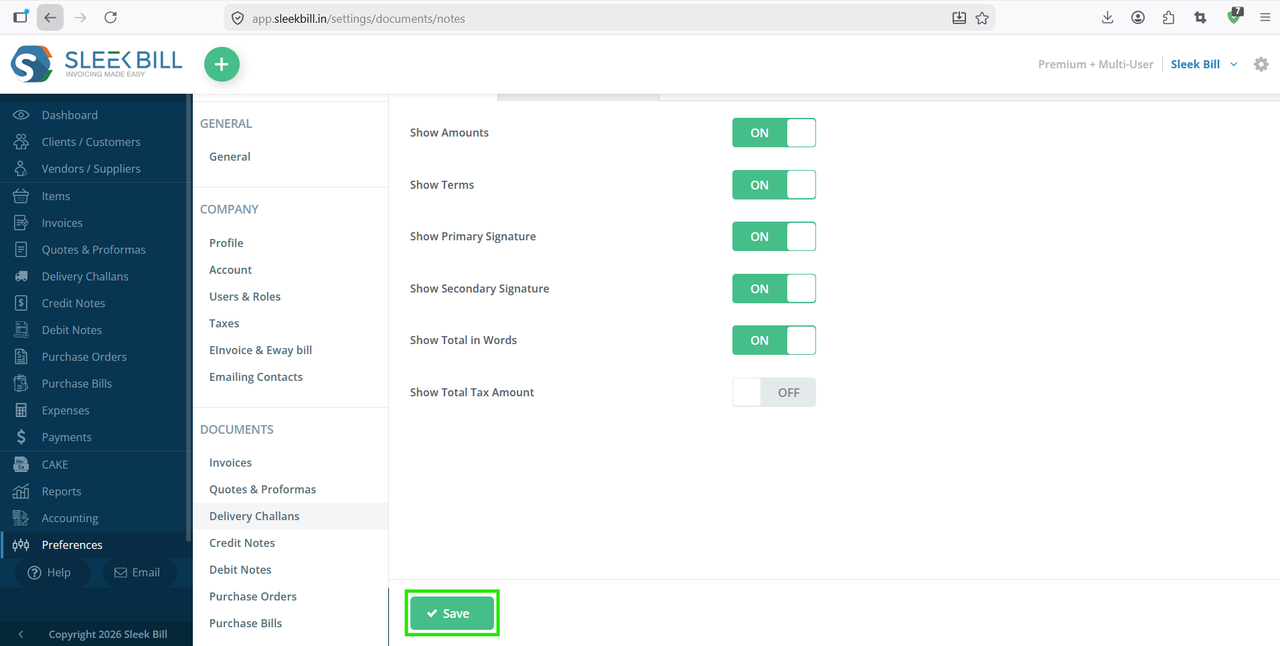
Step 6 : After enabling the option, click on the Save button to apply the changes.
Conclusion
Showing the total tax amount in a delivery challan improves document clarity and helps businesses maintain accurate records. With Sleek Bill, you can enable this feature in just a few clicks through the Preferences section.
If you regularly generate delivery challans for stock transfers, job work, or customer deliveries, enabling the total tax amount option can make your documents more informative and easier to manage.
Was this article helpful?