How To Show Total Tax Amount In Invoice In Sleek Bill
When creating GST invoices, many businesses prefer showing the total tax amount clearly on the invoice. This helps customers understand the complete tax breakup and improves invoice transparency.
In this guide, you’ll learn how to enable and display the total tax amount in invoices using Sleek Bill billing software.
Why Show Total Tax Amount in Invoice?
Displaying the total tax amount in your invoice helps you:
- Provide a clear GST summary to customers
- Improve invoice readability
- Avoid confusion in tax calculations
- Maintain professional billing records
- Simplify accounting and tax filing
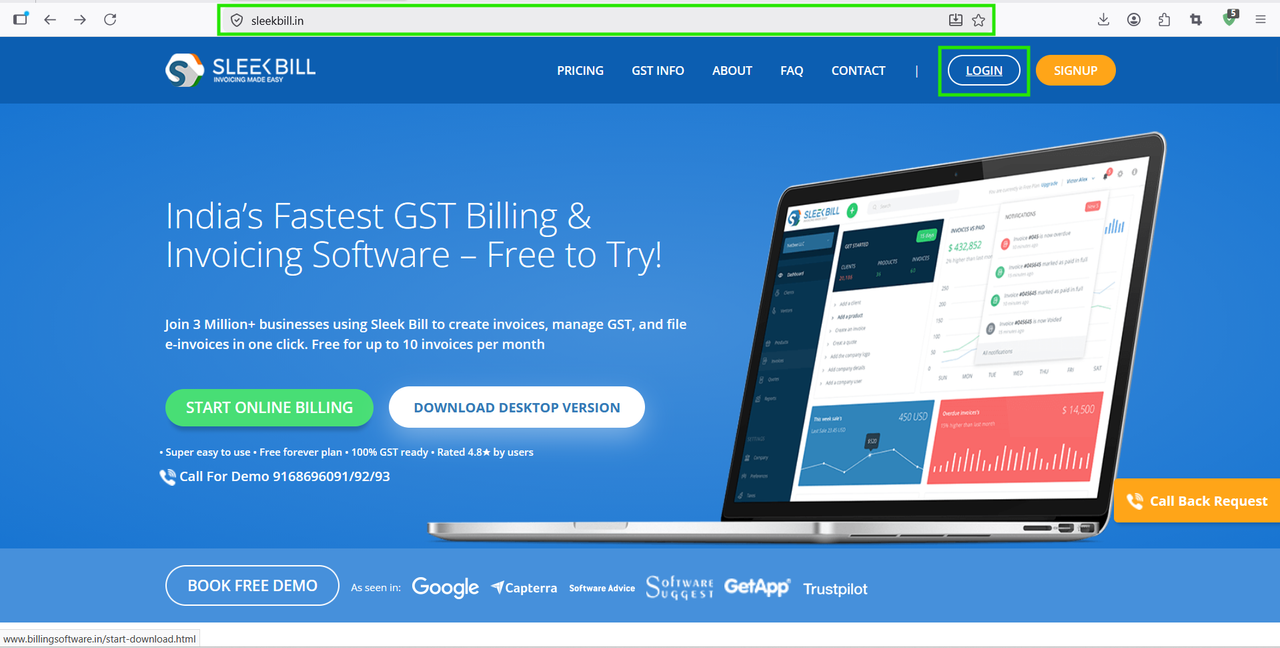
.png)
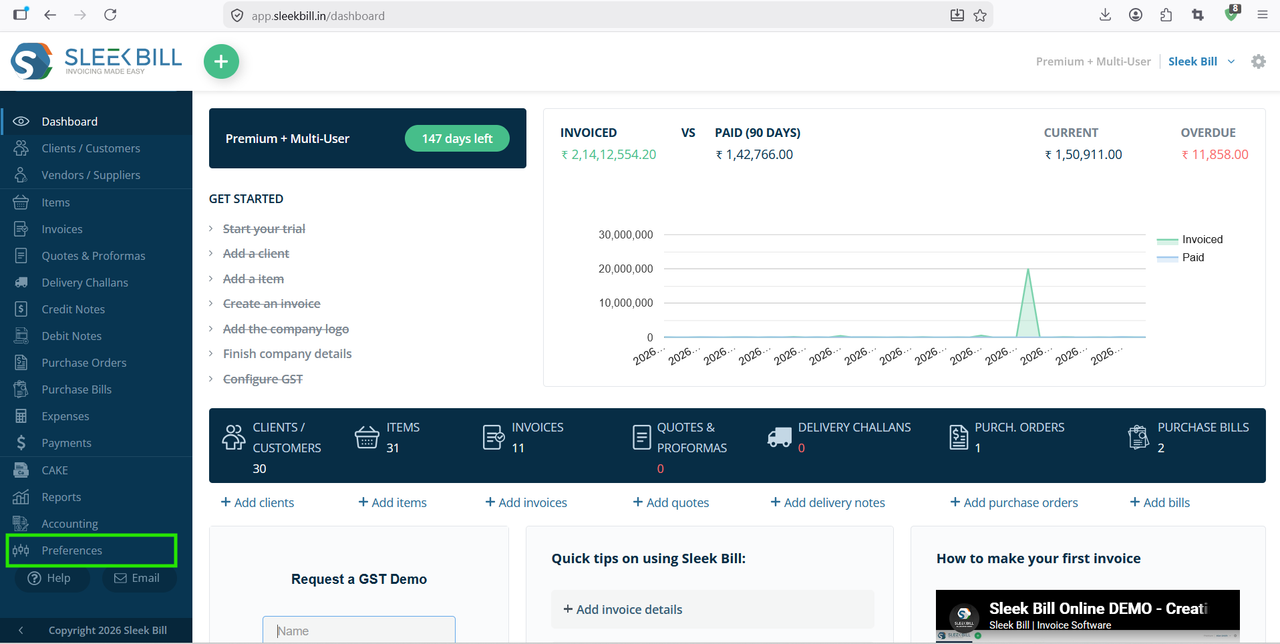
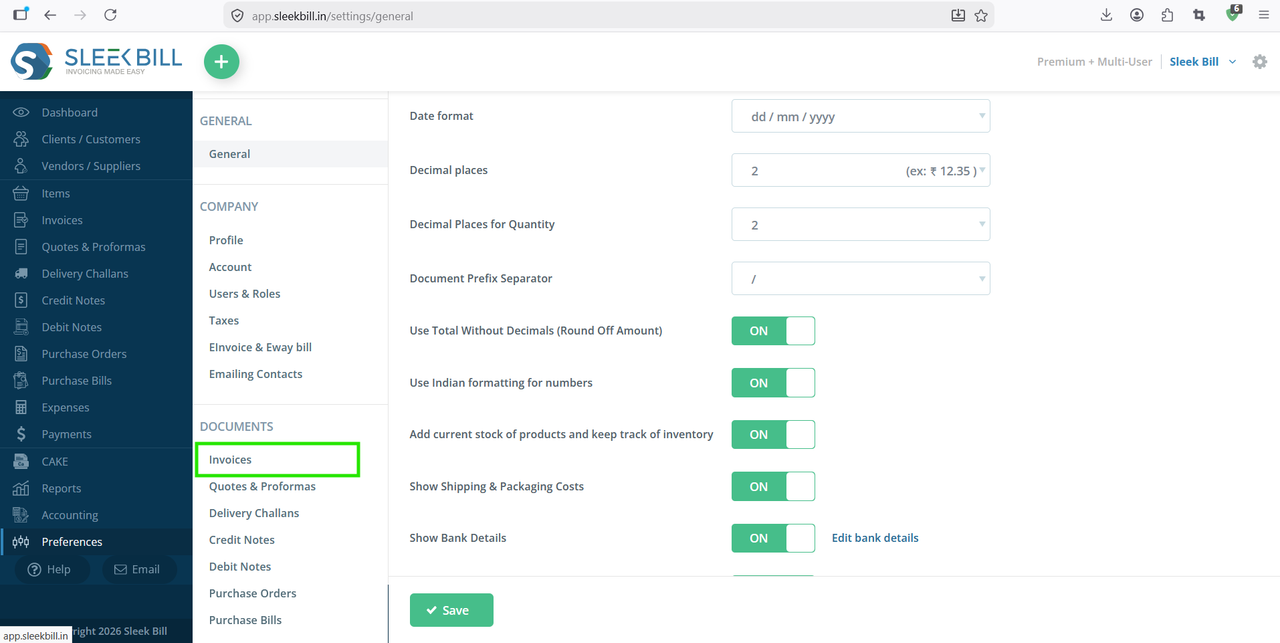
Here you will find multiple invoice customization options.
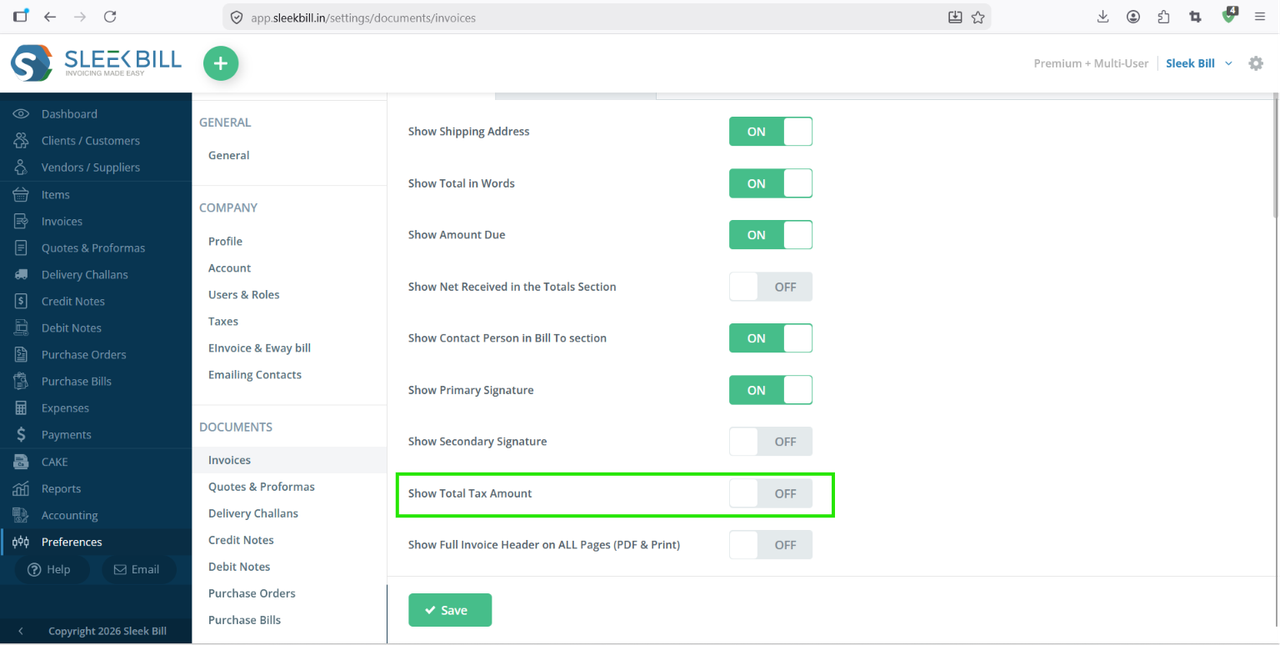
Step 6 : After enabling the option, click on the Save button.
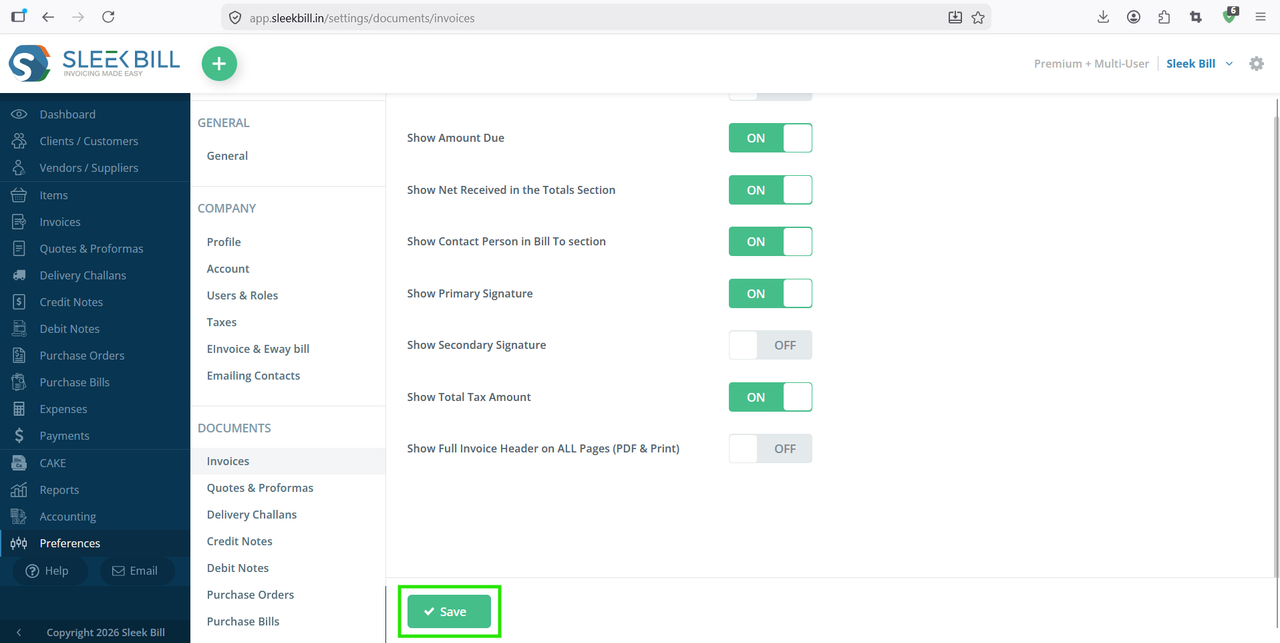
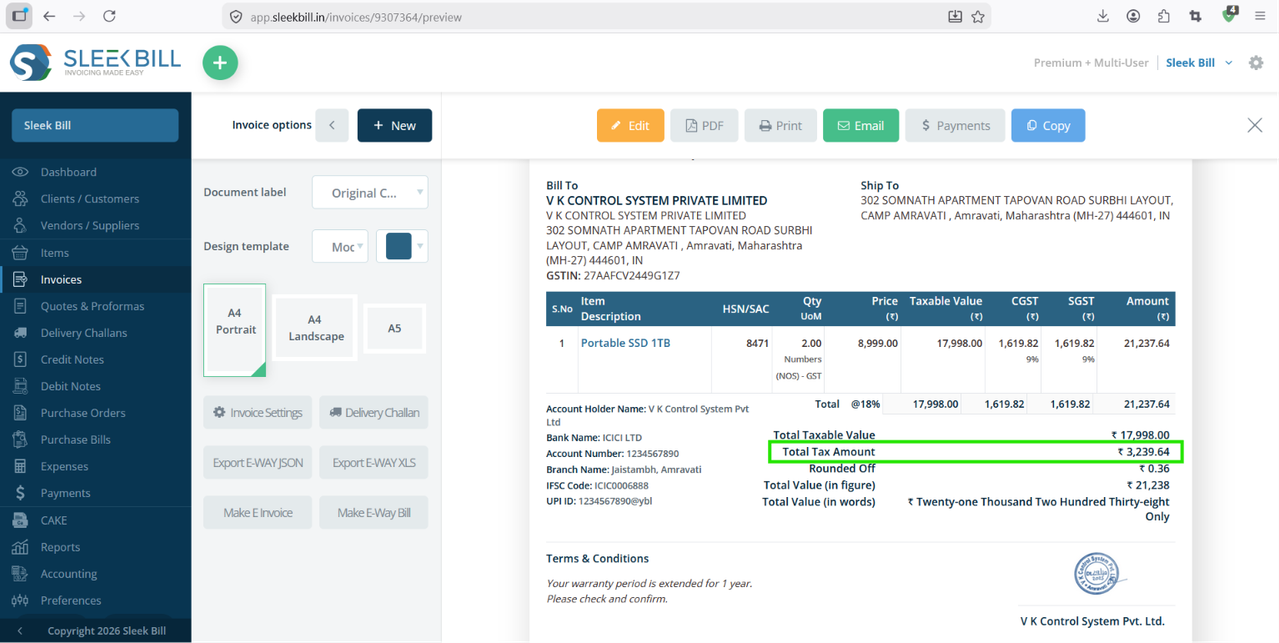
Your invoice format will now show the total tax amount automatically whenever you create or print invoices.
Conclusion
Showing the total tax amount in invoices is an important feature for businesses that want transparent and professional billing. With Sleek Bill GST Billing Software, you can enable this setting in just a few clicks. If you regularly create GST invoices, enabling the total tax amount option can improve customer clarity and simplify accounting processes.
Was this article helpful?