How to Show Total Tax Amount in Quotation in Sleek Bill
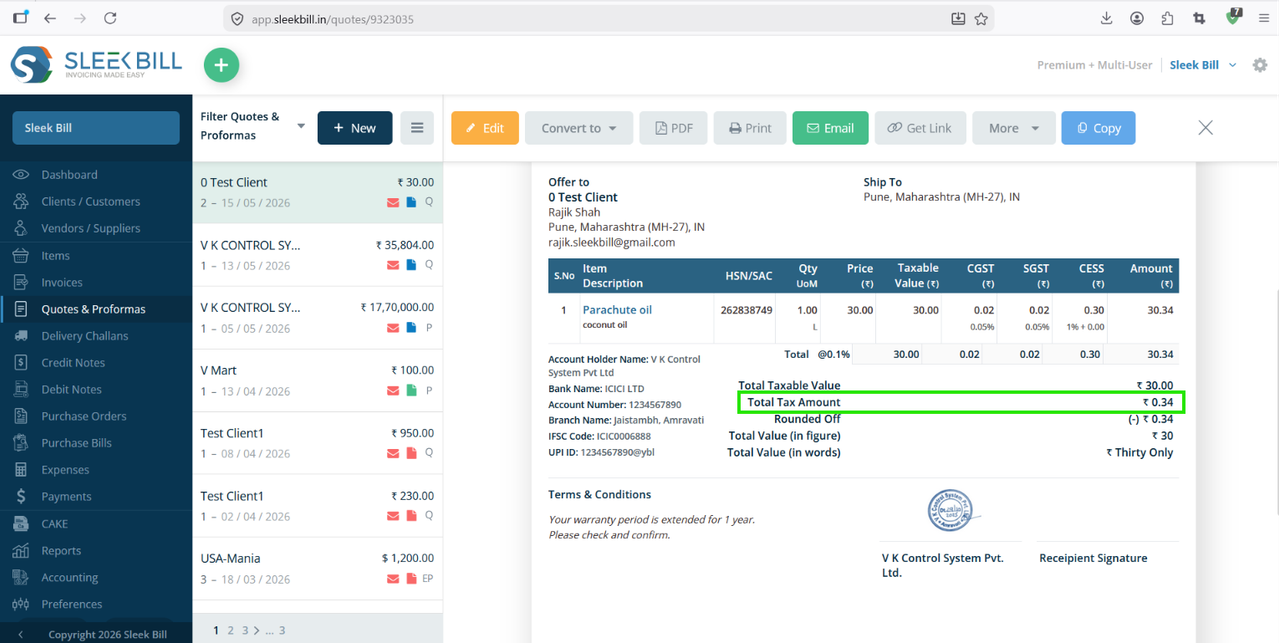
Showing the total tax amount in your quotation helps customers clearly understand the GST or tax applied to the products and services. It also makes your quotation more professional and transparent.
In this blog, we’ll guide you step-by-step on how to enable and display the total tax amount in quotations in Sleek Bill.
Why Show Total Tax Amount in Quotations?
Displaying the total tax amount in quotations offers several benefits:
- Improves transparency with customers
- Helps clients understand the final pricing
- Makes quotations GST-ready and professional
- Reduces confusion during order confirmation
- Gives a clear tax breakup before invoicing
Steps to Show Total Tax Amount in Quotation
Step 1 : Open your browser and visit www.sleekbill.in. Click on the Login button available at the top-right corner.
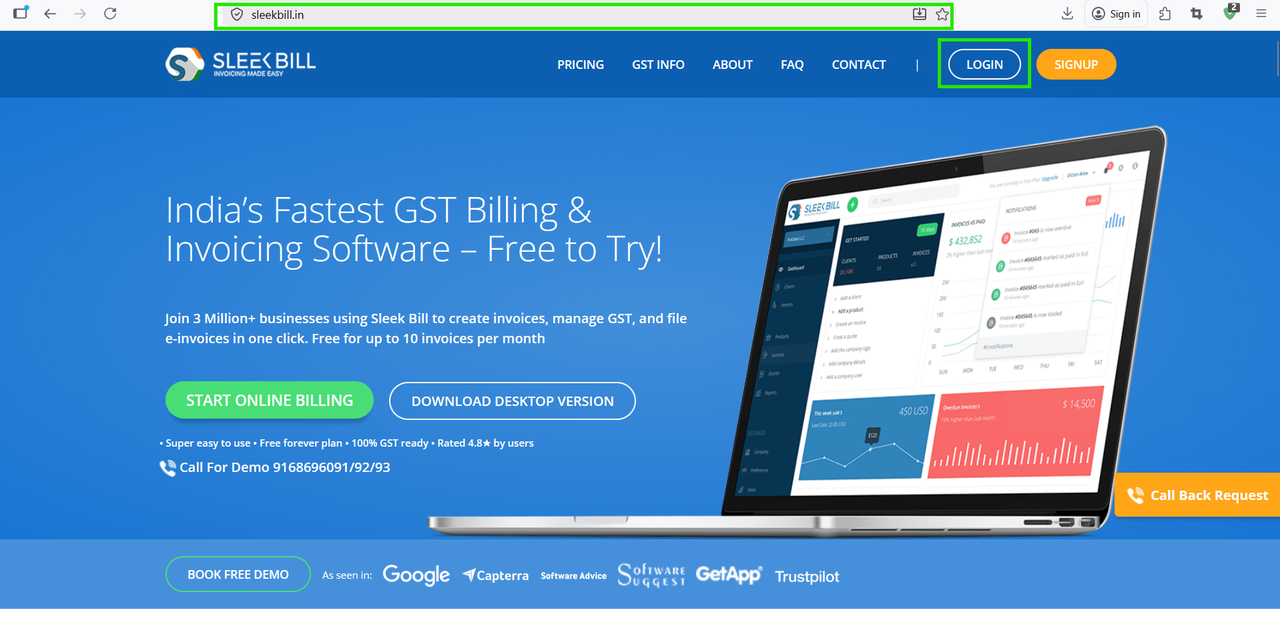
Step 2 : Enter your registered Email ID and Password, then click on Sign In.
.png)
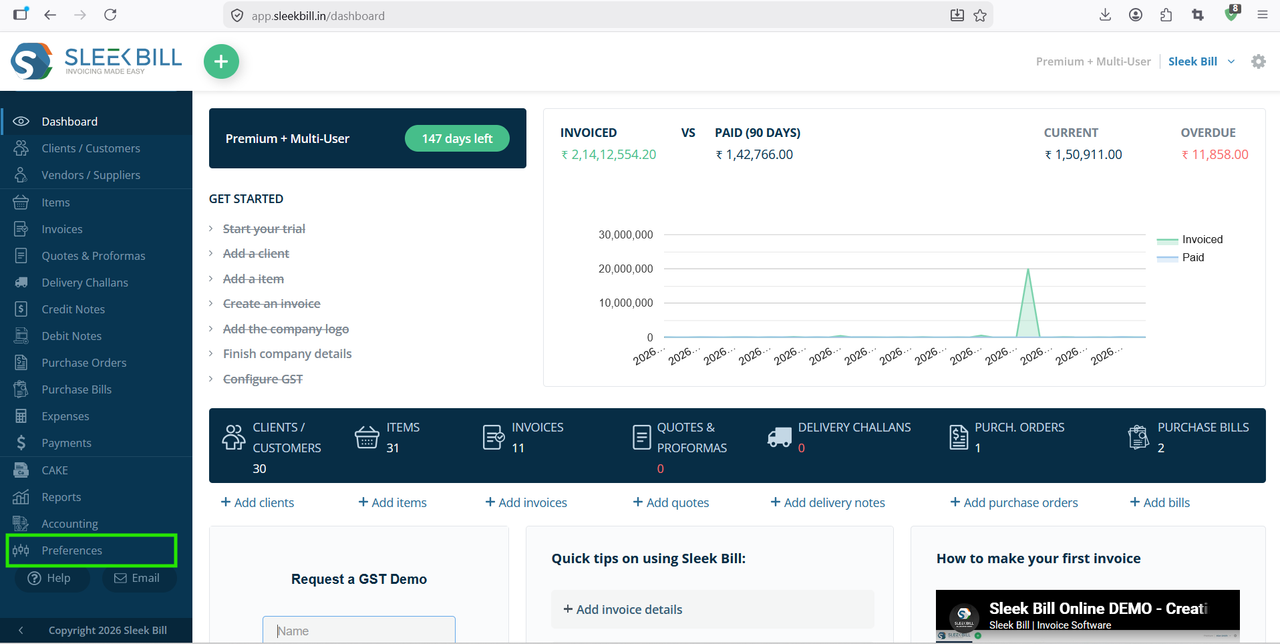
Step 3 : After successful login, you will reach the dashboard. From the left-side menu, click on Preferences.
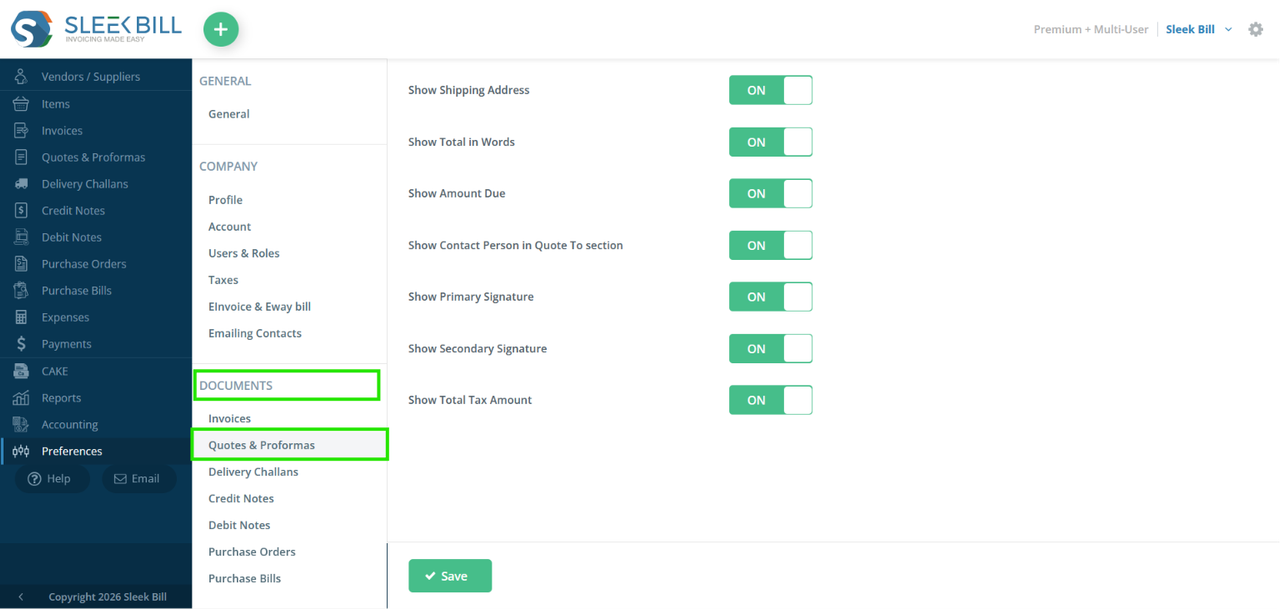
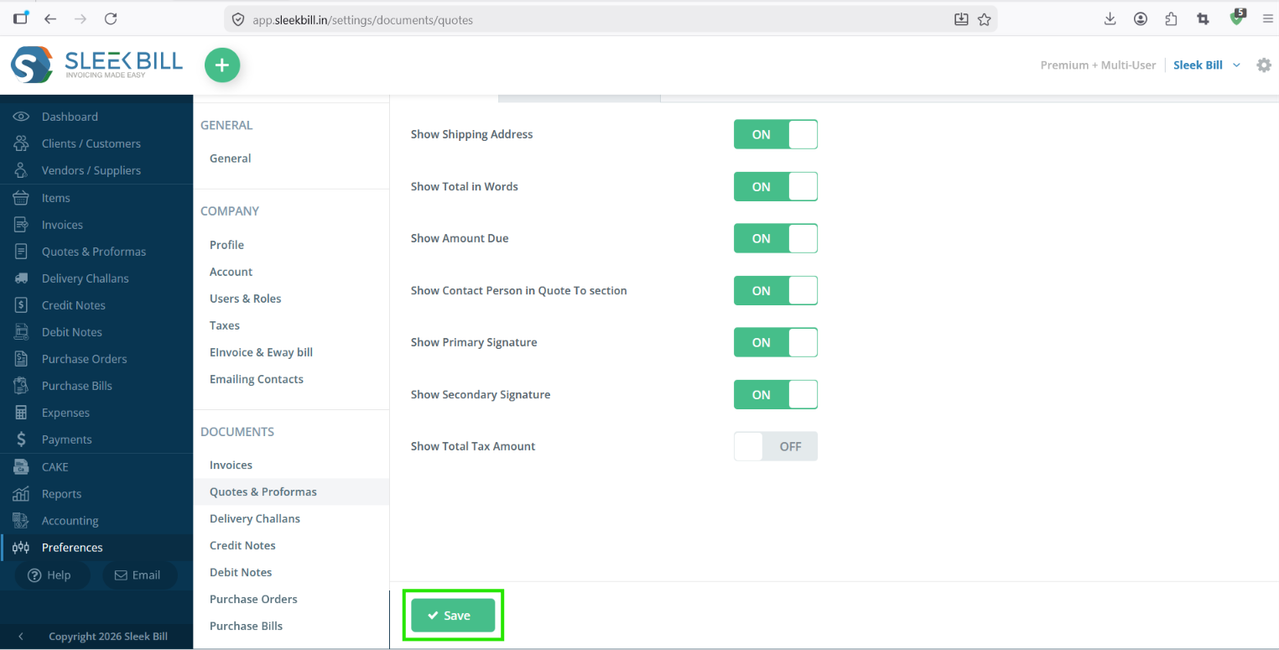
Step 4 : Inside Preferences, navigate to Documents then go to Quote and Proforma. Here you will find all customization options related to quotation format and display settings.
Step 5 : Enable options Show Total Tax Amount by turn it ON.
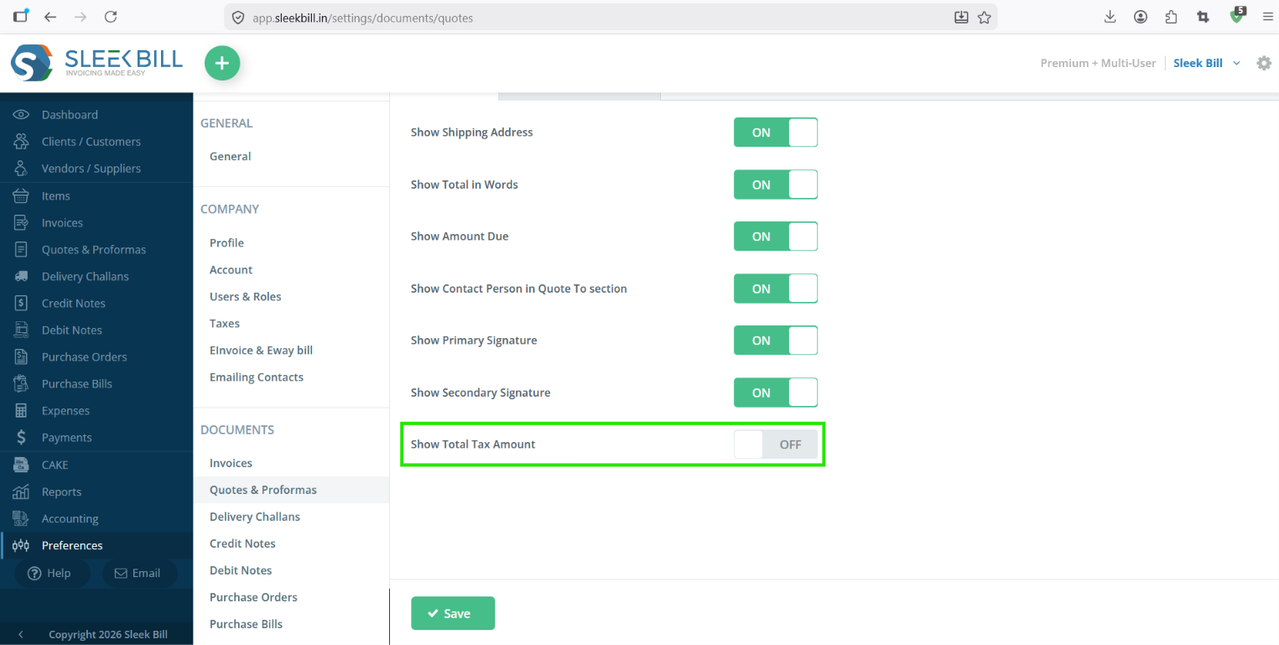
Step 6 : After enabling the required options, click on the Save button.
Result :
Benefits of Showing Total Tax Amount
Better Pricing Transparency
Customers can clearly see how much tax is applied.
Professional Quotations
A detailed quotation creates trust and improves business communication.
GST Compliance
Useful for businesses that need GST-ready quotations.
Faster Approval Process
Clients can quickly review the final amount without manual calculations.
Conclusion
Displaying the total tax amount in quotations in Sleek Bill is a simple but useful feature that improves clarity and professionalism.
By enabling the tax display settings in quotation preferences, you can generate cleaner and more informative quotations for your customers.
Was this article helpful?