🧾 Billing & Invoicing
How to Use Indian Formatting For Numbers
In this guide, we’ll learn how to use Indian formatting for numbers in invoices, and understand why this format is important for businesses operating in India.
What is Indian Number Formatting?
Indian number formatting represents numbers using the lakh and crore system instead of millions and billions.
For example:
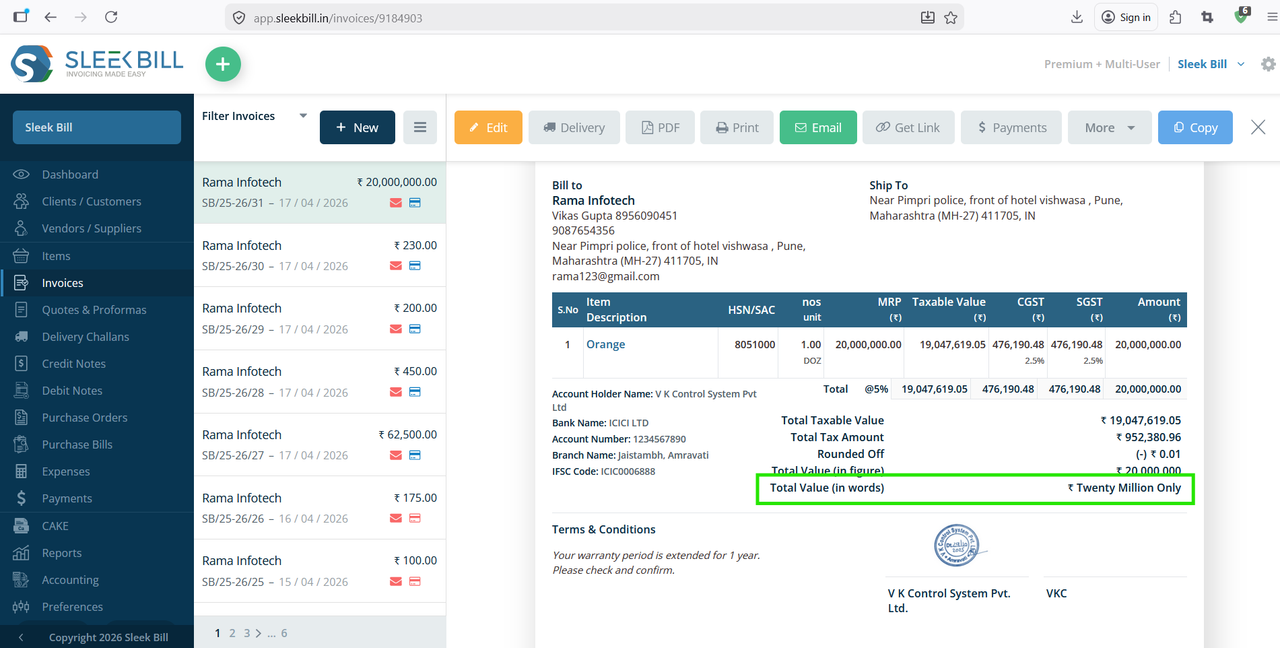
- International format: 20,000,000 → Twenty Million
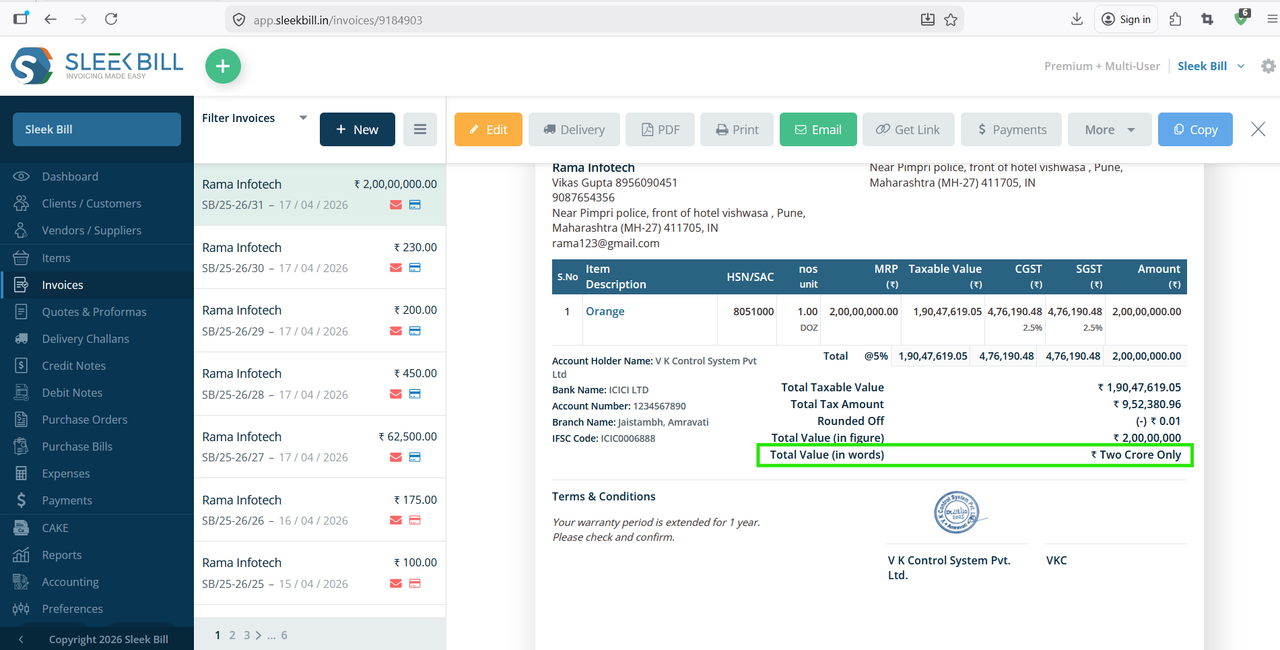
- Indian format: 2,00,00,000 → Two Crore
Why Use Indian Formatting in Invoices? (Short Version)
Using Indian number formatting improves clarity and communication in invoices.
- Easy to Understand: Uses lakh and crore, which are familiar to Indian users
- Better Communication: Avoids confusion between million and crore
- Professional Look: Matches Indian business standards
- Reduces Errors: Clear digit grouping (e.g., 2,00,00,000) prevents misreading
- Supports Accounting: Helpful for audits and financial reporting
- Builds Trust: Customers feel more confident with familiar formats
You will see while creating invoices Twenty Million Only in total amount
Follow these simple steps:
Step 1 : Open your browser and type www.sleekbill.in, then press Enter. Click on the Login button at the top right corner.

Step 2 : After logging in, go to the Dashboard. From there, navigate to Preferences.

Step 3 : Inside Preferences, go to the “Generals” section.

Step 4 : Find the option “Use Indian Formatting for Numbers” and enable it.
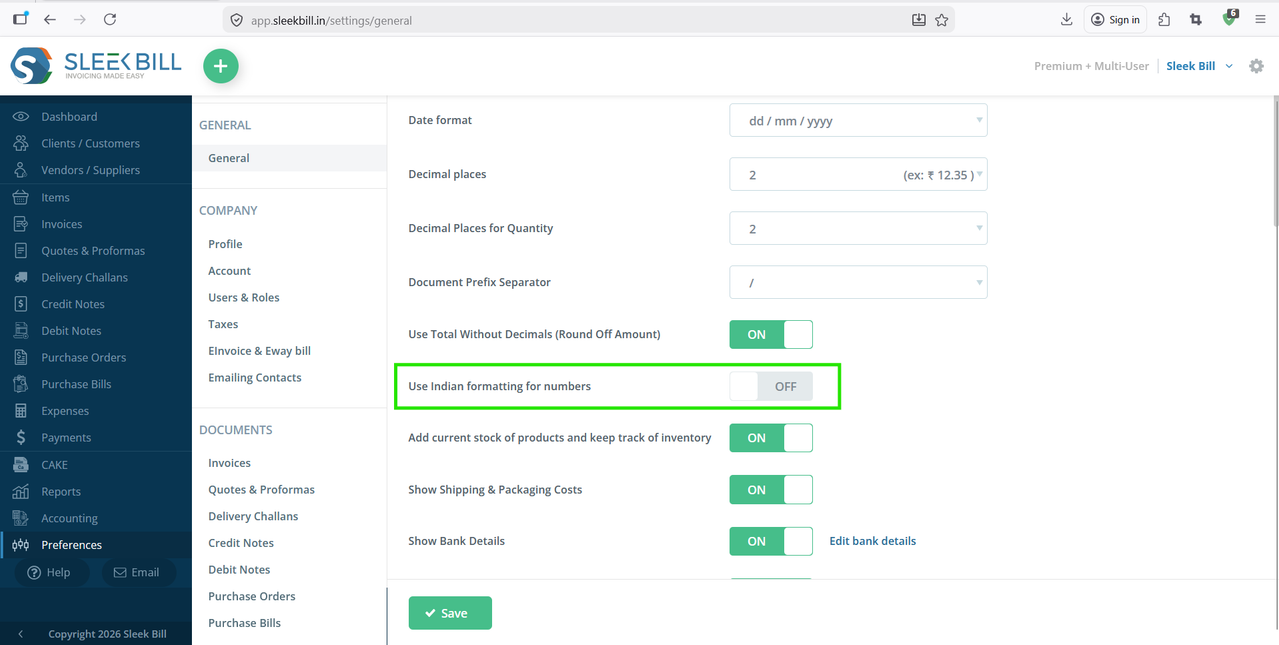
Step 5 : Click on the Save button at the bottom of the software.
 Now, create or preview an invoice.
You will see that the Total Value (in words) is displayed in Indian format (lakh/crore system).
Conclusion
Using Indian number formatting is not just a preference—it’s a practical and professional choice for businesses in India.
It improves clarity, avoids confusion, and ensures your invoices are easy to understand for your customers.
With Sleek Bill, enabling this feature is quick and helps you deliver localized and professional invoices effortlessly.
Was this article helpful?