🧾 Billing & Invoicing
How To Use Total Without Decimals (Round Off Amount)?
In this guide, we’ll learn how to use total without decimals (round off amount) in invoices, and understand why rounding off values can be useful for your business.
Why Use Total Without Decimals in Invoices?
Using rounded-off values in invoices improves clarity and efficiency.
- Simplifies Billing: Easy-to-read totals without complex decimals
- Better for Cash Payments: Avoids small change and speeds up transactions
- Improves Customer Experience: Clean amounts like ₹100 are easier to understand
- Reduces Errors: Minimizes rounding differences and discrepancies
- Professional Look: Gives invoices a neat and polished appearance
- Ideal for Certain Businesses: Useful for retail, small businesses, and cash transactions
Follow these simple steps:
Step 1 : Open your browser and type www.sleekbill.in, then press Enter. Click on the Login button at the top right corner.

Step 2 : After logging in, go to the Dashboard. From there, navigate to Preferences.

Step 3 : Inside Preferences, go to the “Generals” section.

Step 4 : Find the option related to Total Without Decimals / Round Off Amount and enable or select it as per your requirement.
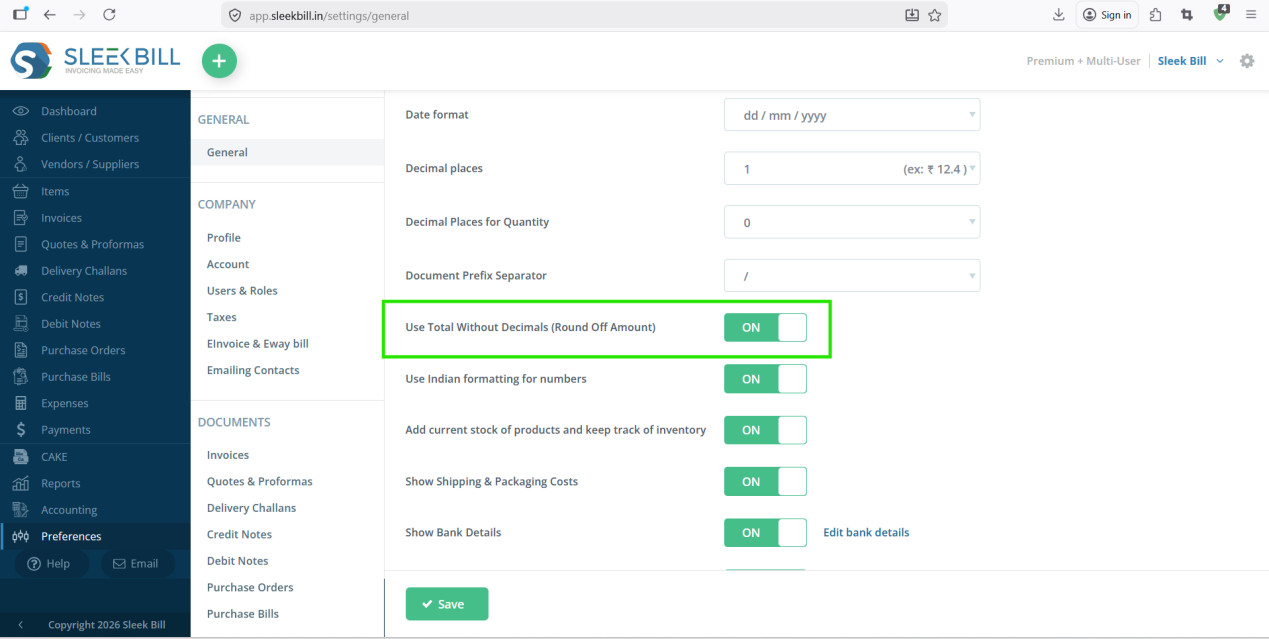
Step 5 : Click on the Save button at the bottom of the software.

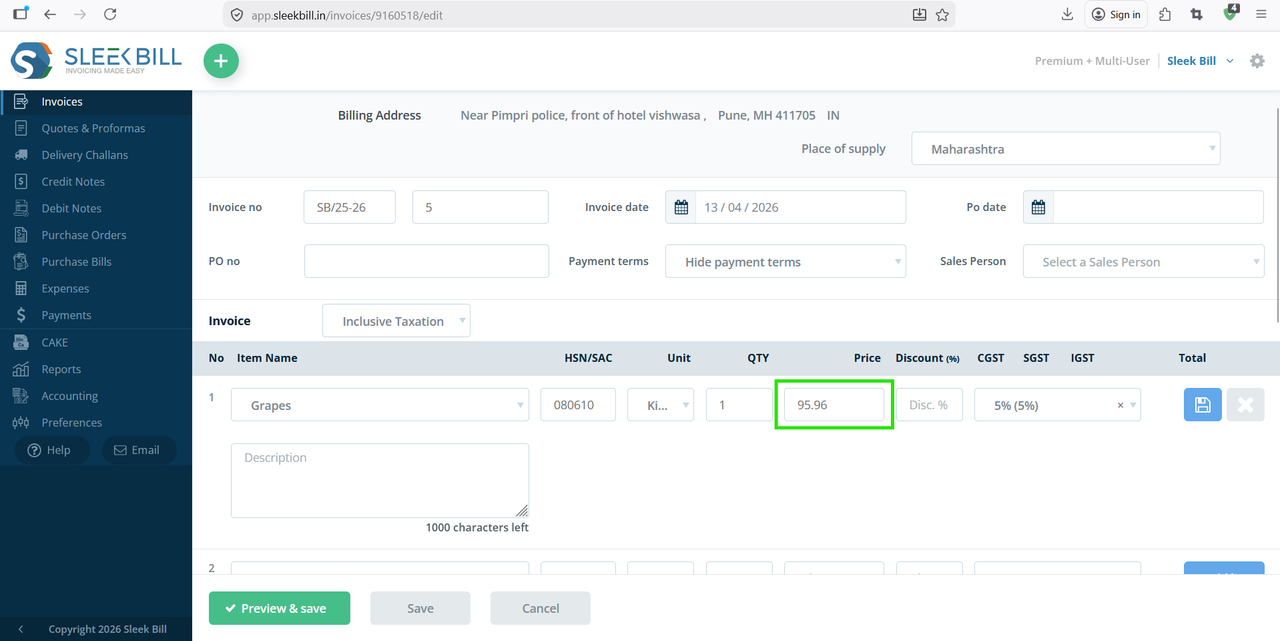
Step 6 : Now, create invoice and add decimal value in price field.
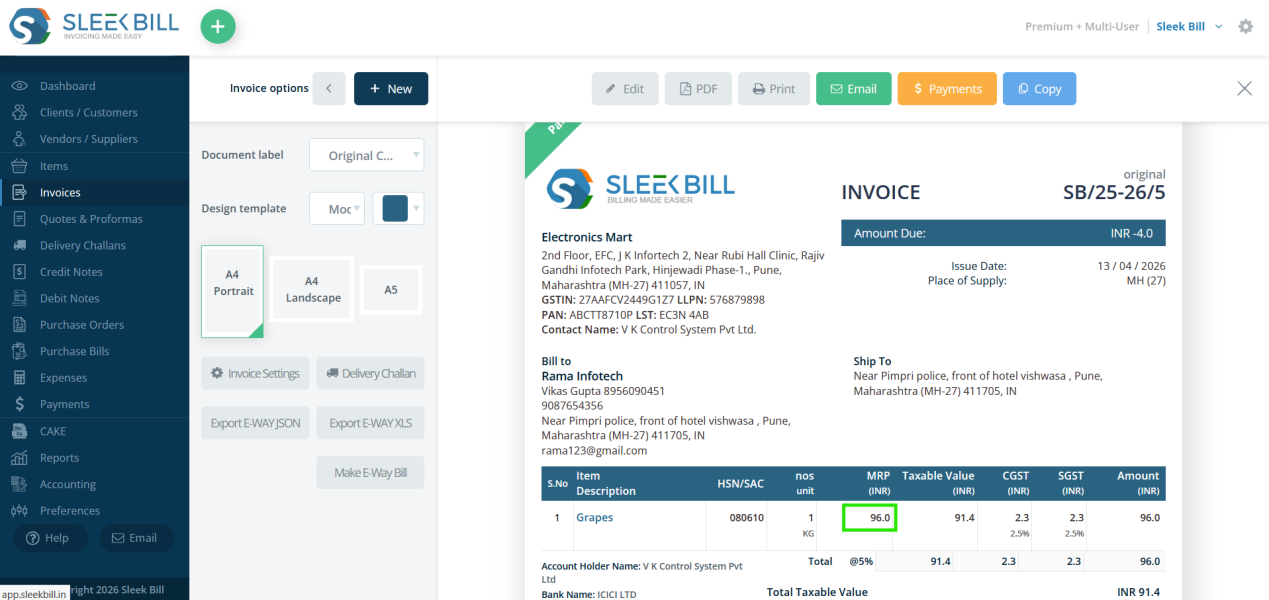
Now preview an invoice. You will see that the price amount is displayed without decimals, showing a rounded-off value.
Conclusion
Using total without decimals is a simple yet powerful feature that helps in clean billing, faster transactions, and better customer experience.
With Sleek Bill, you can easily enable this setting and make your invoicing more practical and efficient.
Was this article helpful?