How to Show Amount in Sleek Bill Delivery Challan
Hello Sleek
Bill users, welcome to the Sleek Bill Knowledge Hub.
In this
article, we will learn how to enable the Amount option in a Delivery Challan
using Sleek Bill.
Many businesses
use Delivery Challans only for product delivery details, while some businesses
also prefer to display item amounts and totals for better clarity and record
management. Showing the amount in your Delivery Challan helps customers easily
understand product values and improves document transparency.
With Sleek
Bill, you can enable this option quickly in just a few simple steps.
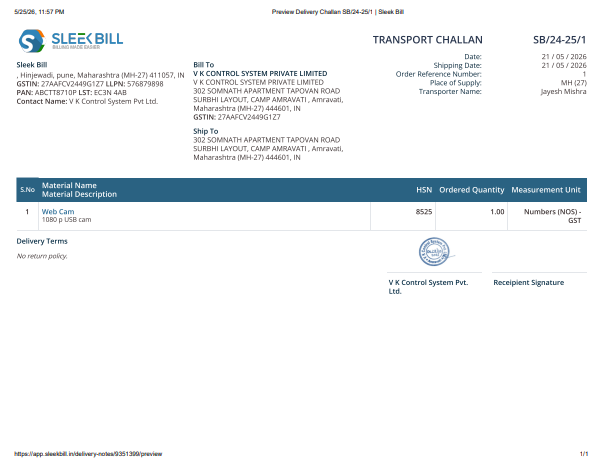
In the delivery challan below, the amount is missing.
Why Enable the Amount in the Delivery Challan?
- Makes your Delivery Challan more detailed and professional
- Helps customers clearly understand item values
- Improves business record-keeping
- Reduces confusion during delivery and billing
- Useful for internal tracking and documentation
Steps to Show Amount in the Delivery Challan
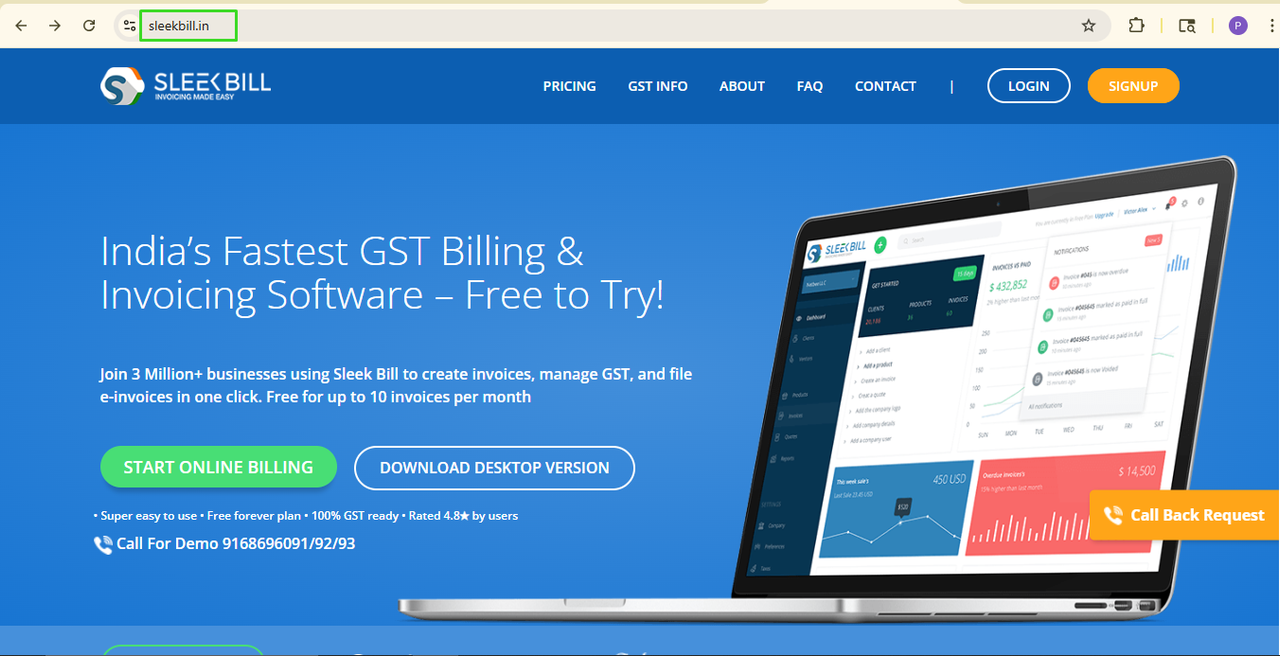
Step 1: Open Sleek Bill Website
Visit Sleek
Bill in your browser.
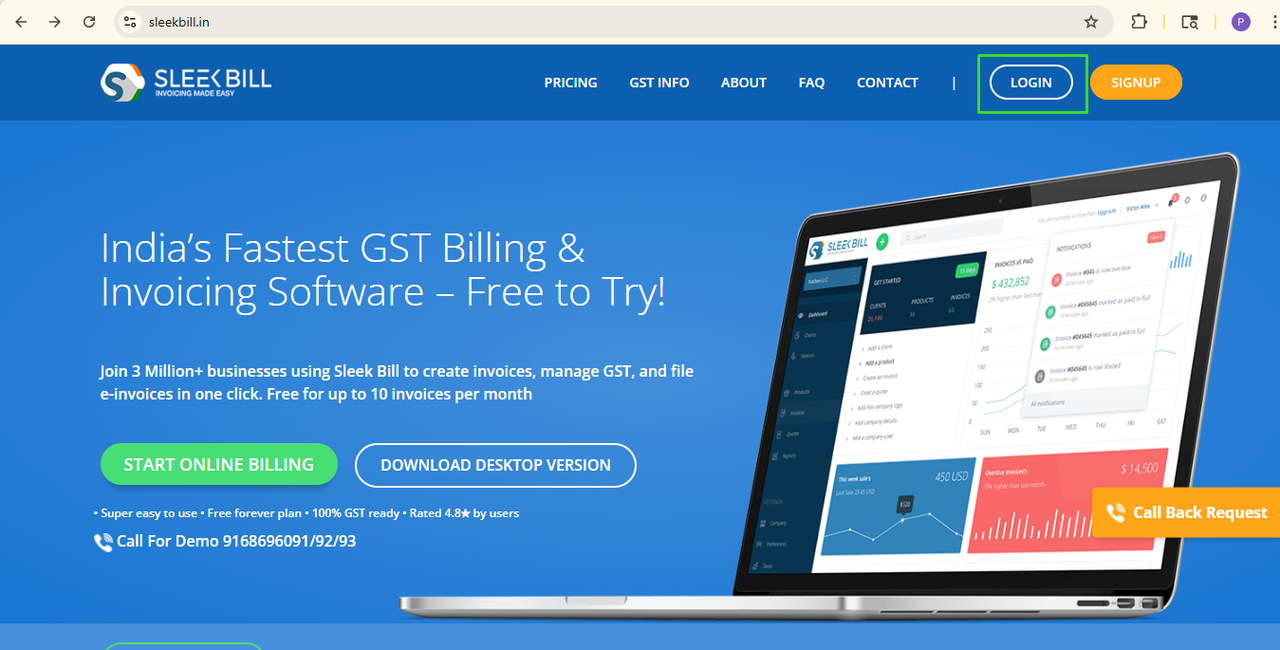
Step 2: Click on the Login button.
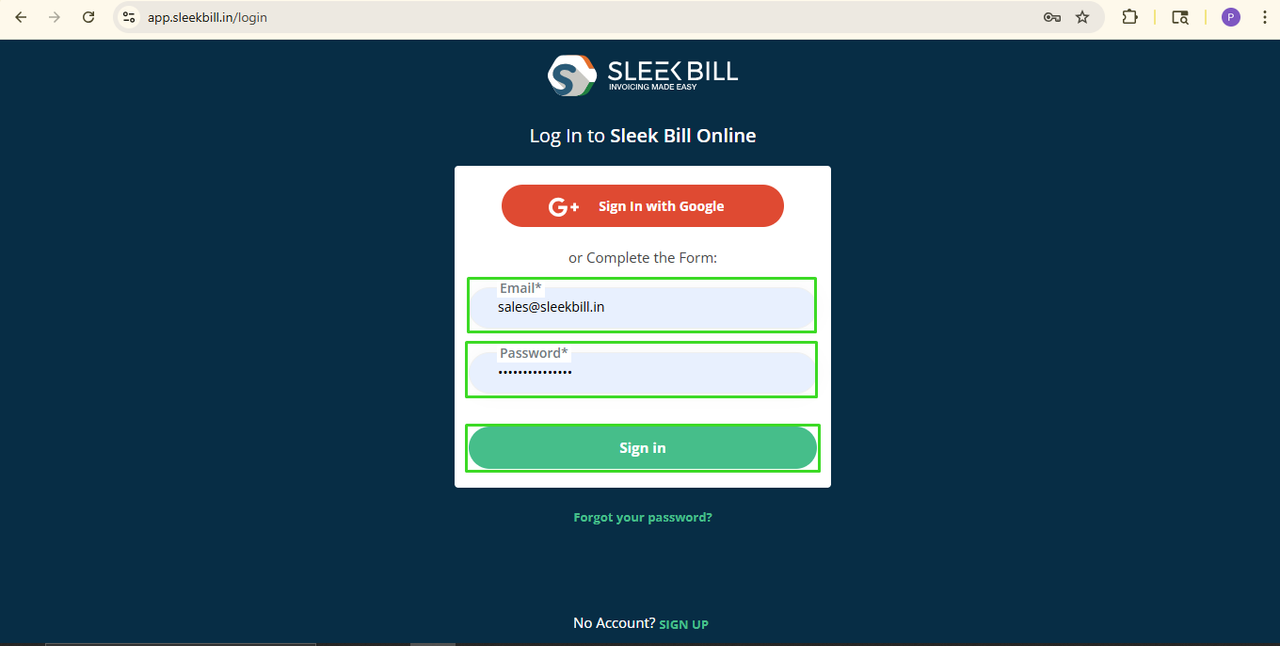
Step 3: Sign in To Your Account
Enter your email ID and password and click on the Login button.
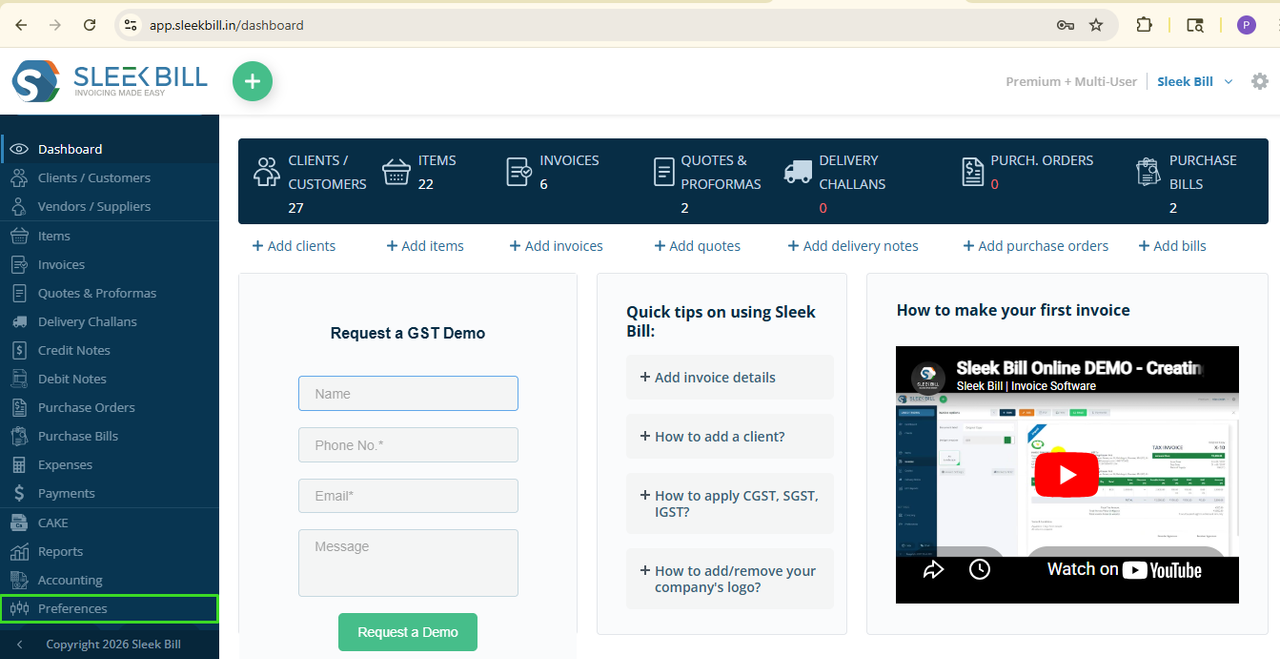
Step 4: Go To Preferences
After logging in, you will go to the dashboard. Now scroll down to the left side blue bar and click the Preferences tab.
Step 5: Choose the Delivery Challan Section
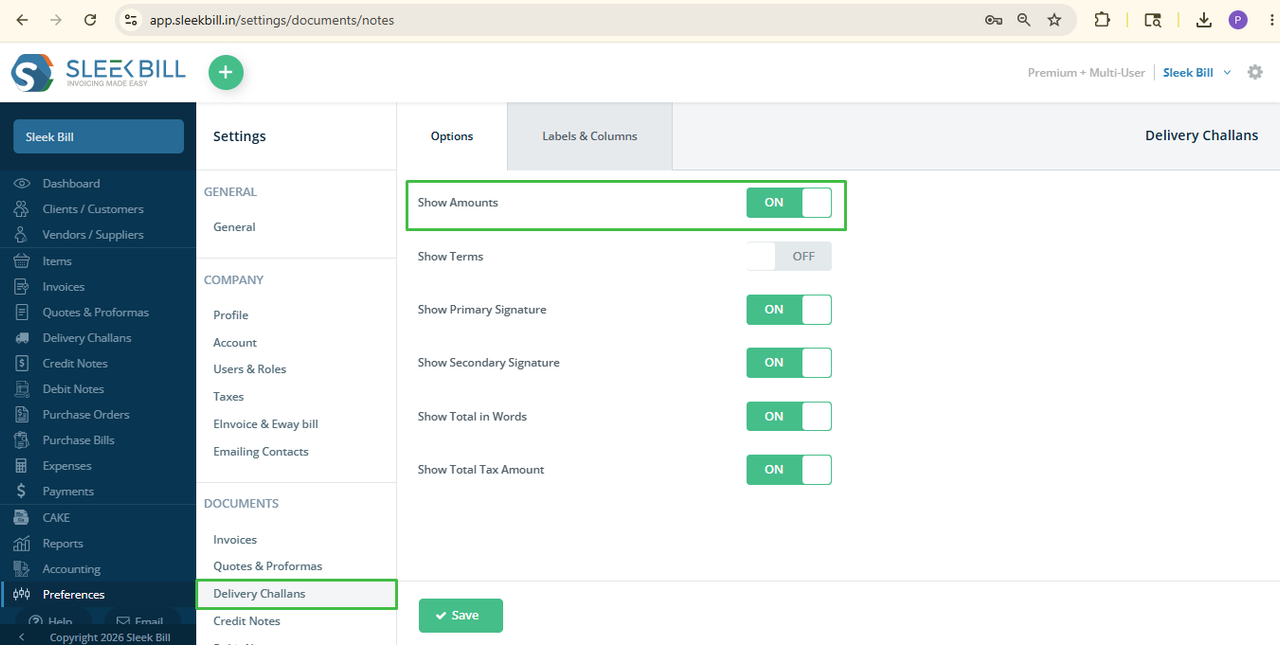
Inside
Preferences, click on the Delivery Challan tab.
Step 6: Enable Show Amount Option
Find the “Show
Amount” option and switch it ON.
Step 7: Click Save
Changes
Click the Save
button to save the settings.
That’s
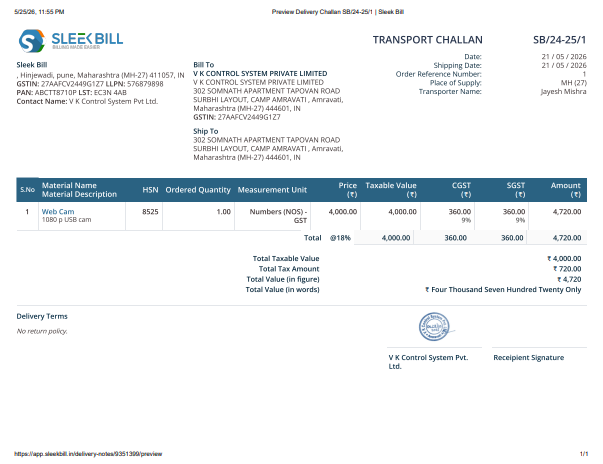
all! Now from now on, whenever you create
a new Delivery Challan the amount column and total values will be shown in the
document automatically.
Check the Delivery Challan below to show the amount .
Turning on the Amount option in the Delivery Challan makes your business documents clearer and more professional. It increases transparency, keeps your records neat, and makes delivery details easier for customers to understand.
Try this
feature today and manage your Delivery Challans more efficiently with Sleek
Bill.
Was this article helpful?